> ## Documentation Index
> Fetch the complete documentation index at: https://docs.apinizer.com/llms.txt
> Use this file to discover all available pages before exploring further.
# Instance Management
> Define target Apinizer environments for API Promotion, monitor connection statuses, configure approval mechanisms, and set up notification recipients.
For detailed information about the [Environment](/en/concepts/core-concepts/what-is-environment) concept, see the core concepts page.
## Instance List
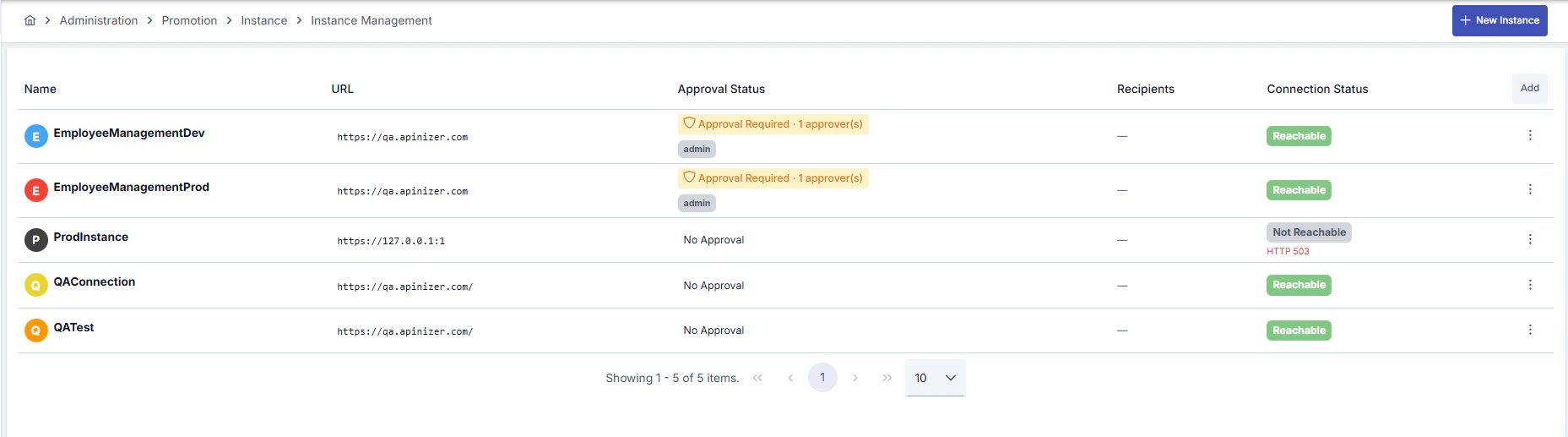
In the instance management screen, you can view all defined target environments. The list provides the following information:
* **Name and Description**: Identifying information for the instance
* **URL**: Target environment address (Base URL)
* **Approval Status**: Whether approval is required and, if defined, approvers
* **Recipients**: Notification recipients (if any)
* **Connection Status**: Target environment accessibility status (for example Reachable / Not Reachable)
 ## Creating a New Instance
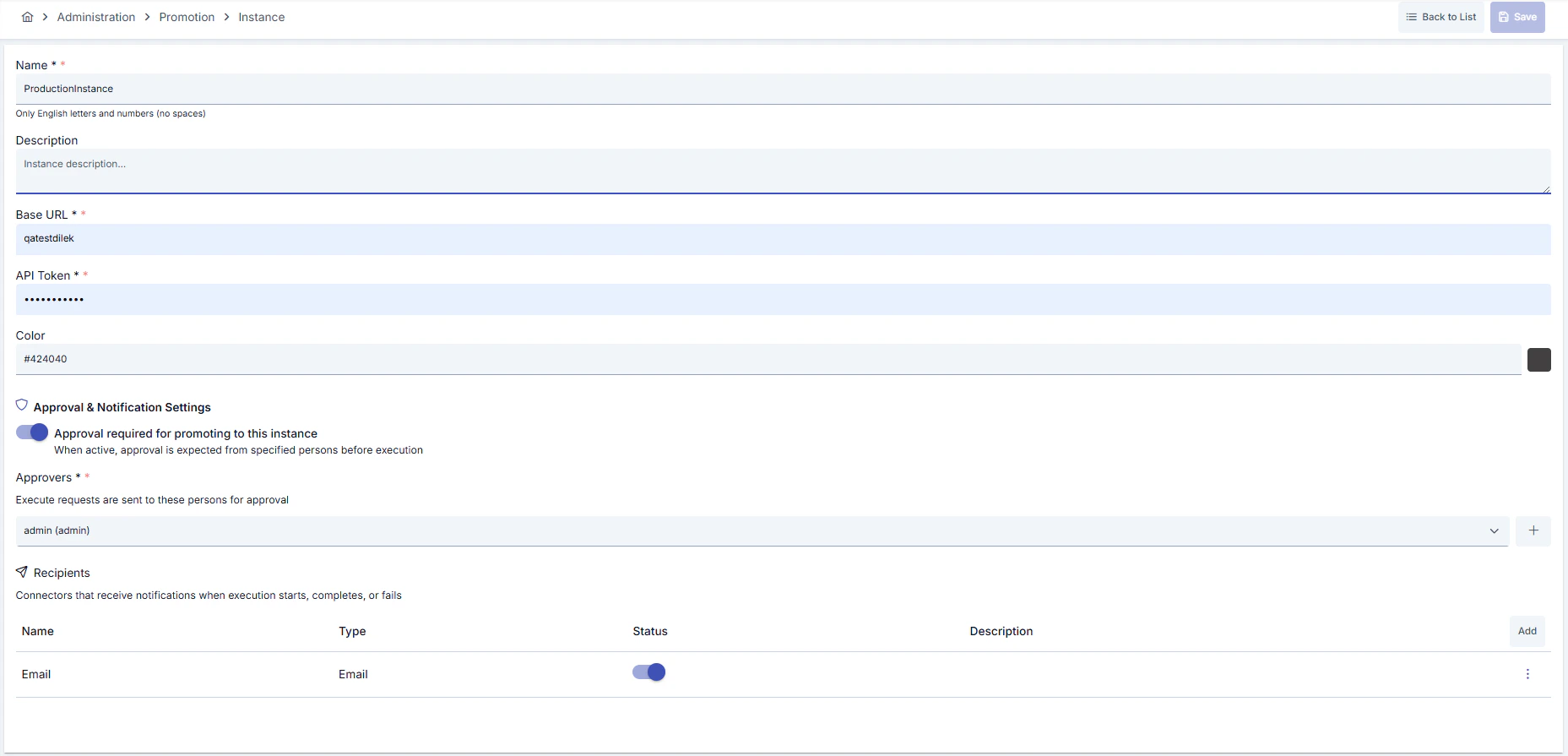
To add a new target environment, use the **New Instance** button.
### Basic Information
| Field | Description |
| --------------- | ---------------------------------------------------------------------------------------------------------- |
| **Name** | A unique name for the instance. Only English letters and numbers are accepted, no spaces allowed |
| **Description** | Descriptive information about the instance |
| **Base URL** | Address of the target Apinizer environment |
| **API Token** | API key used to access the target environment (retrieved from relevant settings in the target environment) |
| **Color** | Color selection to visually distinguish the instance |
## Creating a New Instance
To add a new target environment, use the **New Instance** button.
### Basic Information
| Field | Description |
| --------------- | ---------------------------------------------------------------------------------------------------------- |
| **Name** | A unique name for the instance. Only English letters and numbers are accepted, no spaces allowed |
| **Description** | Descriptive information about the instance |
| **Base URL** | Address of the target Apinizer environment |
| **API Token** | API key used to access the target environment (retrieved from relevant settings in the target environment) |
| **Color** | Color selection to visually distinguish the instance |
 ### Connection Test
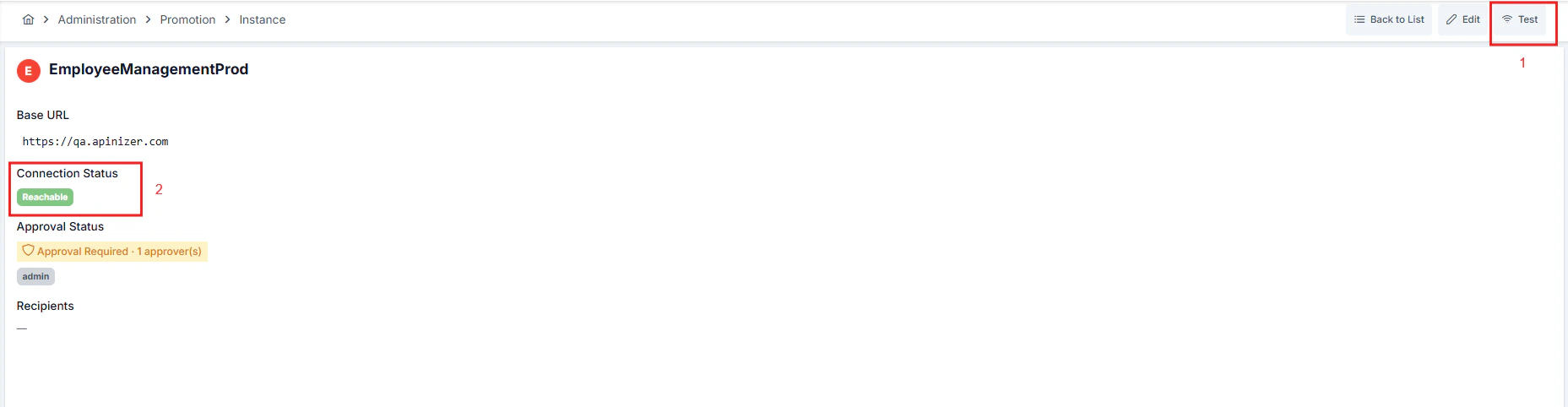
After saving the instance, you can run a connection test to verify access to the target environment.
* **From list screen**: **(… menu)** in the related instance row -> **Test**
* **From detail screen**: **Test** button
Connection status is updated on screen after test execution:
* **Successful**: **Reachable** is shown in the Connection Status field.
* **Failed**: **Not Reachable** is shown in the Connection Status field and, if available, an error message is displayed.
### Connection Test
After saving the instance, you can run a connection test to verify access to the target environment.
* **From list screen**: **(… menu)** in the related instance row -> **Test**
* **From detail screen**: **Test** button
Connection status is updated on screen after test execution:
* **Successful**: **Reachable** is shown in the Connection Status field.
* **Failed**: **Not Reachable** is shown in the Connection Status field and, if available, an error message is displayed.
 ## Approval and Notification Settings
You can configure an approval mechanism for transfers to critical environments (especially Production), and define notification recipients.
### Approval Mechanism
When you activate **Approval required for promoting to this instance**, promotion operations to this instance wait for approval from designated approvers before execution.
| Setting | Description |
| --------------------- | ------------------------------------------------------------------------- |
| **Approval Required** | When active, approval from designated people is required before execution |
| **Approvers** | Users who can approve execution requests |
## Approval and Notification Settings
You can configure an approval mechanism for transfers to critical environments (especially Production), and define notification recipients.
### Approval Mechanism
When you activate **Approval required for promoting to this instance**, promotion operations to this instance wait for approval from designated approvers before execution.
| Setting | Description |
| --------------------- | ------------------------------------------------------------------------- |
| **Approval Required** | When active, approval from designated people is required before execution |
| **Approvers** | Users who can approve execution requests |
 ### Notification Recipients
You can define recipients to be notified about the status of promotion operations. Notifications are sent when:
* Execution starts
* Execution completes successfully
* Execution encounters an error
You can add connectors defined in the system (for example, an email connector) as notification recipients.
### Notification Recipients
You can define recipients to be notified about the status of promotion operations. Notifications are sent when:
* Execution starts
* Execution completes successfully
* Execution encounters an error
You can add connectors defined in the system (for example, an email connector) as notification recipients.
 ## Instance Detail Screen
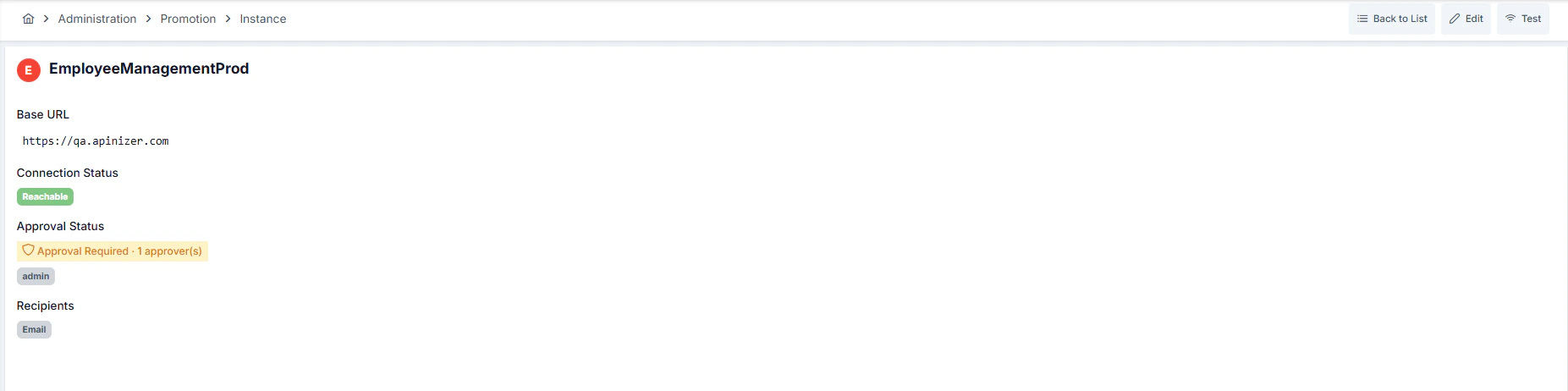
In the instance detail screen, you can view core information with connection status and trigger a connection test using the **Test** button. If the connection fails, the error message (if available) can also be viewed on this screen.
## Instance Detail Screen
In the instance detail screen, you can view core information with connection status and trigger a connection test using the **Test** button. If the connection fails, the error message (if available) can also be viewed on this screen.
 ## Deleting an Instance
When you want to delete an instance, a confirmation dialog is displayed.
When an instance is deleted, mappings and execution history associated with this instance may also be affected. Check related mappings before deleting.
## Deleting an Instance
When you want to delete an instance, a confirmation dialog is displayed.
When an instance is deleted, mappings and execution history associated with this instance may also be affected. Check related mappings before deleting.