> ## Documentation Index
> Fetch the complete documentation index at: https://docs.apinizer.com/llms.txt
> Use this file to discover all available pages before exploring further.
# API Promotion
> Safely transfer API configurations across environments (Development, Test, Staging, Production), automatically map environment variables, and manage the process with approval workflows.
## Why API Promotion?
In the API lifecycle, APIs typically pass through multiple environments. Each environment may use different backend addresses, security configurations, and [environment variables](/en/concepts/core-concepts/environment-variable). Performing these transitions manually is both time-consuming and error-prone.
With API Promotion you can:
* **Consistency**: Transfer the API configuration from the source environment to the target environment as-is
* **Automatic variable mapping**: Automatically map [environment variables](/en/concepts/core-concepts/environment-variable) (backend address, API key, etc.) with the target environment's values
* **Comparison and diff analysis**: View the differences between source and target before the transfer
* **Approval mechanism**: Define mandatory approval processes for transfers to critical environments (e.g., Production)
* **Traceability**: Track the entire transfer history step by step
## Supported API Types
API Promotion supports the following API types:
| Type | Description |
| ------------------------------------------------------------- | ----------------------------------------------------------------------------------------------------- |
| **[API Proxy](/en/concepts/core-concepts/what-is-api-proxy)** | Standard API Proxy transfer. Creator dependencies (DB-2-API, Script-2-API) are automatically detected |
| **DB-2-API** | Transfer the Creator definition of database-generated APIs independently |
| **Script-2-API** | Transfer the Creator definition of script-based APIs independently |
| **Mock API** | Transfer the Mock API Creator definition independently |
| **[Proxy Group](/en/concepts/core-concepts/api-proxy-group)** | Transfer a Proxy Group with all its proxies and dependencies |
Connector-type API Proxies are not supported for promotion.
## General Workflow
API Promotion consists of three main steps:
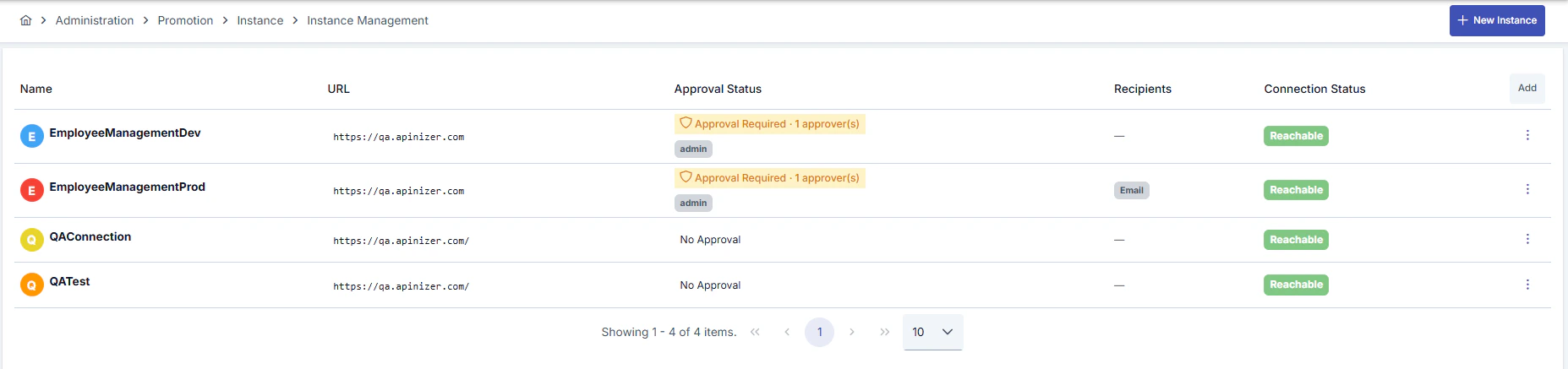
### 1. Instance Definition
You define target Apinizer environments (Development, Test, Staging, Production) as **Instances**. For each instance, connection details, approval requirements, and notification recipients are configured.
 ### 2. API Mapping Creation
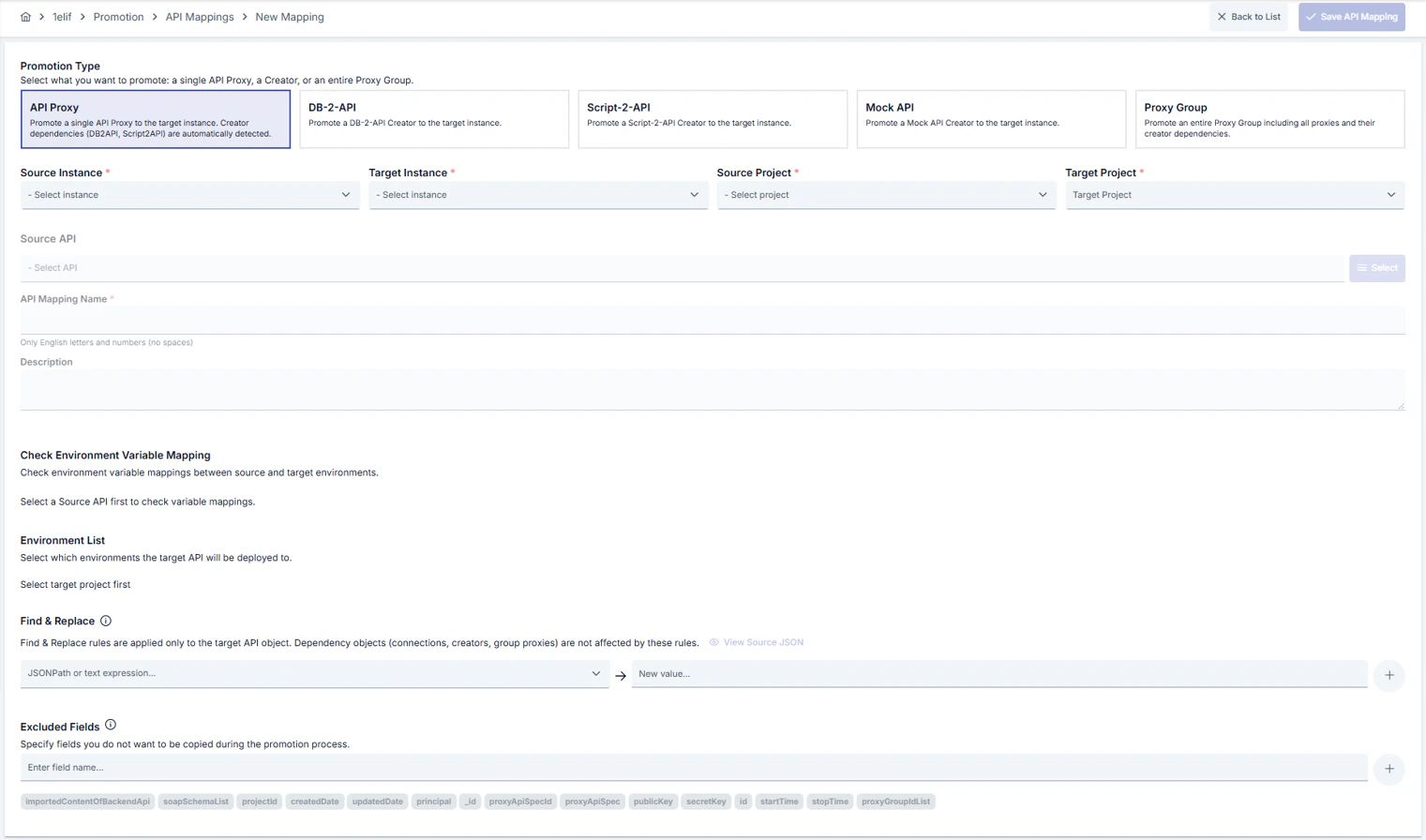
You create a **Mapping** that links an API in the source environment with its counterpart in the target environment. In this step:
* You select the source and target API (or create a new API in the target environment)
* You map [environment variables](/en/concepts/core-concepts/environment-variable)
* You define the necessary transformation rules
* You run pre-transfer checks
In the Source and Target Project fields, only projects that the user who owns the token used during instance creation is authorized to access are listed.
### 2. API Mapping Creation
You create a **Mapping** that links an API in the source environment with its counterpart in the target environment. In this step:
* You select the source and target API (or create a new API in the target environment)
* You map [environment variables](/en/concepts/core-concepts/environment-variable)
* You define the necessary transformation rules
* You run pre-transfer checks
In the Source and Target Project fields, only projects that the user who owns the token used during instance creation is authorized to access are listed.
 ### 3. Execution
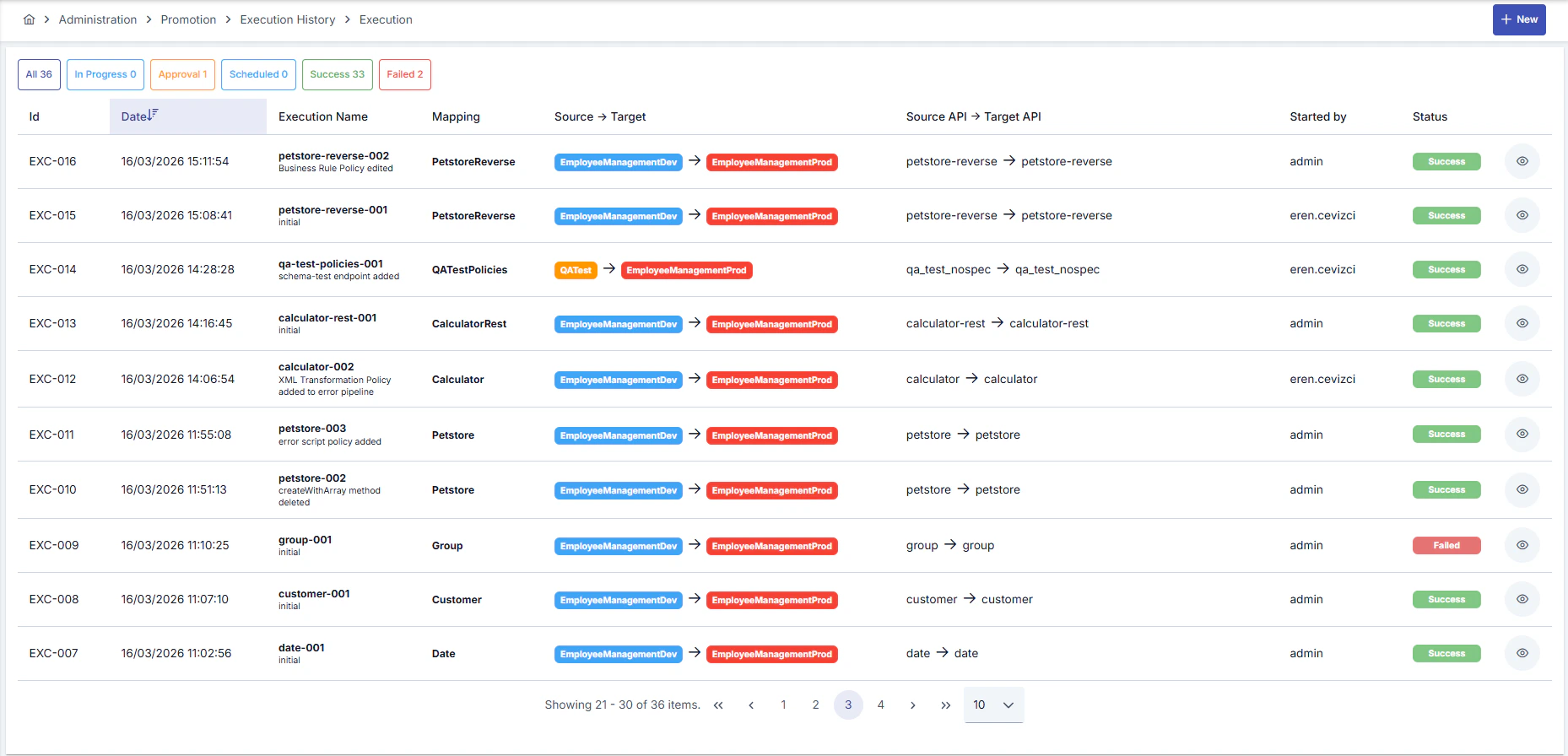
When the mapping is ready, you start the transfer with the **Execute** action. If approval is required, the process waits for approval; after approval it can run immediately or at a scheduled time.
### 3. Execution
When the mapping is ready, you start the transfer with the **Execute** action. If approval is required, the process waits for approval; after approval it can run immediately or at a scheduled time.
 ## Dependency Management
API Promotion automatically detects the dependencies of the API being transferred and requires them to be mapped in the target environment:
* **API Proxies created via DB-2-API**: Creator + Database Connection are transferred together (mandatory)
* **API Proxies created via Script-2-API and Mock API**: Only the Creator definition is transferred (mandatory)
* **Manually created API Proxies**: No dependencies, only the proxy definition is transferred
* **Proxy Group transfer**: Group settings are transferred first, then each proxy and its dependencies in sequence
## Next Steps
Define and configure target environments
Create source-target API mappings
Run and monitor transfers
Recommendations for efficient usage
## Dependency Management
API Promotion automatically detects the dependencies of the API being transferred and requires them to be mapped in the target environment:
* **API Proxies created via DB-2-API**: Creator + Database Connection are transferred together (mandatory)
* **API Proxies created via Script-2-API and Mock API**: Only the Creator definition is transferred (mandatory)
* **Manually created API Proxies**: No dependencies, only the proxy definition is transferred
* **Proxy Group transfer**: Group settings are transferred first, then each proxy and its dependencies in sequence
## Next Steps
Define and configure target environments
Create source-target API mappings
Run and monitor transfers
Recommendations for efficient usage