> ## Documentation Index
> Fetch the complete documentation index at: https://docs.apinizer.com/llms.txt
> Use this file to discover all available pages before exploring further.
# XPath Test
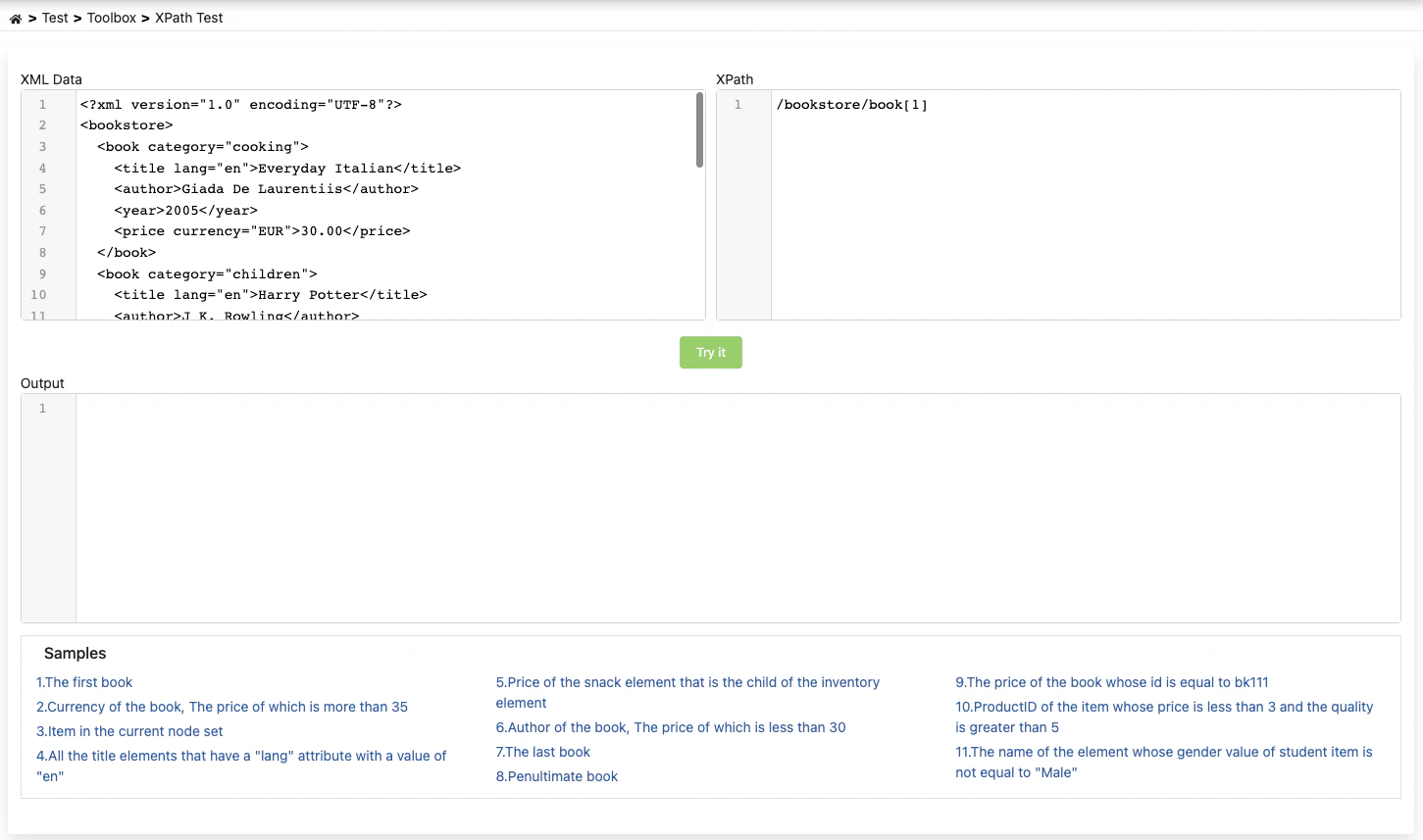
> You can access data on the specified path in XML data, test XPath queries, and select specific elements in XML structure
Information about how data access occurs can be learned with XPath Test examples in the **Examples** section.
 ## XPath Working Logic
XPath's working logic is normally based on accessing XML elements. It works this way in XML Transformation, Content Filter, Encryption and Signature policy screens.
Apinizer has made **customization** to facilitate XPATH usage in policies other than variable definition and XML Transformation, Content Filter, Encryption and Signature.
This customization is as follows:
While normally the text value of an element can be obtained by adding the text() function to the end of the XPath path, in Apinizer the text value of XPath is obtained by default.
An example XML data is below.
```xml theme={null}
Everyday Italian
Giada De Laurentiis
2005
30.00
Harry Potter
J K. Rowling
2005
29.99
```
* The following XPath is executed on this data.
```
/bookstore/book[2]/title
```
* Normally, when XPath is executed with any compiler outside Apinizer, the following result is returned.
```xml theme={null}
Harry Potter
```
* When executed in Apinizer XPath tool except for the specified policies, the following result is returned.
```
Harry Potter
```
## XPath Working Logic
XPath's working logic is normally based on accessing XML elements. It works this way in XML Transformation, Content Filter, Encryption and Signature policy screens.
Apinizer has made **customization** to facilitate XPATH usage in policies other than variable definition and XML Transformation, Content Filter, Encryption and Signature.
This customization is as follows:
While normally the text value of an element can be obtained by adding the text() function to the end of the XPath path, in Apinizer the text value of XPath is obtained by default.
An example XML data is below.
```xml theme={null}
Everyday Italian
Giada De Laurentiis
2005
30.00
Harry Potter
J K. Rowling
2005
29.99
```
* The following XPath is executed on this data.
```
/bookstore/book[2]/title
```
* Normally, when XPath is executed with any compiler outside Apinizer, the following result is returned.
```xml theme={null}
Harry Potter
```
* When executed in Apinizer XPath tool except for the specified policies, the following result is returned.
```
Harry Potter
```