> ## Documentation Index
> Fetch the complete documentation index at: https://docs.apinizer.com/llms.txt
> Use this file to discover all available pages before exploring further.
# TaskFlow Monitor
> Enables viewing log records of Task Flow flows and accessing task and action log details. When a flow starts running, log records of the flow itself, tasks in the flow, and actions begin to be kept. Reported logs of all flows and their details can be accessed by applying filters through the dashboard page.
## Dashboard Screen
Log records of all flows can be accessed by applying filters through the TaskFlow Monitor dashboard screen.
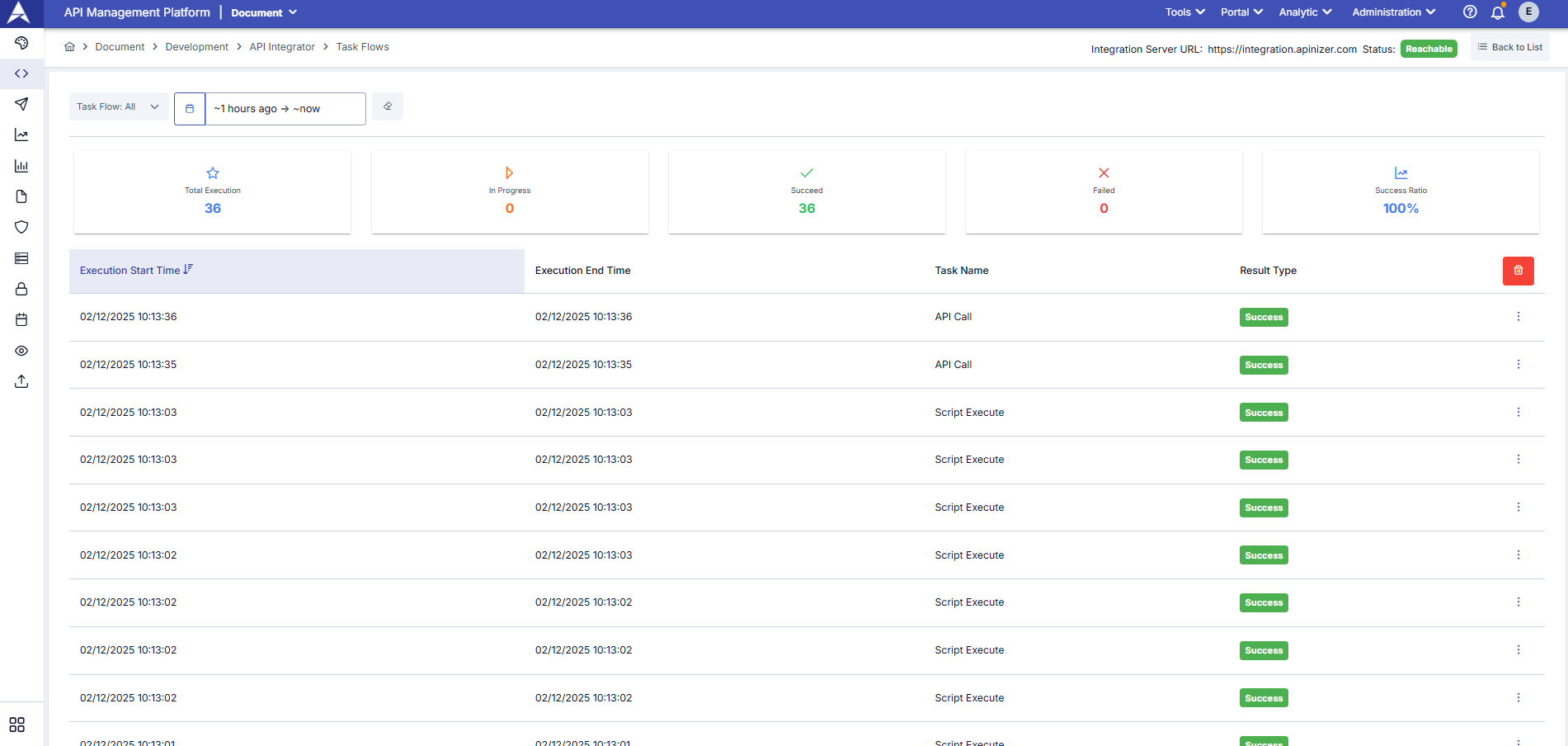 You can access log records of all flows by applying filters through the dashboard screen.
Button used to access task and action logs of the flow:
You can access log records of all flows by applying filters through the dashboard screen.
Button used to access task and action logs of the flow:
 ## Viewing Task Log Details of Flow
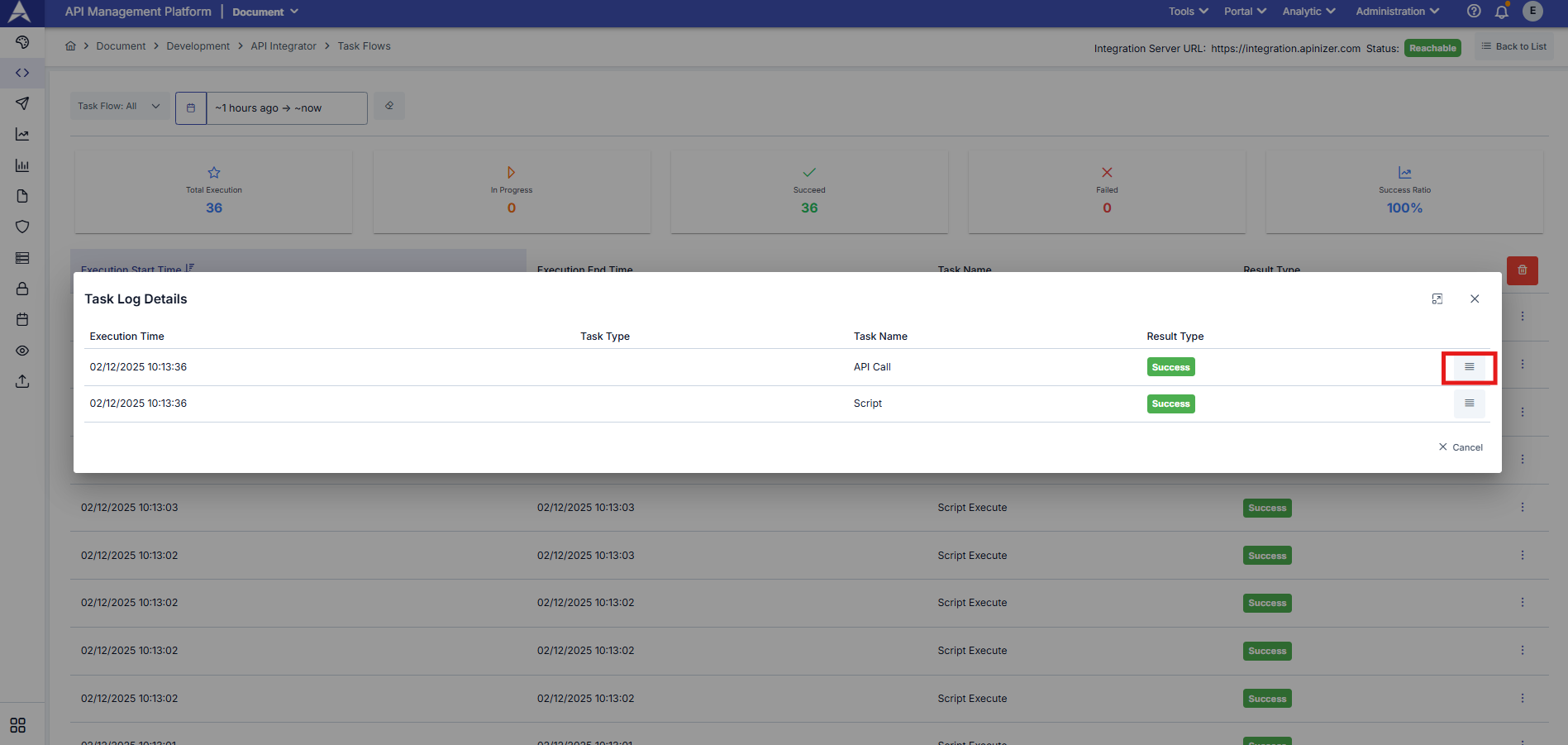
Dialog containing log information of tasks executed in the flow:
## Viewing Task Log Details of Flow
Dialog containing log information of tasks executed in the flow:
 ### Viewing Task Log Detail
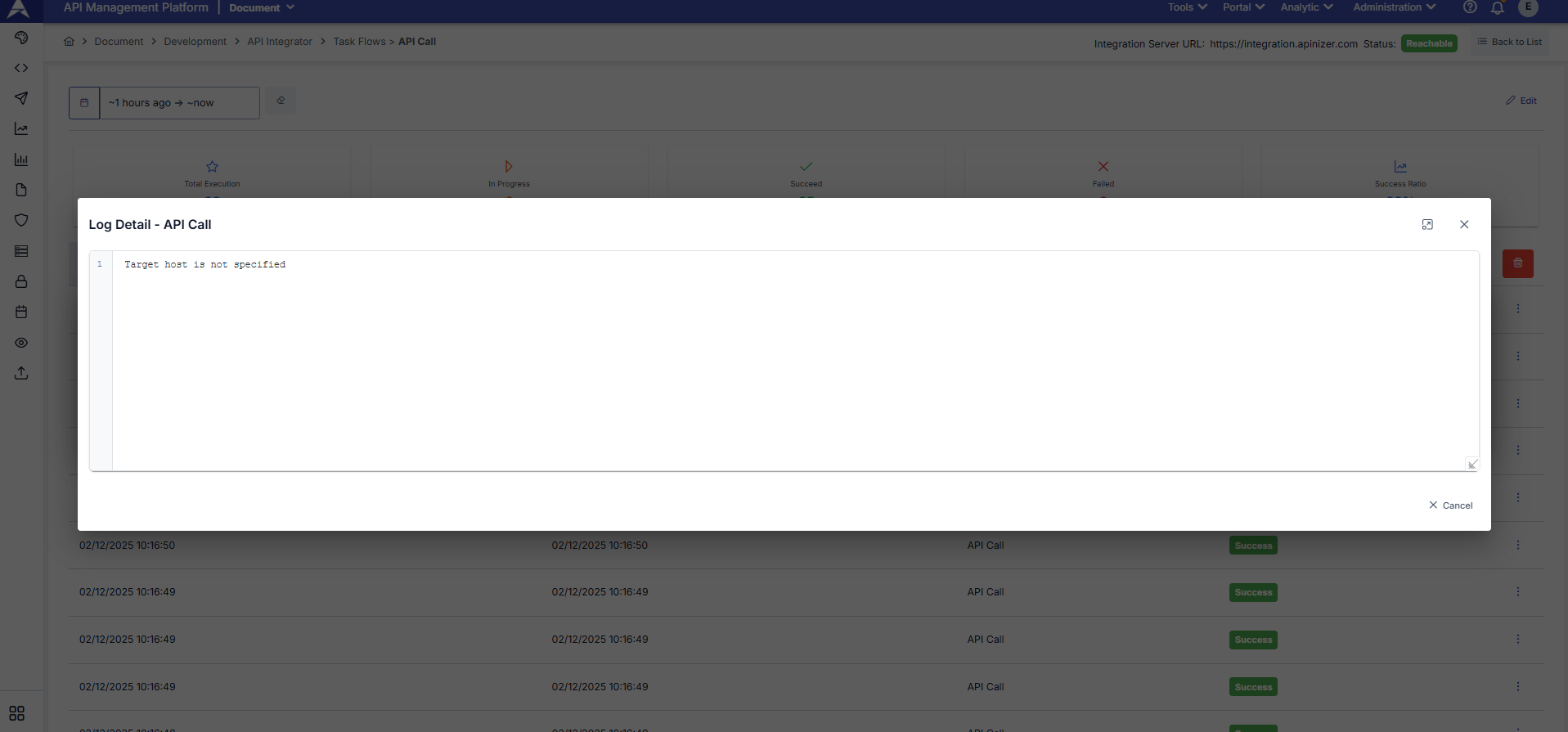
Dialog showing task log detail:
### Viewing Task Log Detail
Dialog showing task log detail:
 Detailed information such as task execution duration, status, input and output information is displayed in the task log detail.
## Viewing Action Log Details of Flow
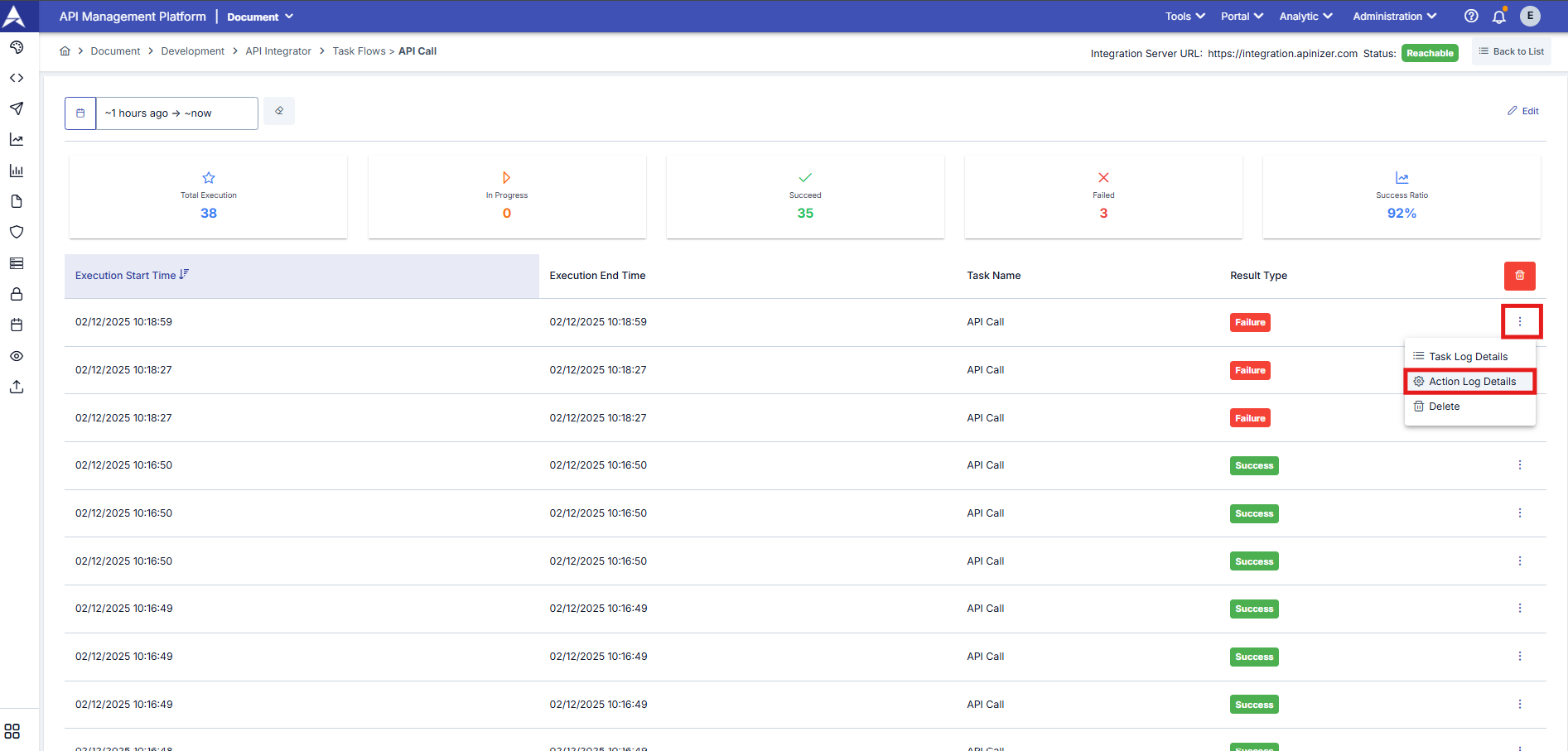
When the flow results in failure and there is a defined action, action execution history is logged. Dialog showing action execution history:
Detailed information such as task execution duration, status, input and output information is displayed in the task log detail.
## Viewing Action Log Details of Flow
When the flow results in failure and there is a defined action, action execution history is logged. Dialog showing action execution history:
 ### Viewing Action Log Detail
Dialog showing action log details:
### Viewing Action Log Detail
Dialog showing action log details:
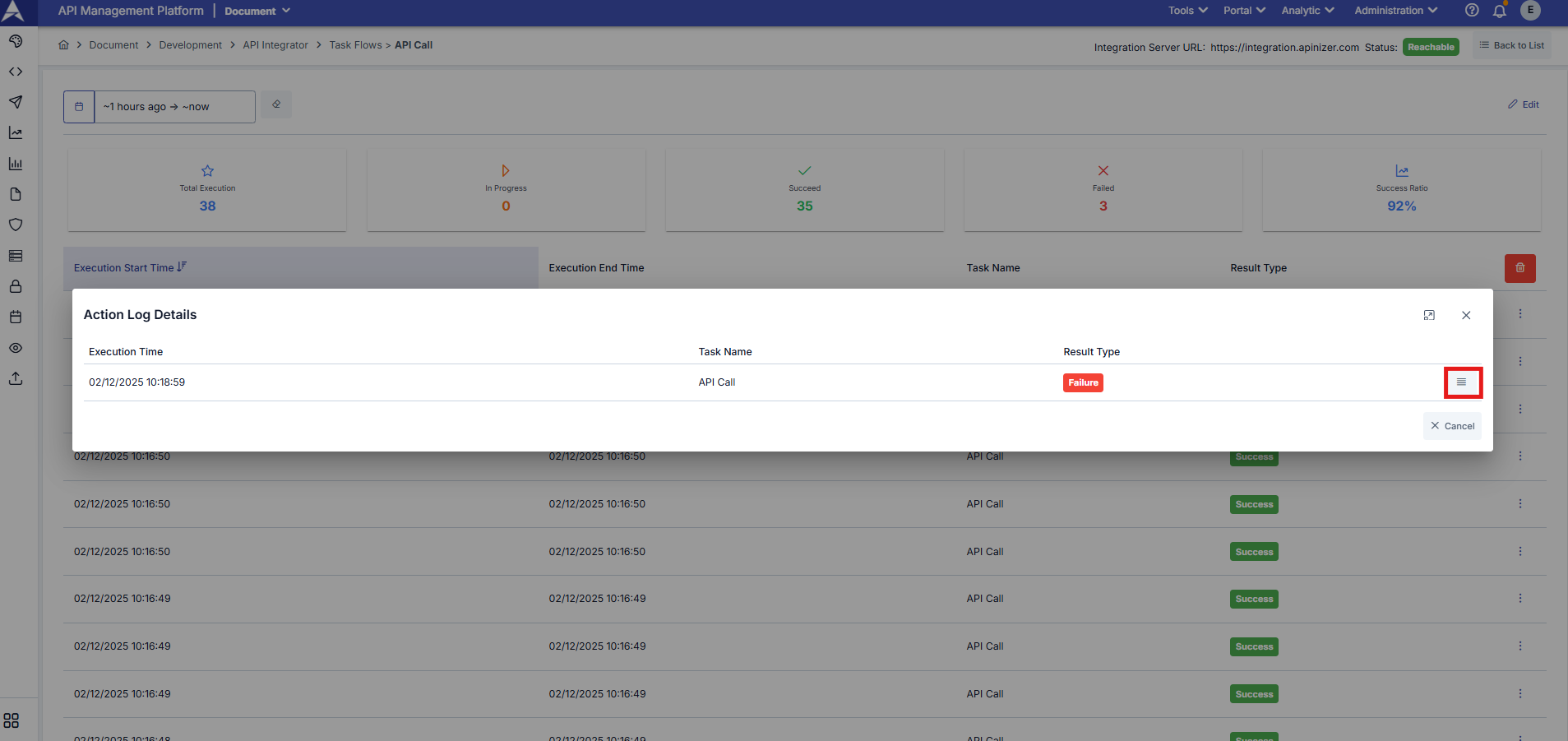
 Action logs are only displayed when the flow completes unsuccessfully and there is a defined action.