> ## Documentation Index
> Fetch the complete documentation index at: https://docs.apinizer.com/llms.txt
> Use this file to discover all available pages before exploring further.
# Elasticsearch Connector
> You can perform data indexing, search queries, and Elasticsearch operations using Elasticsearch connection definitions. When an action occurs, it ensures that the result is processed in the selected Elasticsearch connection definition.
## Configuration
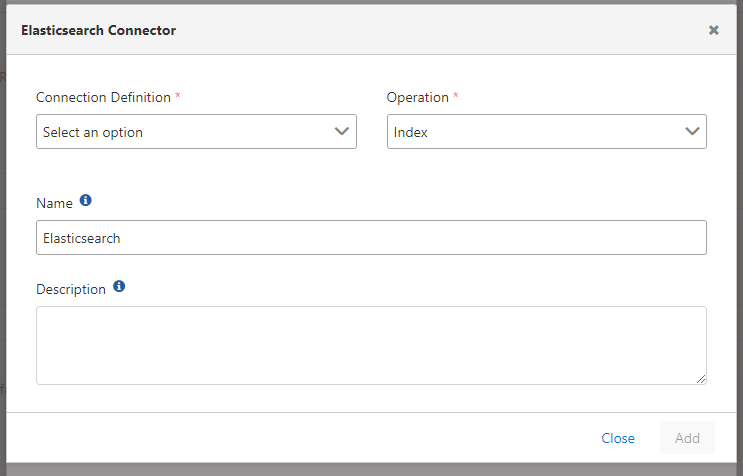 Configuration fields:
**Field:** Connection Definition
The definition belonging to the Elasticsearch connection is selected from the pool. For detailed information about creating connections, [click here](/en/integrations/connection-management/elasticsearch-configuration).
**Field:** Operation
Operation type is selected.
Configuration fields:
**Field:** Connection Definition
The definition belonging to the Elasticsearch connection is selected from the pool. For detailed information about creating connections, [click here](/en/integrations/connection-management/elasticsearch-configuration).
**Field:** Operation
Operation type is selected.