> ## Documentation Index
> Fetch the complete documentation index at: https://docs.apinizer.com/llms.txt
> Use this file to discover all available pages before exploring further.
# Email Sending
> You can send emails in error situations. When an error occurs, you can send the result via email, configure email, and use variables.
## Configuration
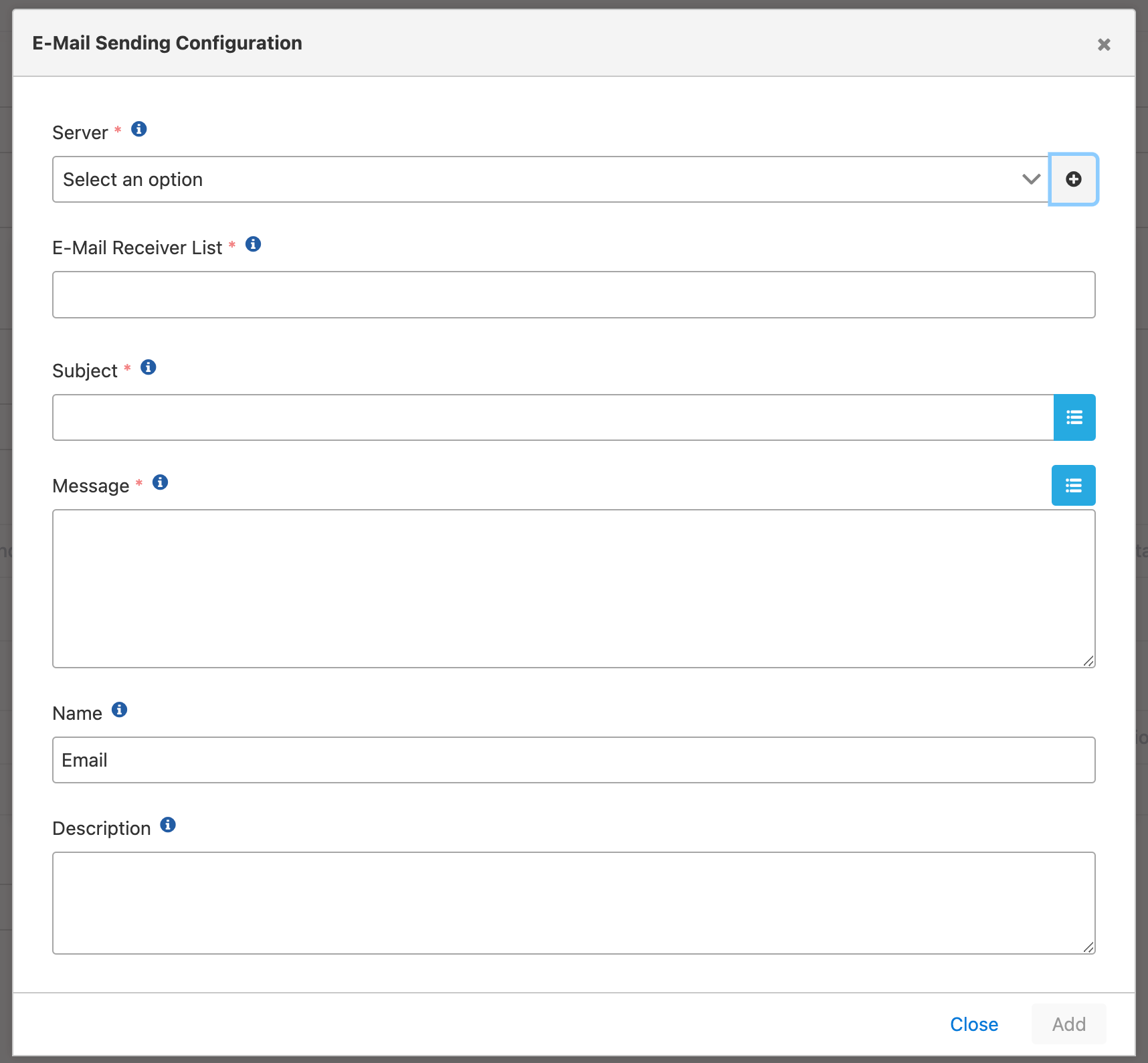 Configuration fields:
**Field:** Server
Existing email server is selected or a new one can be created. For detailed information about creating connections, [click here](/en/integrations/connection-management/email).
**Field:** E-Mail Receiver List
Email addresses of recipients to whom the email will be sent are entered.
**Field:** Subject
Subject of the email is written.
Variables can be used in the Subject field.
**Field:** Message
Content of the email is written.
Variables can be used in the Message field.
There is no variable for the information about the result of the operation. Because it is not a data type suitable for other action types like connector.
There is a special situation only in the email sending action. The result of the operation automatically comes as an email attachment by being zipped.
If there is no attachment on the email, this means that this file hit the 25 mb size limit or no data was created in the result.
Configuration fields:
**Field:** Server
Existing email server is selected or a new one can be created. For detailed information about creating connections, [click here](/en/integrations/connection-management/email).
**Field:** E-Mail Receiver List
Email addresses of recipients to whom the email will be sent are entered.
**Field:** Subject
Subject of the email is written.
Variables can be used in the Subject field.
**Field:** Message
Content of the email is written.
Variables can be used in the Message field.
There is no variable for the information about the result of the operation. Because it is not a data type suitable for other action types like connector.
There is a special situation only in the email sending action. The result of the operation automatically comes as an email attachment by being zipped.
If there is no attachment on the email, this means that this file hit the 25 mb size limit or no data was created in the result.