> ## Documentation Index
> Fetch the complete documentation index at: https://docs.apinizer.com/llms.txt
> Use this file to discover all available pages before exploring further.
# RabbitMQ Connector
> You can perform message queue operations and asynchronous messaging with RabbitMQ integration. When an action occurs, it ensures that the result is processed in the selected RabbitMQ connection definition.
## Configuration
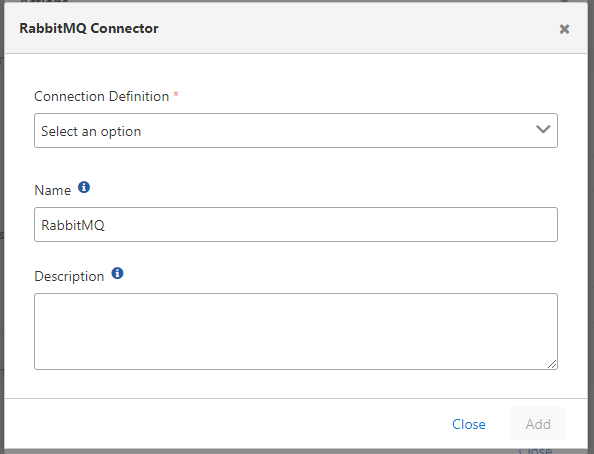 Configuration fields:
**Field:** Connection Definition
The definition belonging to the RabbitMQ connection is selected from the pool. For detailed information about creating connections, [click here](/en/integrations/connection-management/rabbitMQ).
Configuration fields:
**Field:** Connection Definition
The definition belonging to the RabbitMQ connection is selected from the pool. For detailed information about creating connections, [click here](/en/integrations/connection-management/rabbitMQ).