> ## Documentation Index
> Fetch the complete documentation index at: https://docs.apinizer.com/llms.txt
> Use this file to discover all available pages before exploring further.
# DB-2-API: Calling Stored Procedures
> Enables calling stored procedures on DB-2-API in the Apinizer Platform. You can publish Oracle database stored procedures as REST API endpoints and work with IN and OUT parameters.
## Calling Procedures in Oracle Database with Apinizer DB to API Designer
> **Important**
>
> Apinizer does **not support OracleTypes.CURSOR**. It can only serve simple procedure calls as services.
## 1. Creating DB-2-API
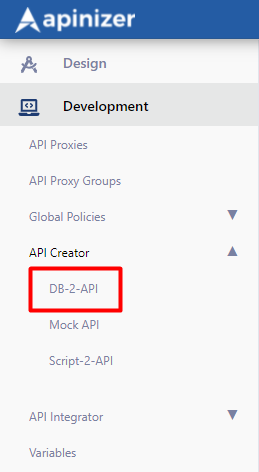
A new API is defined via **Management → Development → API Creator** → **DB-2-API**.
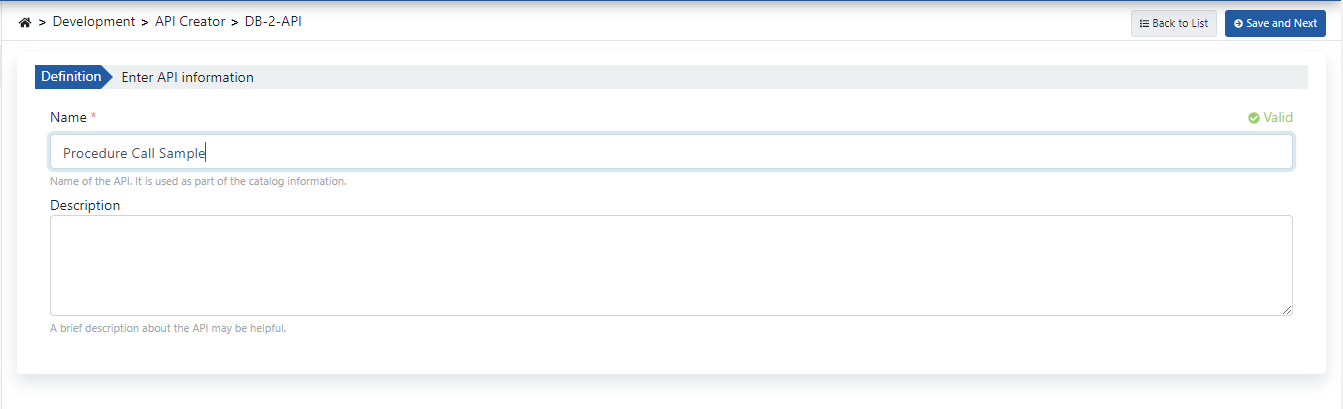
 Fill in the DB-2-API name and description fields, then click the **Save and Next** button.
**The image below shows DB-2-API settings:**
Fill in the DB-2-API name and description fields, then click the **Save and Next** button.
**The image below shows DB-2-API settings:**
 ## 2. Creating Methods
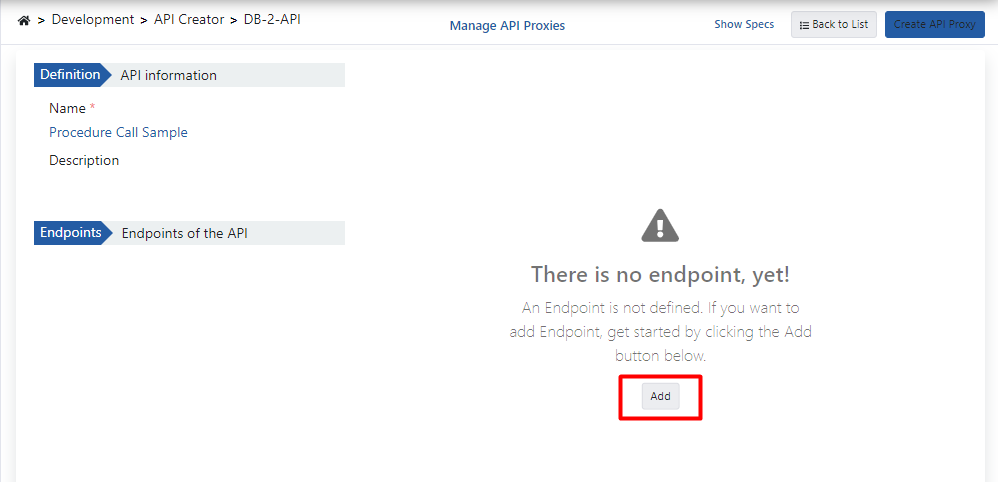
Click the **Add** button to open the method/endpoint creation panel.
## 2. Creating Methods
Click the **Add** button to open the method/endpoint creation panel.
 ### 2.1 Calling Procedures with Only IN Parameters
The Oracle database procedure used as a demo is shown in the example below:
```sql theme={null}
create or replace PROCEDURE sampleProcedureWithInParams (
pId IN NUMBER,
pName IN VARCHAR2,
pDesc IN VARCHAR2,
pCost IN NUMBER,
pPrice IN NUMBER,
pCat IN NUMBER
) IS
begin
INSERT INTO "TEST"."PRODUCTS" (
PRODUCT_ID,
PRODUCT_NAME,
DESCRIPTION,
STANDARD_COST,
LIST_PRICE,
CATEGORY_ID
) VALUES (pId, pName, pDesc, pCost, pPrice, pCat);
commit;
end;
```
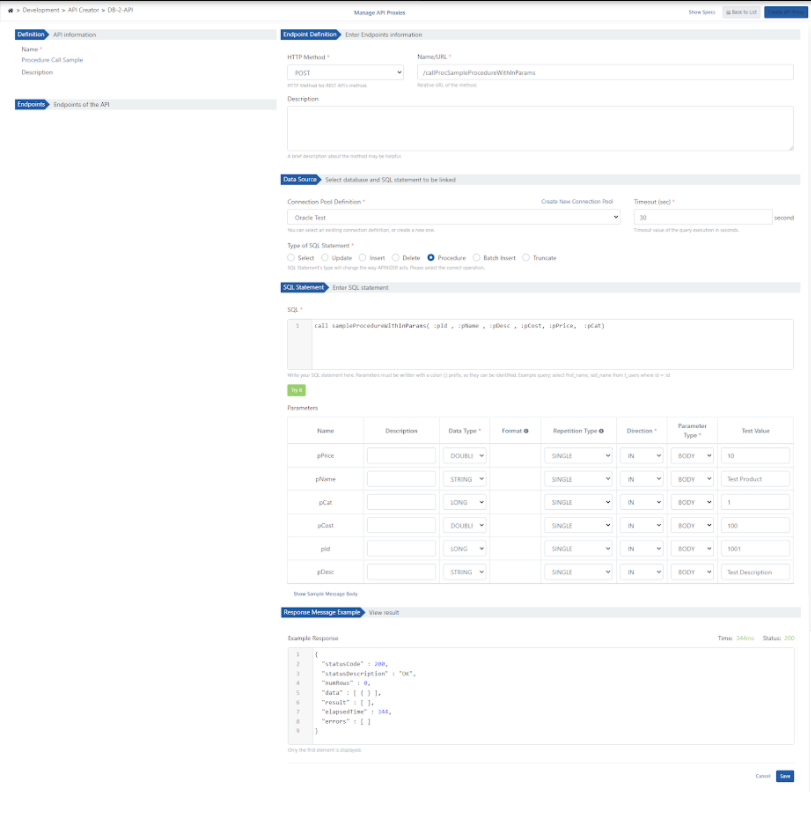
**The image below shows method creation settings:**
### 2.1 Calling Procedures with Only IN Parameters
The Oracle database procedure used as a demo is shown in the example below:
```sql theme={null}
create or replace PROCEDURE sampleProcedureWithInParams (
pId IN NUMBER,
pName IN VARCHAR2,
pDesc IN VARCHAR2,
pCost IN NUMBER,
pPrice IN NUMBER,
pCat IN NUMBER
) IS
begin
INSERT INTO "TEST"."PRODUCTS" (
PRODUCT_ID,
PRODUCT_NAME,
DESCRIPTION,
STANDARD_COST,
LIST_PRICE,
CATEGORY_ID
) VALUES (pId, pName, pDesc, pCost, pPrice, pCat);
commit;
end;
```
**The image below shows method creation settings:**
 ### 2.2 Calling Procedures with IN and OUT Parameters
#### A. The Oracle database procedure used as a demo is shown below:
```sql theme={null}
create or replace PROCEDURE sampleProcedureWithInOutParams (
pId IN NUMBER,
pName OUT VARCHAR2
) IS
begin
select PRODUCT_NAME into pName
from PRODUCTS
where PRODUCT_ID = pId;
commit;
end;
```
**The image below shows method creation settings:**
### 2.2 Calling Procedures with IN and OUT Parameters
#### A. The Oracle database procedure used as a demo is shown below:
```sql theme={null}
create or replace PROCEDURE sampleProcedureWithInOutParams (
pId IN NUMBER,
pName OUT VARCHAR2
) IS
begin
select PRODUCT_NAME into pName
from PRODUCTS
where PRODUCT_ID = pId;
commit;
end;
```
**The image below shows method creation settings:**
 #### B. The Oracle database procedure used as a demo is shown below:
```sql theme={null}
create or replace PROCEDURE sampleProcedureWithInOutCursorParams (
cat_id IN NUMBER,
total_cost OUT NUMBER,
cursoroutparam OUT SYS_REFCURSOR
) IS
begin
SELECT sum (standard_cost) INTO total_cost
FROM PRODUCTS
where category_id = cat_id;
OPEN cursoroutparam FOR
SELECT * FROM PRODUCTS
where category_id = cat_id;
end;
```
**The image below shows method creation settings:**
#### B. The Oracle database procedure used as a demo is shown below:
```sql theme={null}
create or replace PROCEDURE sampleProcedureWithInOutCursorParams (
cat_id IN NUMBER,
total_cost OUT NUMBER,
cursoroutparam OUT SYS_REFCURSOR
) IS
begin
SELECT sum (standard_cost) INTO total_cost
FROM PRODUCTS
where category_id = cat_id;
OPEN cursoroutparam FOR
SELECT * FROM PRODUCTS
where category_id = cat_id;
end;
```
**The image below shows method creation settings:**
 ## 3. Viewing API Definition Documents
Click the **Show Sample Message Body** link to view the message content.
## 3. Viewing API Definition Documents
Click the **Show Sample Message Body** link to view the message content.
 ## 4. Creating API Proxy
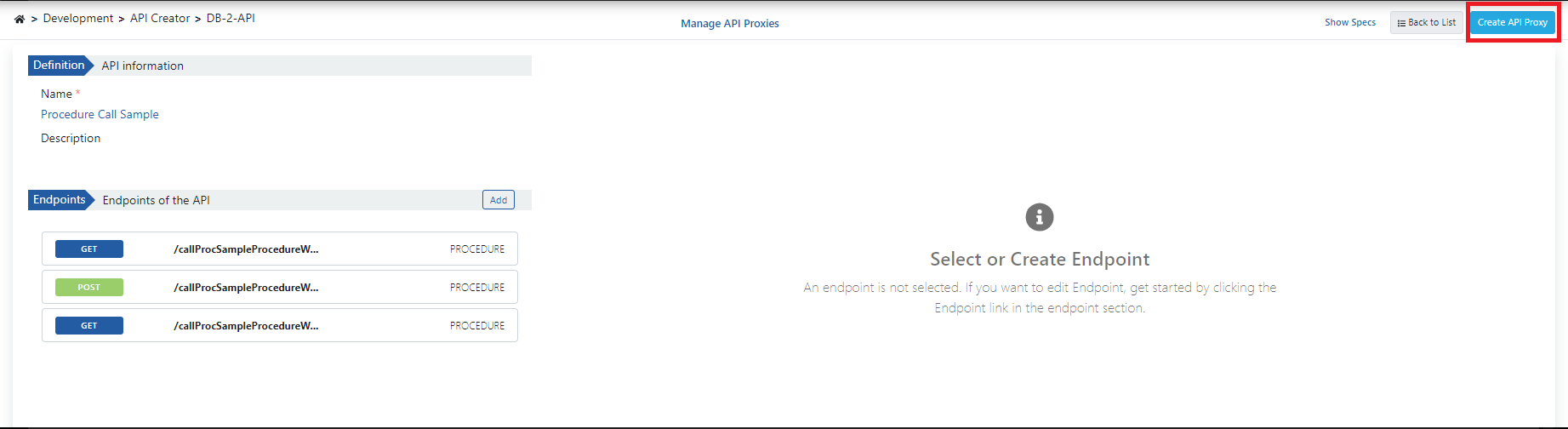
You can instantly create an API Proxy by clicking the **Create API Proxy** button from the DB-2-API screen.
## 4. Creating API Proxy
You can instantly create an API Proxy by clicking the **Create API Proxy** button from the DB-2-API screen.
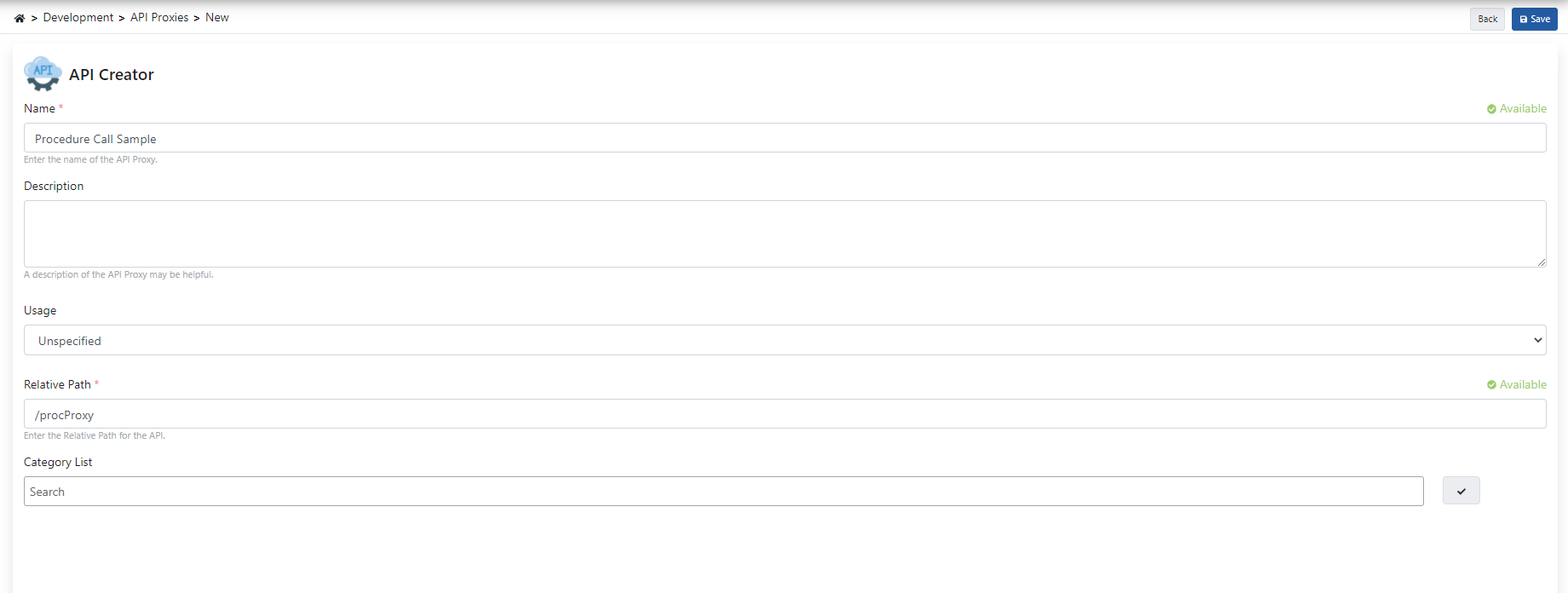
 When creating the API Proxy, fill in the fields shown in the image below and click the **Save** button.
 ### 4.1 Deploying the API Proxy
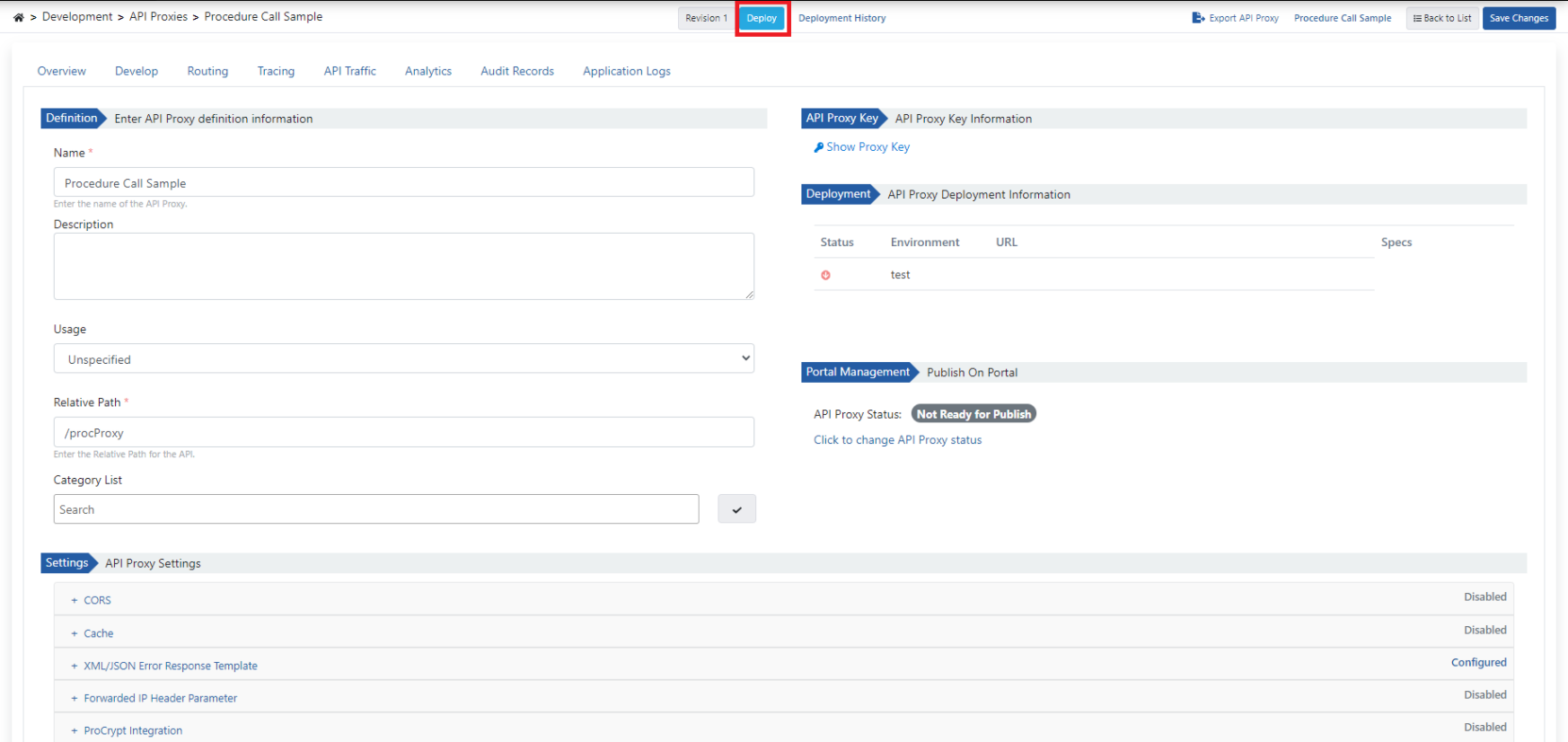
The API Proxy can be quickly deployed to a defined environment and made available for client consumption.
This operation can be managed through the dialog opened by the **Deploy** button on the API Proxy screen.
### 4.1 Deploying the API Proxy
The API Proxy can be quickly deployed to a defined environment and made available for client consumption.
This operation can be managed through the dialog opened by the **Deploy** button on the API Proxy screen.
 ## 5. Testing
### 5.1 Testing the IN Procedure
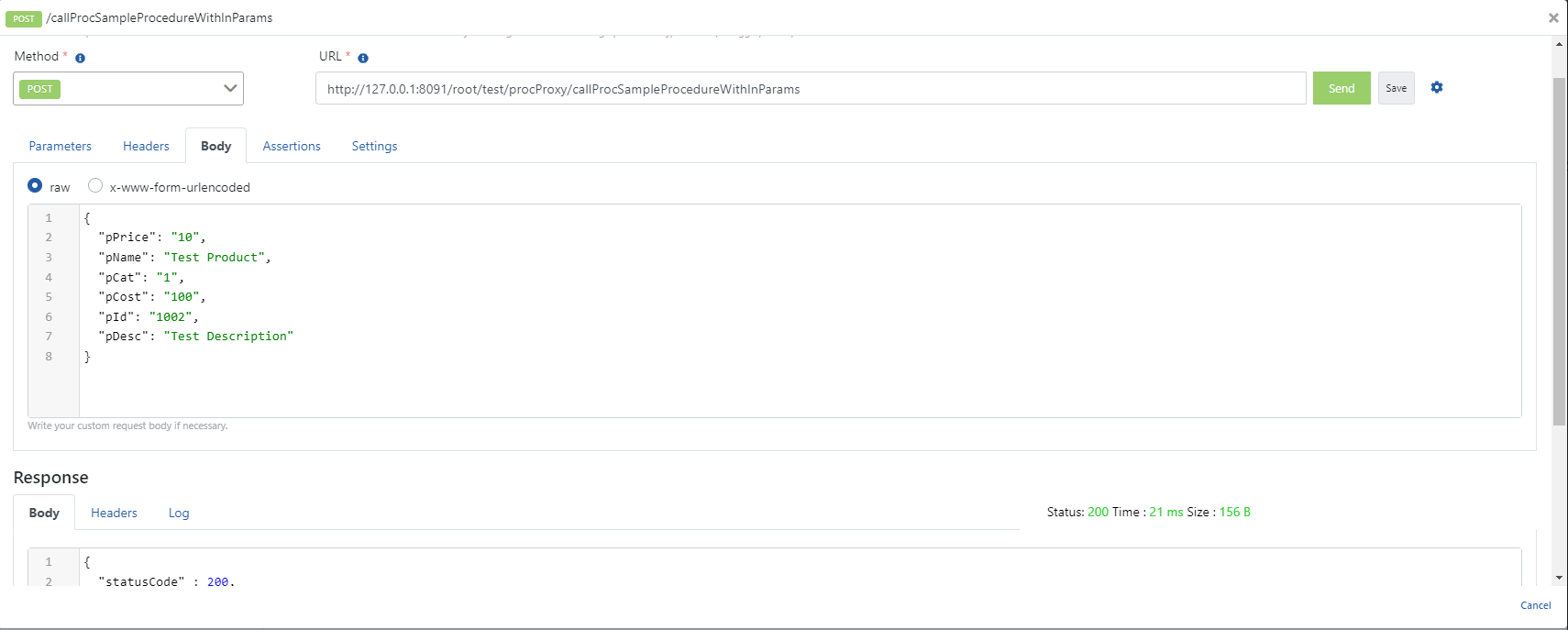
When the parameters expected by the relevant method are added to the request and executed, the following successful response is returned.
## 5. Testing
### 5.1 Testing the IN Procedure
When the parameters expected by the relevant method are added to the request and executed, the following successful response is returned.
 ### 5.2 Testing the OUT Cursor Procedure
When the parameters expected by the relevant method are added to the request and executed, the following successful response is returned.
### 5.2 Testing the OUT Cursor Procedure
When the parameters expected by the relevant method are added to the request and executed, the following successful response is returned.
 ### 5.3 Testing the OUT Procedure
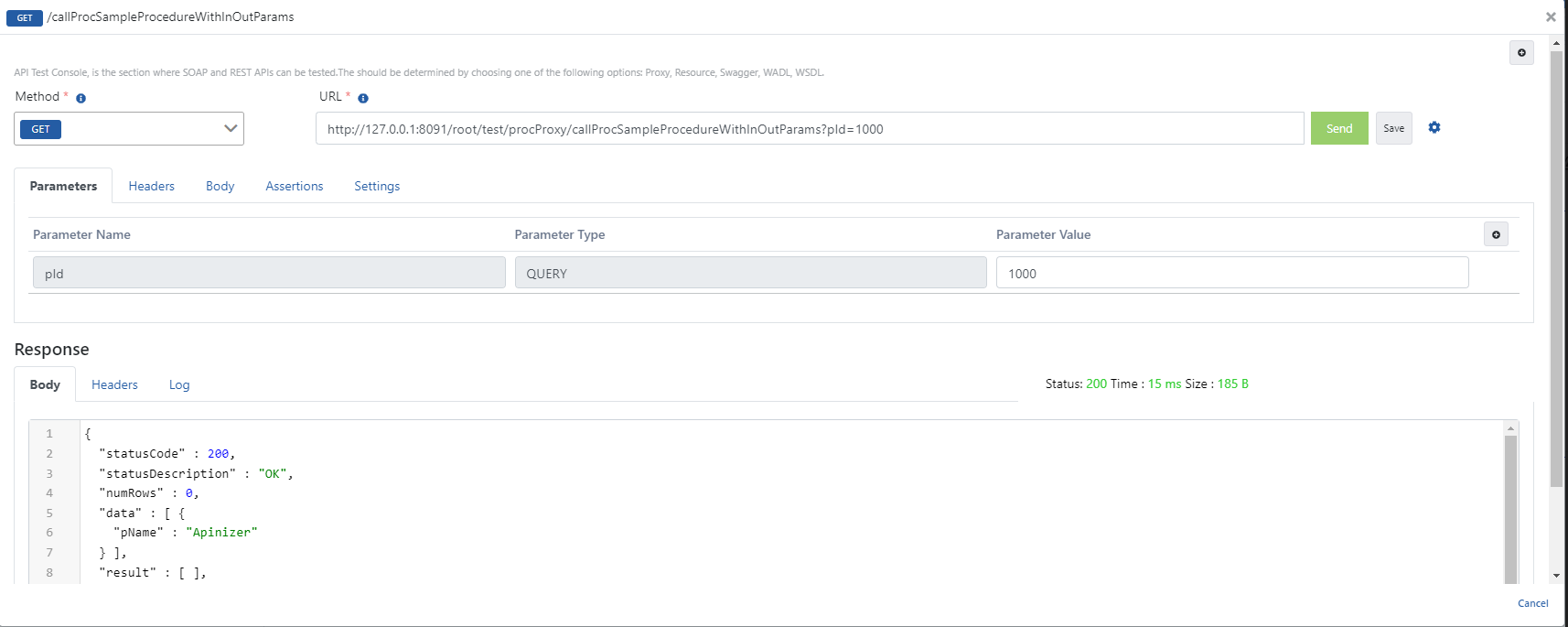
When the parameters expected by the relevant method are added to the request and executed, the following successful response is returned.
### 5.3 Testing the OUT Procedure
When the parameters expected by the relevant method are added to the request and executed, the following successful response is returned.