> ## Documentation Index
> Fetch the complete documentation index at: https://docs.apinizer.com/llms.txt
> Use this file to discover all available pages before exploring further.
# API Based Throttling Application - Fixed Time Intervals
In this scenario, the application of the **API Based Throttling** policy to a Mock API created on Apinizer will be tested.
Using **throttling** for services is a method of limiting the number of requests by preventing overload.
In the scenario, we can ensure that only 10 requests are accepted every 5 minutes by dividing incoming requests into equal 5-minute time intervals.
Let's create a Mock API example and add the policy.
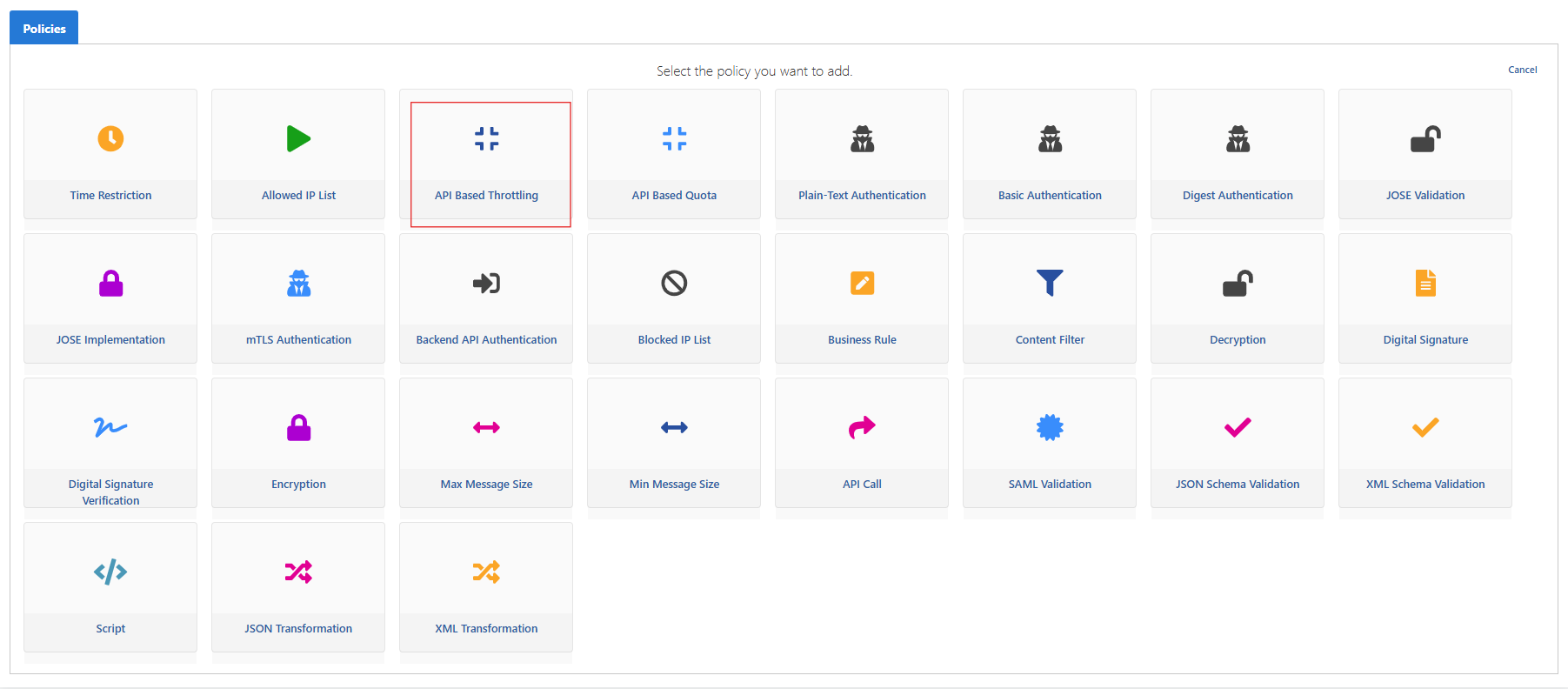
 We add **API Based Throttling** as a policy.
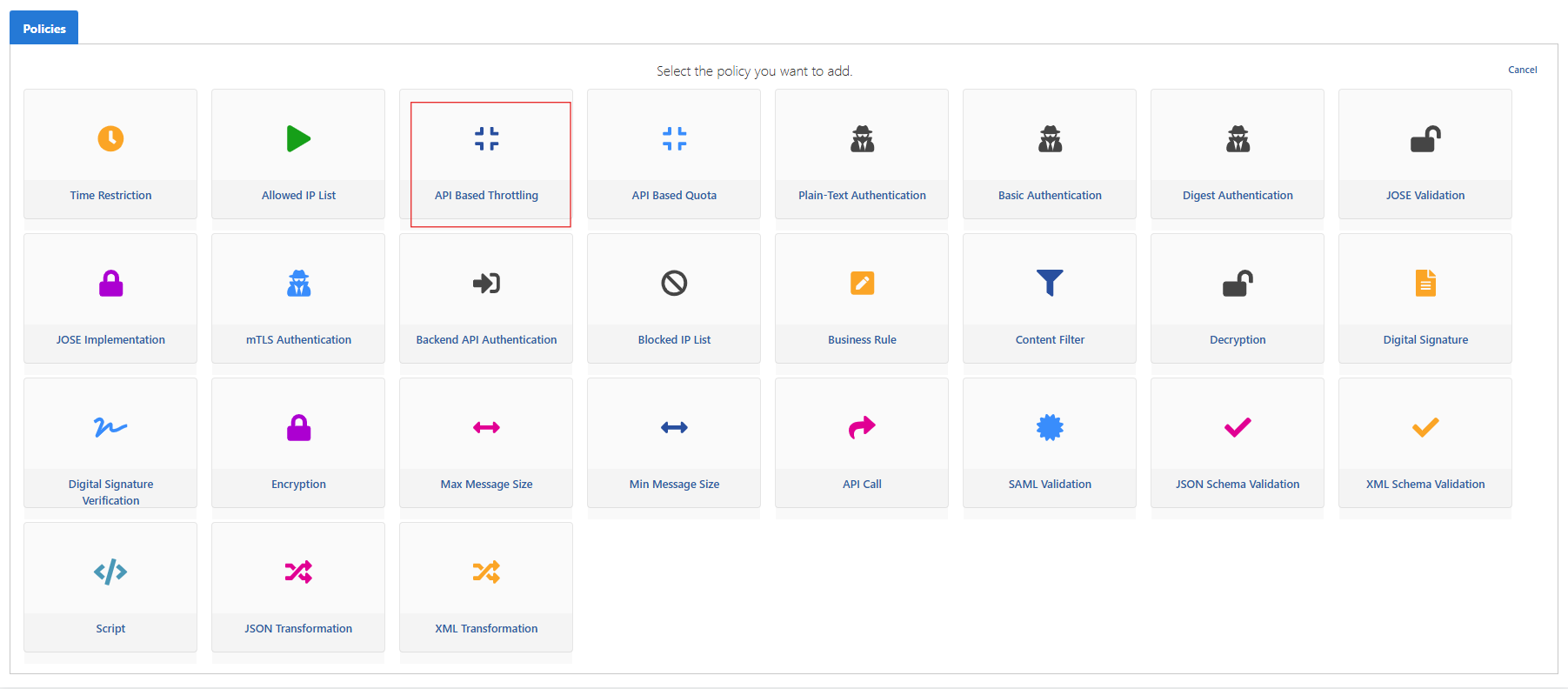 In the scenario, let's limit incoming requests to **10 requests in 5 minutes** using the **Fixed Window** (Fixed Window) method.
* If the period is set to 5 minutes and for example the policy was saved at **12:00:00**:
* Requests between **12:00:00** and **12:04:59** are counted in the same window.
* At **12:05:00**, a new window starts and the counter resets.
In the scenario, let's limit incoming requests to **10 requests in 5 minutes** using the **Fixed Window** (Fixed Window) method.
* If the period is set to 5 minutes and for example the policy was saved at **12:00:00**:
* Requests between **12:00:00** and **12:04:59** are counted in the same window.
* At **12:05:00**, a new window starts and the counter resets.
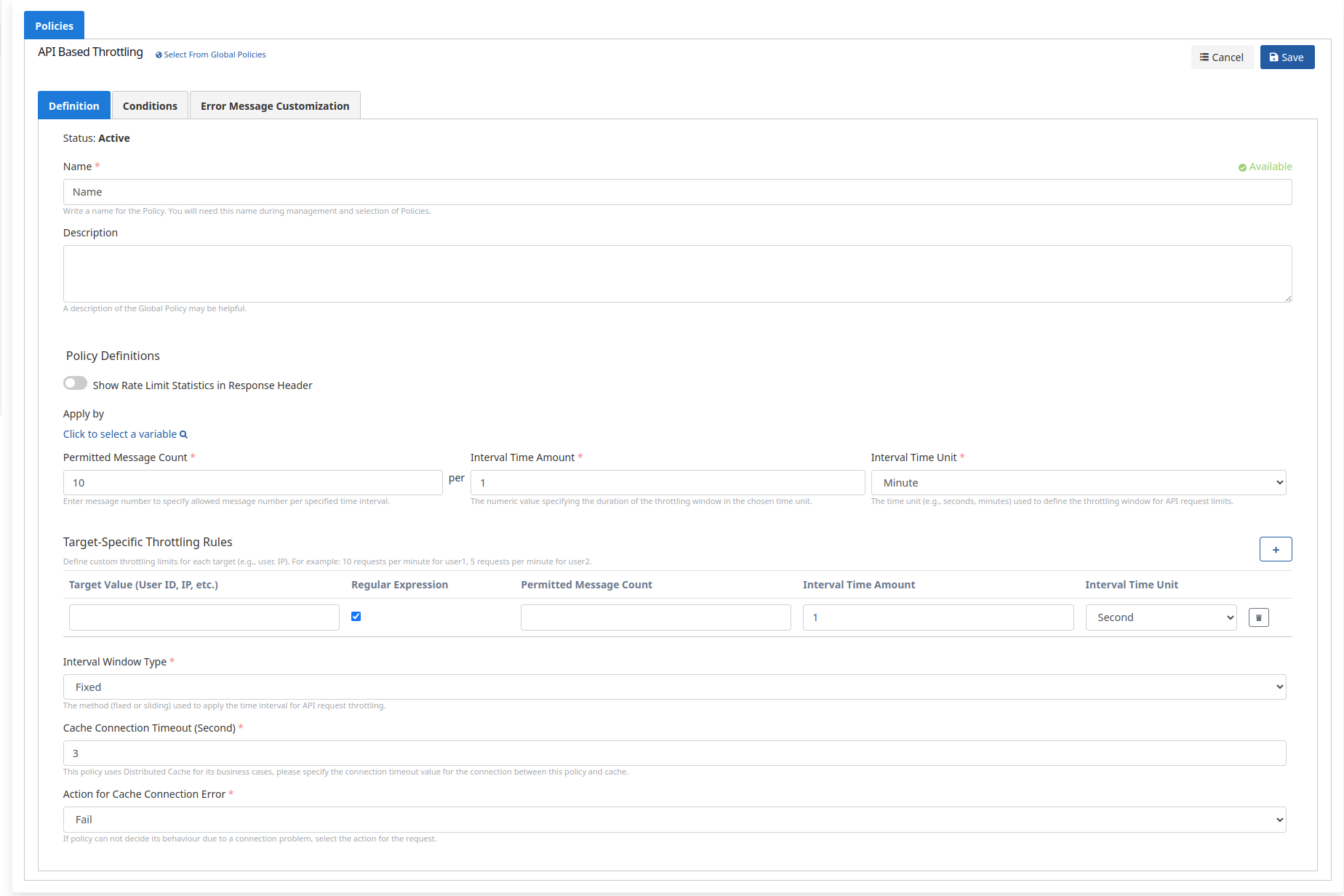 | Field | Description |
| --------------------------------------------- | ---------------------------------------------------------------------------------------------------------------------------------------------------------------------------------- |
| Show Rate Limit Statistics in Response Header | If activated, shows rate limit statistics in the response header. |
| Permitted Message Count | The number of requests allowed. We set this to 10 in this scenario. |
| Interval Time Amount | The period determined according to the selected time unit. We set this to 5 in this scenario. |
| Interval Time Unit | Time unit. We set this to minute in this scenario. |
| Target-Specific Throttling Rules | Special throttling limits are defined for each target. |
| Interval Window Type | Method used to apply the time interval. 5-minute time periods in Fixed type. |
| Cache Connection Timeout (Second) | Specify the connection timeout value for the connection between the policy and cache. |
| Action for Cache Connection Error | If there is a connection problem with cache, it is determined whether to return an error (Fail is selected) or continue without applying the request limit (Continue is selected). |
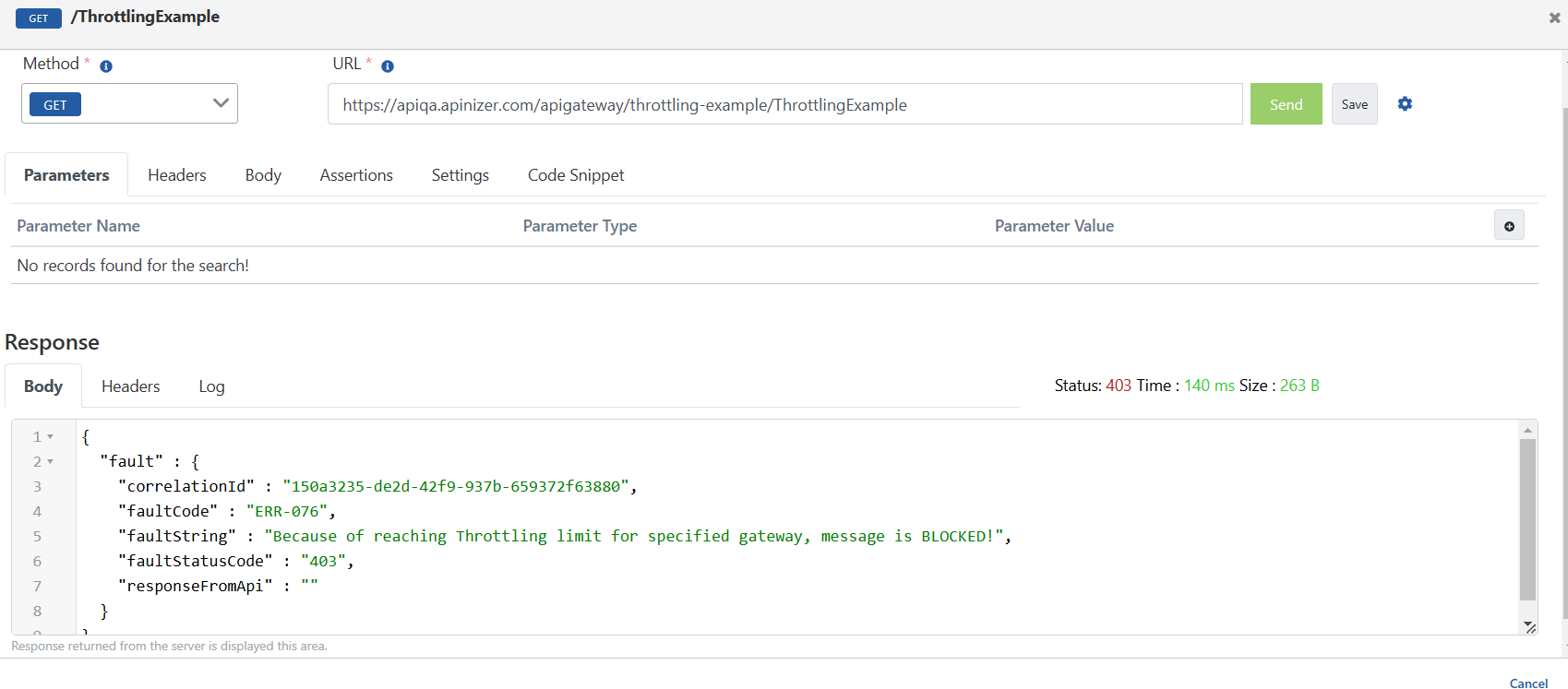
When we send a sample request from the test console, the message was blocked because the restriction limit was reached after the 10th request within the time range between 14:00:00 and 14:04:59 at the current time.
| Field | Description |
| --------------------------------------------- | ---------------------------------------------------------------------------------------------------------------------------------------------------------------------------------- |
| Show Rate Limit Statistics in Response Header | If activated, shows rate limit statistics in the response header. |
| Permitted Message Count | The number of requests allowed. We set this to 10 in this scenario. |
| Interval Time Amount | The period determined according to the selected time unit. We set this to 5 in this scenario. |
| Interval Time Unit | Time unit. We set this to minute in this scenario. |
| Target-Specific Throttling Rules | Special throttling limits are defined for each target. |
| Interval Window Type | Method used to apply the time interval. 5-minute time periods in Fixed type. |
| Cache Connection Timeout (Second) | Specify the connection timeout value for the connection between the policy and cache. |
| Action for Cache Connection Error | If there is a connection problem with cache, it is determined whether to return an error (Fail is selected) or continue without applying the request limit (Continue is selected). |
When we send a sample request from the test console, the message was blocked because the restriction limit was reached after the 10th request within the time range between 14:00:00 and 14:04:59 at the current time.
 ## Target-Specific Throttling Rules (Target-Specific Throttling Rules)
Thanks to this feature, you can define special throttling limitations for specific users or targets.
We add **API Based Throttling** as a policy.
## Target-Specific Throttling Rules (Target-Specific Throttling Rules)
Thanks to this feature, you can define special throttling limitations for specific users or targets.
We add **API Based Throttling** as a policy.
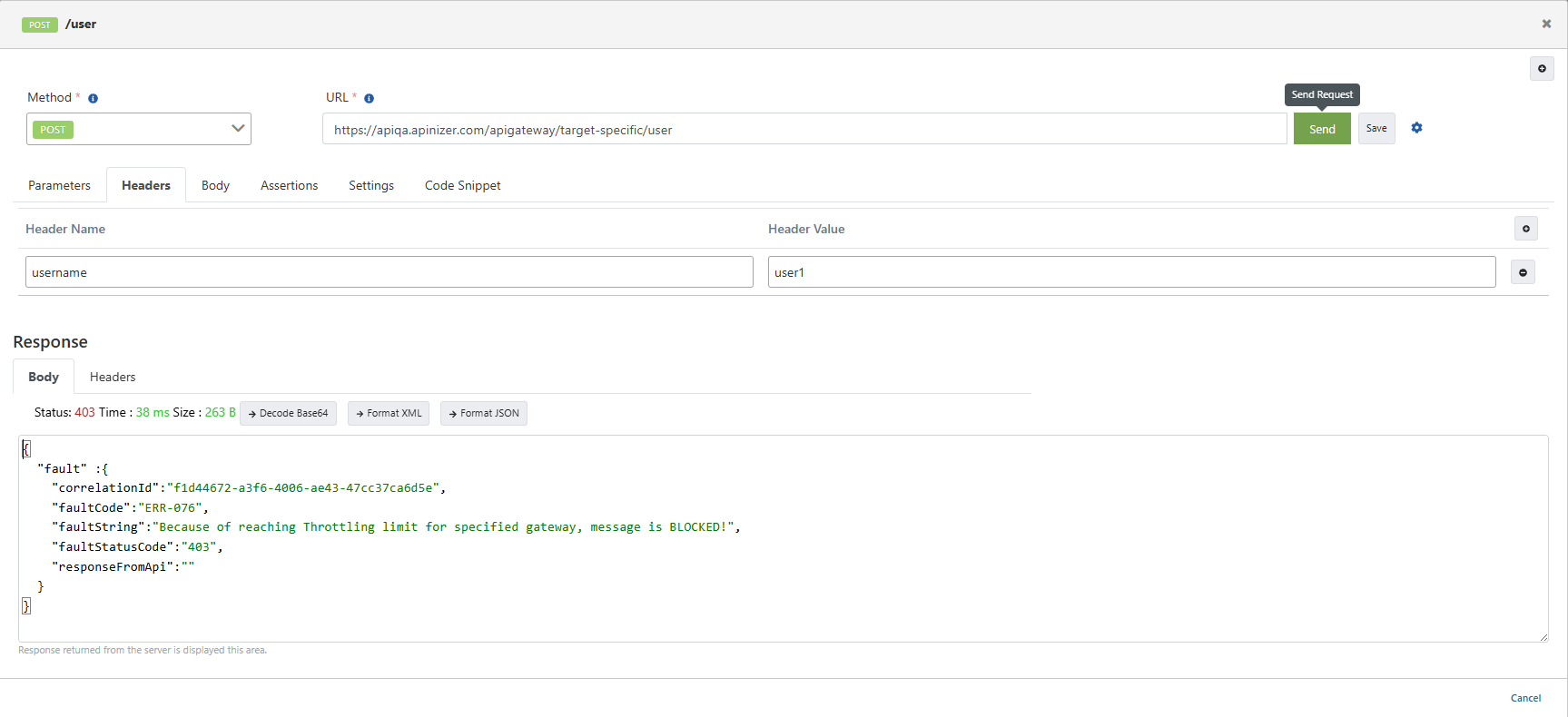
 * Using Target-Specific Throttling Rules (Target-Specific Throttling Rules), special quota limits can be determined based on users (based on header, body, or another field). While limiting incoming requests to **100 requests for 5 minutes** using the **Fixed Window** (Fixed Window) method in the general policy, a limit of **maximum 5 requests in 5 minutes** can be defined for the **user1** user at the same time.
* In the Fixed Window method, if the period is set to 5 and minute is selected:
* For example, if the policy was saved at 12:00:00, this policy will be valid between **12:00:00** and **12:04:59** within the current day, and 100 requests can be made as a general rule during this period.
* For the **user1** user we defined with Target-Specific Quota Rules, a minute-based limit has been determined. If a 5-minute period starts at **12:00:00**, this covers the period between **12:00:00** and **12:04:59**, and the **user1** user can make a maximum of 5 requests in this time range. In the next 5-minute period (12:05:00), the counter resets.
* In the next 5-minute period (for example between **12:05:00** and **12:09:59**), while a new 100 request right is defined for the general policy, 5 request rights will be redefined for the **user1** user as well.
* Using Target-Specific Throttling Rules (Target-Specific Throttling Rules), special quota limits can be determined based on users (based on header, body, or another field). While limiting incoming requests to **100 requests for 5 minutes** using the **Fixed Window** (Fixed Window) method in the general policy, a limit of **maximum 5 requests in 5 minutes** can be defined for the **user1** user at the same time.
* In the Fixed Window method, if the period is set to 5 and minute is selected:
* For example, if the policy was saved at 12:00:00, this policy will be valid between **12:00:00** and **12:04:59** within the current day, and 100 requests can be made as a general rule during this period.
* For the **user1** user we defined with Target-Specific Quota Rules, a minute-based limit has been determined. If a 5-minute period starts at **12:00:00**, this covers the period between **12:00:00** and **12:04:59**, and the **user1** user can make a maximum of 5 requests in this time range. In the next 5-minute period (12:05:00), the counter resets.
* In the next 5-minute period (for example between **12:05:00** and **12:09:59**), while a new 100 request right is defined for the general policy, 5 request rights will be redefined for the **user1** user as well.
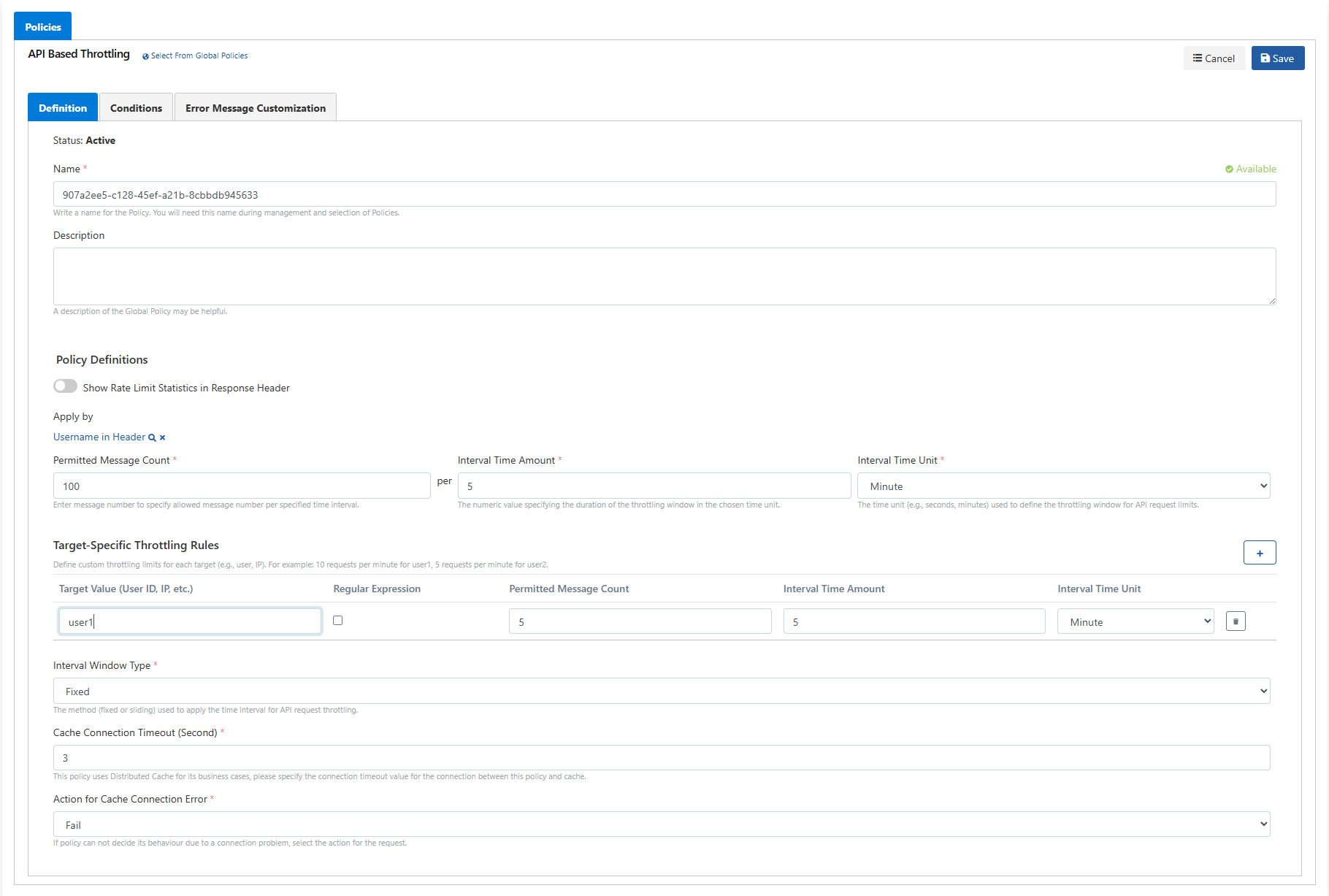 When we send a sample request from the test console, when we send a request with the user1 user from the username Header, the message was blocked because the restriction limit was reached after the 5th request within the time range between **12:00:00** and **12:04:59** at the current hour.