> ## Documentation Index
> Fetch the complete documentation index at: https://docs.apinizer.com/llms.txt
> Use this file to discover all available pages before exploring further.
# DB-2-API: Stored Procedure Çağırma
> Apinizer Platformu'nda DB-2-API üzerinde stored procedure çağırma işlemlerini sağlar. Oracle veritabanındaki stored procedure'leri REST API endpoint'leri olarak yayınlayabilir, IN ve OUT parametreleri ile çalışabilir.
## Apinizer DB to API Tasarımcısı ile Oracle Veritabanında Procedure Çağrımı
> **Önemli**
>
> Apinizer **OracleTypes.CURSOR** desteklememektedir. Sadece basit procedure çağrımları servis olarak sunabilmektedir.
## 1. DB-2-API Oluşturma
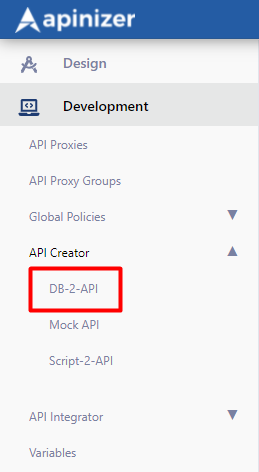
**Yönetim → Geliştirme → API Creator** → **DB-2-API** ile yeni bir API tanımlanır.
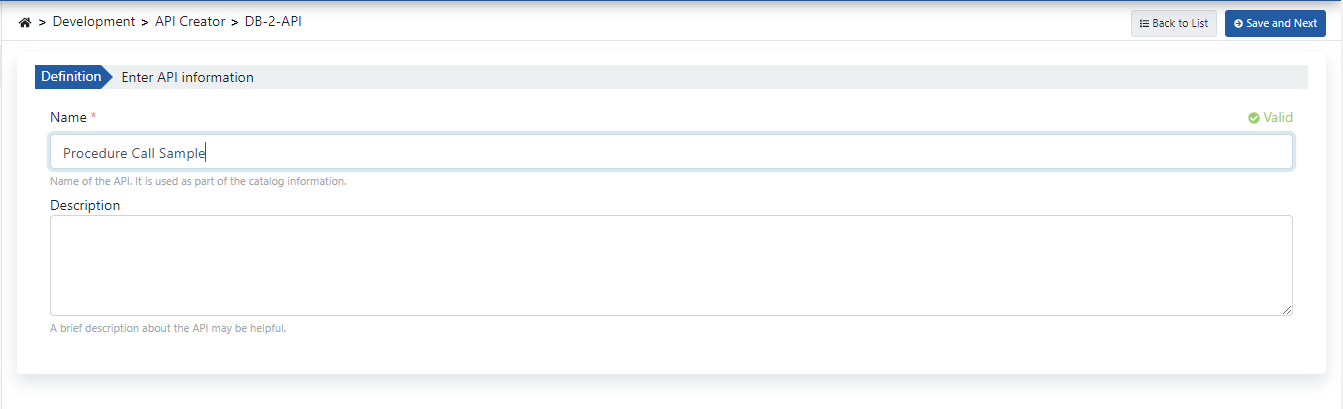
 DB-2-API'nin ad ve açıklama alanları doldurulup **Kaydet ve İlerle (Save and Next)** butonuna tıklanır.
**DB-2-API ayarlarını içeren görsele aşağıda yer verilmiştir:**
DB-2-API'nin ad ve açıklama alanları doldurulup **Kaydet ve İlerle (Save and Next)** butonuna tıklanır.
**DB-2-API ayarlarını içeren görsele aşağıda yer verilmiştir:**
 ## 2. Metot Oluşturma
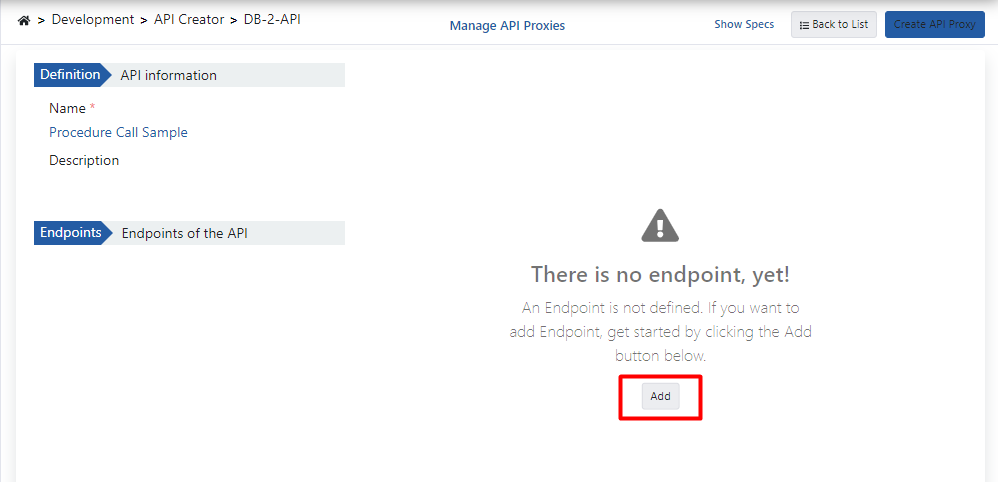
**Ekle (Add)** butonuna tıklayarak method/endpoint oluşturma paneli açılır.
## 2. Metot Oluşturma
**Ekle (Add)** butonuna tıklayarak method/endpoint oluşturma paneli açılır.
 ### 2.1 Sadece IN Parametresi Kullanan Prosedür Çağrımı
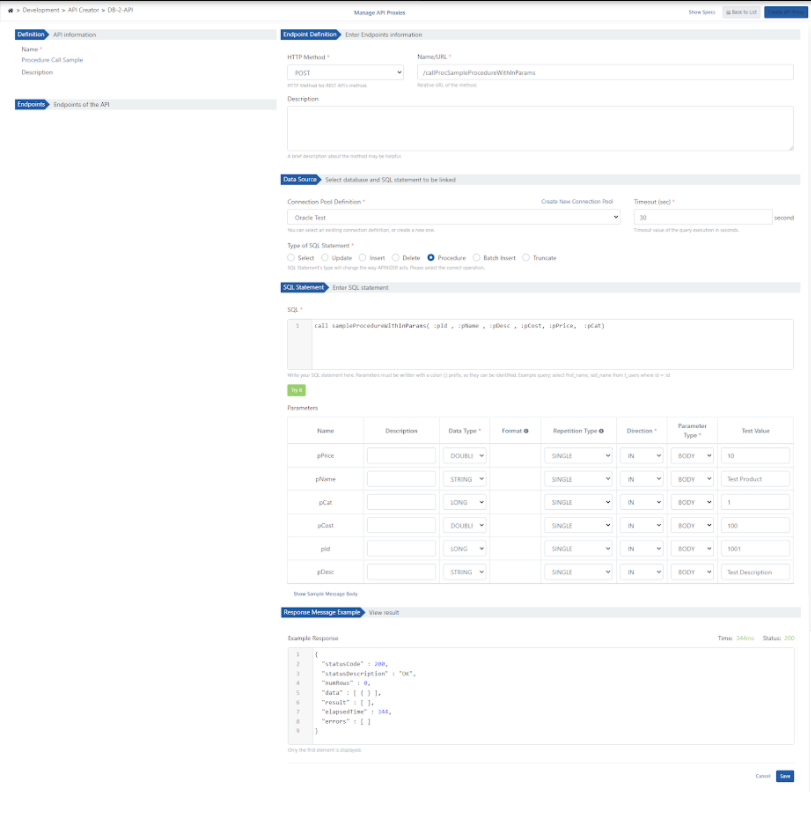
Demo olarak kullanılan Oracle veritabanı prosedürü aşağıdaki örnekte görülmektedir:
```sql theme={null}
create or replace PROCEDURE sampleProcedureWithInParams (
pId IN NUMBER,
pName IN VARCHAR2,
pDesc IN VARCHAR2,
pCost IN NUMBER,
pPrice IN NUMBER,
pCat IN NUMBER
) IS
begin
INSERT INTO "TEST"."PRODUCTS" (
PRODUCT_ID,
PRODUCT_NAME,
DESCRIPTION,
STANDARD_COST,
LIST_PRICE,
CATEGORY_ID
) VALUES (pId, pName, pDesc, pCost, pPrice, pCat);
commit;
end;
```
**Metot oluşturma ayarlarını içeren görsele aşağıda yer verilmiştir:**
### 2.1 Sadece IN Parametresi Kullanan Prosedür Çağrımı
Demo olarak kullanılan Oracle veritabanı prosedürü aşağıdaki örnekte görülmektedir:
```sql theme={null}
create or replace PROCEDURE sampleProcedureWithInParams (
pId IN NUMBER,
pName IN VARCHAR2,
pDesc IN VARCHAR2,
pCost IN NUMBER,
pPrice IN NUMBER,
pCat IN NUMBER
) IS
begin
INSERT INTO "TEST"."PRODUCTS" (
PRODUCT_ID,
PRODUCT_NAME,
DESCRIPTION,
STANDARD_COST,
LIST_PRICE,
CATEGORY_ID
) VALUES (pId, pName, pDesc, pCost, pPrice, pCat);
commit;
end;
```
**Metot oluşturma ayarlarını içeren görsele aşağıda yer verilmiştir:**
 ### 2.2 IN ve OUT Parametresi Alan Prosedür Çağrımı
#### A. Demo olarak kullanılan Oracle veritabanı prosedürü aşağıda görülmektedir:
```sql theme={null}
create or replace PROCEDURE sampleProcedureWithInOutParams (
pId IN NUMBER,
pName OUT VARCHAR2
) IS
begin
select PRODUCT_NAME into pName
from PRODUCTS
where PRODUCT_ID = pId;
commit;
end;
```
**Metot oluşturma ayarlarını içeren görsele aşağıda yer verilmiştir:**
### 2.2 IN ve OUT Parametresi Alan Prosedür Çağrımı
#### A. Demo olarak kullanılan Oracle veritabanı prosedürü aşağıda görülmektedir:
```sql theme={null}
create or replace PROCEDURE sampleProcedureWithInOutParams (
pId IN NUMBER,
pName OUT VARCHAR2
) IS
begin
select PRODUCT_NAME into pName
from PRODUCTS
where PRODUCT_ID = pId;
commit;
end;
```
**Metot oluşturma ayarlarını içeren görsele aşağıda yer verilmiştir:**
 #### B. Demo olarak kullanılan Oracle veritabanı prosedürü aşağıda görülmektedir:
```sql theme={null}
create or replace PROCEDURE sampleProcedureWithInOutCursorParams (
cat_id IN NUMBER,
total_cost OUT NUMBER,
cursoroutparam OUT SYS_REFCURSOR
) IS
begin
SELECT sum (standard_cost) INTO total_cost
FROM PRODUCTS
where category_id = cat_id;
OPEN cursoroutparam FOR
SELECT * FROM PRODUCTS
where category_id = cat_id;
end;
```
**Metot oluşturma ayarlarını içeren görsele aşağıda yer verilmiştir:**
#### B. Demo olarak kullanılan Oracle veritabanı prosedürü aşağıda görülmektedir:
```sql theme={null}
create or replace PROCEDURE sampleProcedureWithInOutCursorParams (
cat_id IN NUMBER,
total_cost OUT NUMBER,
cursoroutparam OUT SYS_REFCURSOR
) IS
begin
SELECT sum (standard_cost) INTO total_cost
FROM PRODUCTS
where category_id = cat_id;
OPEN cursoroutparam FOR
SELECT * FROM PRODUCTS
where category_id = cat_id;
end;
```
**Metot oluşturma ayarlarını içeren görsele aşağıda yer verilmiştir:**
 ## 3. API Tanım Belgelerini Görüntüleme
**Mesaj İçeriğini Göster (Show Sample Message Body)** linkine tıklayarak mesaj içeriği görüntülenebilir.
## 3. API Tanım Belgelerini Görüntüleme
**Mesaj İçeriğini Göster (Show Sample Message Body)** linkine tıklayarak mesaj içeriği görüntülenebilir.
 ## 4. API Proxy Oluşturma
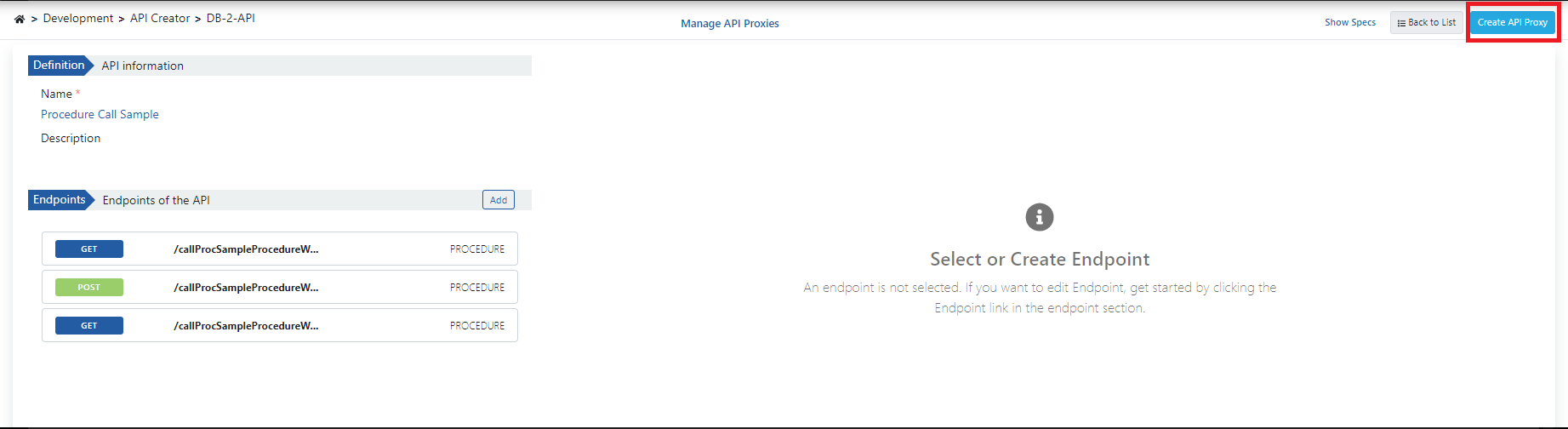
DB-2-API ekranından **API Proxy Oluştur (Create API Proxy)** butonuna tıklanarak anında API Proxy oluşturulabilir.
## 4. API Proxy Oluşturma
DB-2-API ekranından **API Proxy Oluştur (Create API Proxy)** butonuna tıklanarak anında API Proxy oluşturulabilir.
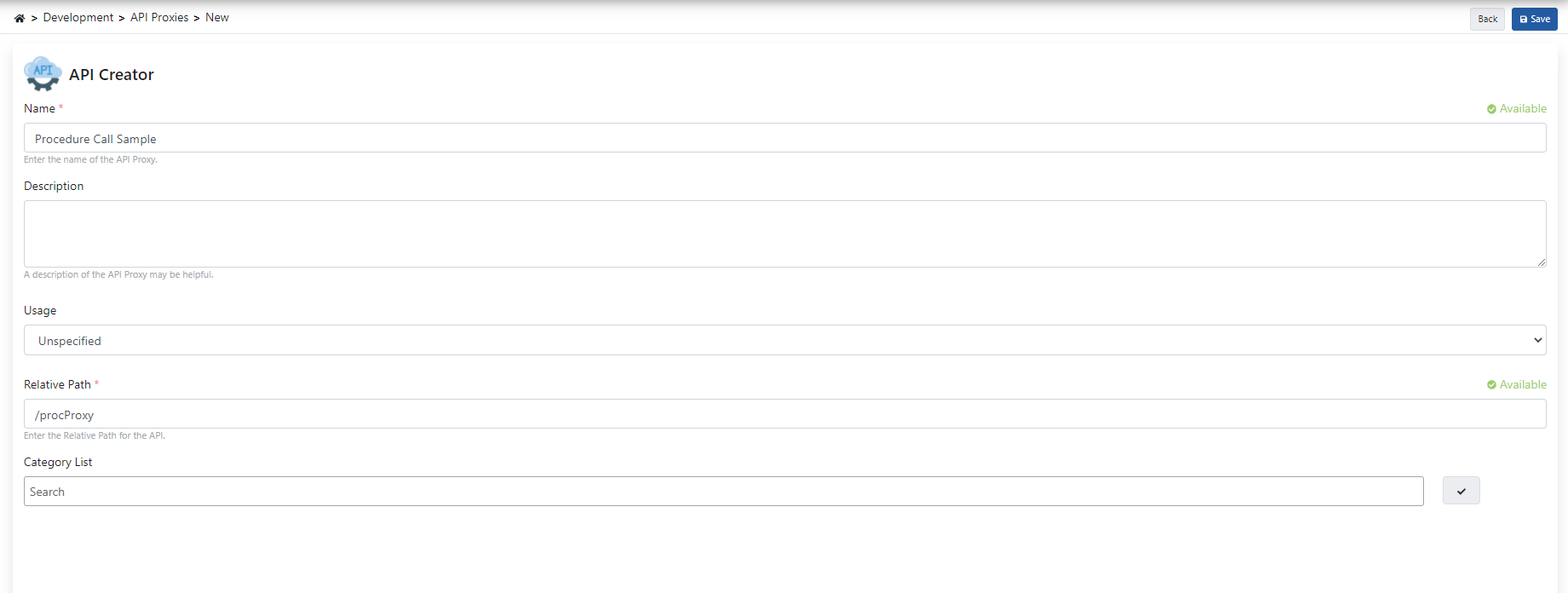
 API Proxy'i oluştururken aşağıdaki görselde bulunan alanlar doldurularak **Kaydet (Save)** butonuna tıklanır.
 ### 4.1 API Proxy'yi Canlıya Alma
API Proxy, tanımı yapılmış ortam (environment) üzerine hızlı bir şekilde yüklenip , istemcilerin tüketimine açılabilir.
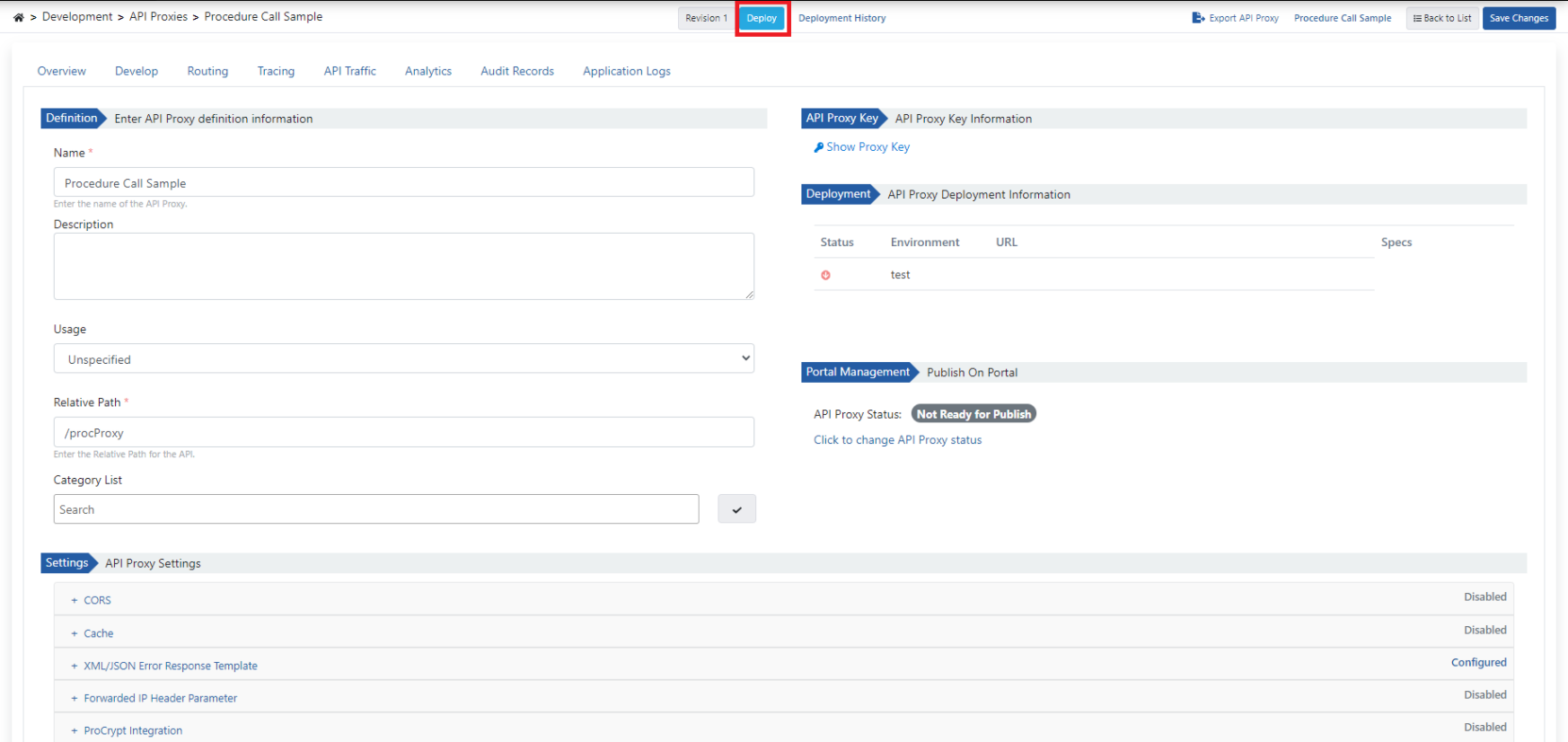
Bu işlemin yönetimi API Proxy ekranındaki **Yükle (Deploy)** butonuyla açılan diyalog üzerinden gerçekleştirilebilir.
### 4.1 API Proxy'yi Canlıya Alma
API Proxy, tanımı yapılmış ortam (environment) üzerine hızlı bir şekilde yüklenip , istemcilerin tüketimine açılabilir.
Bu işlemin yönetimi API Proxy ekranındaki **Yükle (Deploy)** butonuyla açılan diyalog üzerinden gerçekleştirilebilir.
 ## 5. Test Etme
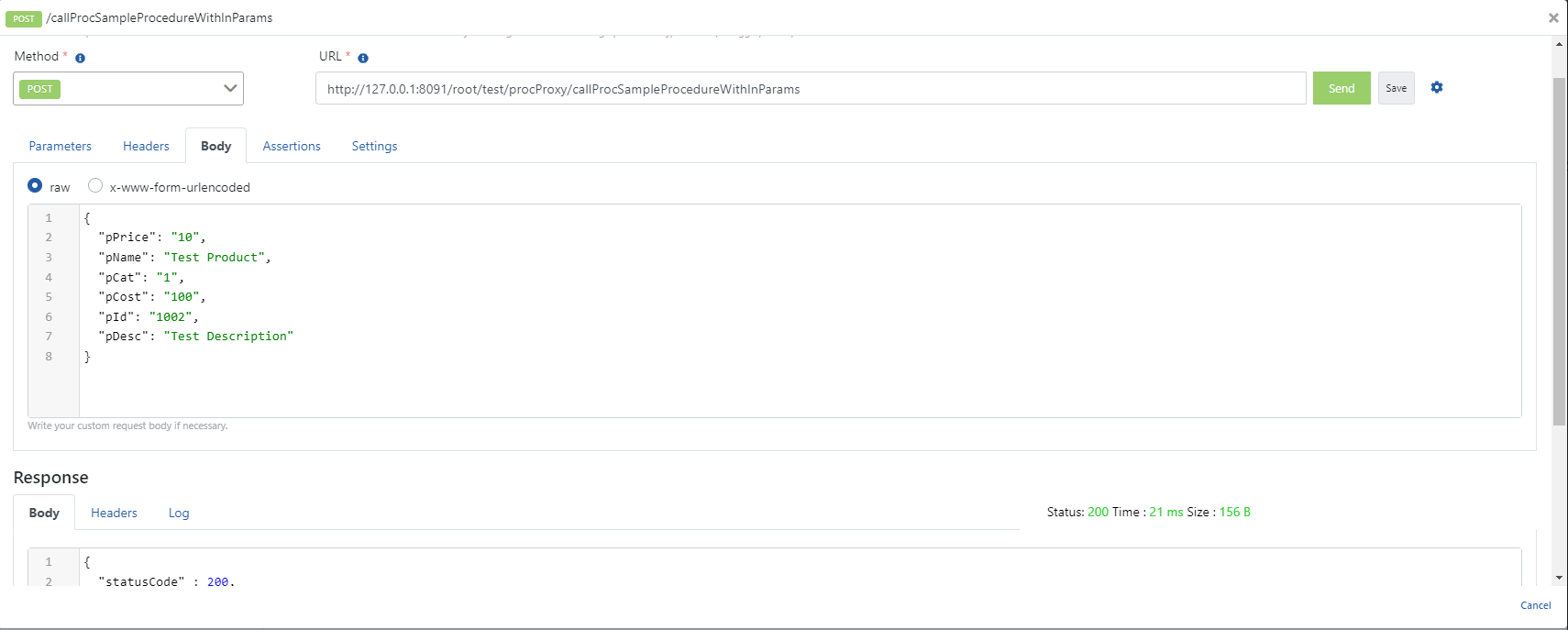
### 5.1 IN Procedure'ünün Test Edilmesi
İlgili metodun beklediği parametreler isteğe eklenip çalıştırıldığında aşağıdaki başarılı yanıt dönmektedir.
## 5. Test Etme
### 5.1 IN Procedure'ünün Test Edilmesi
İlgili metodun beklediği parametreler isteğe eklenip çalıştırıldığında aşağıdaki başarılı yanıt dönmektedir.
 ### 5.2 OUT Cursor Procedure'ünün Test Edilmesi
İlgili metodun beklediği parametreler isteğe eklenip çalıştırıldığında aşağıdaki başarılı yanıt dönmektedir.
### 5.2 OUT Cursor Procedure'ünün Test Edilmesi
İlgili metodun beklediği parametreler isteğe eklenip çalıştırıldığında aşağıdaki başarılı yanıt dönmektedir.
 ### 5.3 OUT Procedure Test Edilmesi
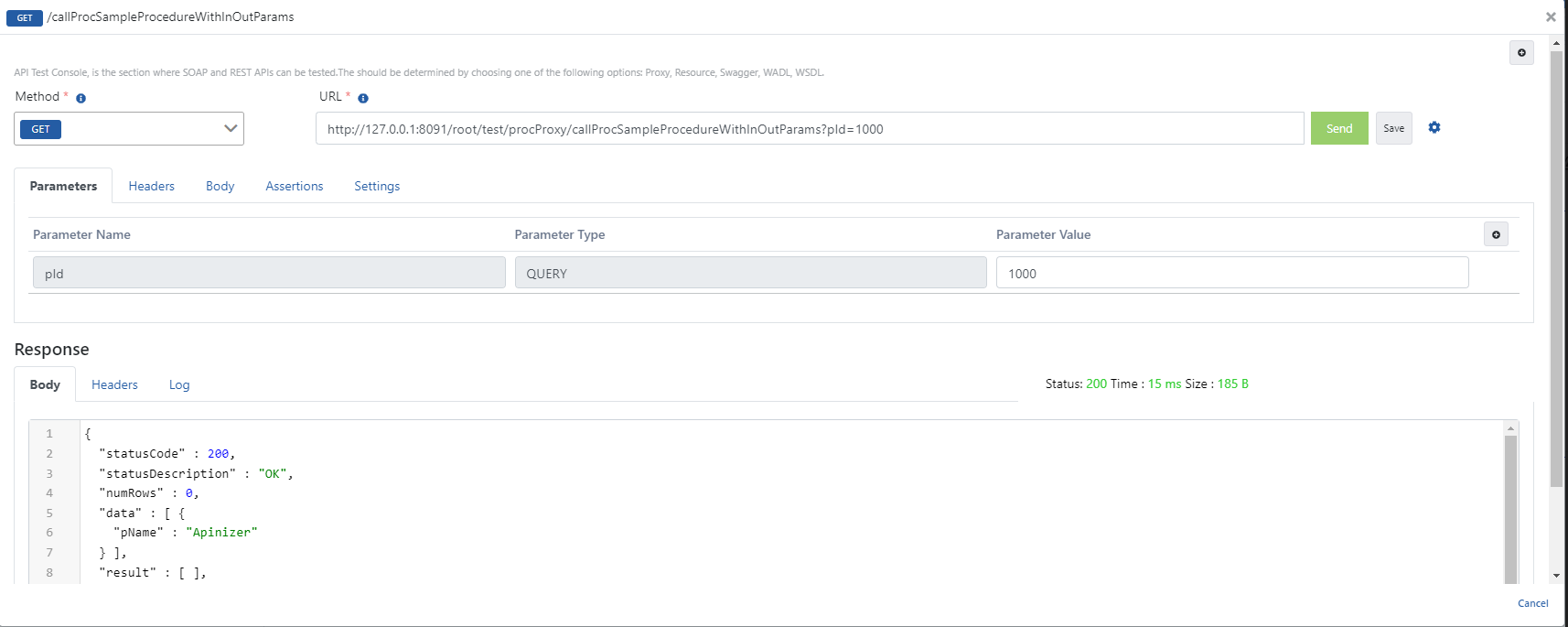
İlgili metodun beklediği parametreler isteğe eklenip çalıştırıldığında aşağıdaki başarılı yanıt dönmektedir.
### 5.3 OUT Procedure Test Edilmesi
İlgili metodun beklediği parametreler isteğe eklenip çalıştırıldığında aşağıdaki başarılı yanıt dönmektedir.