

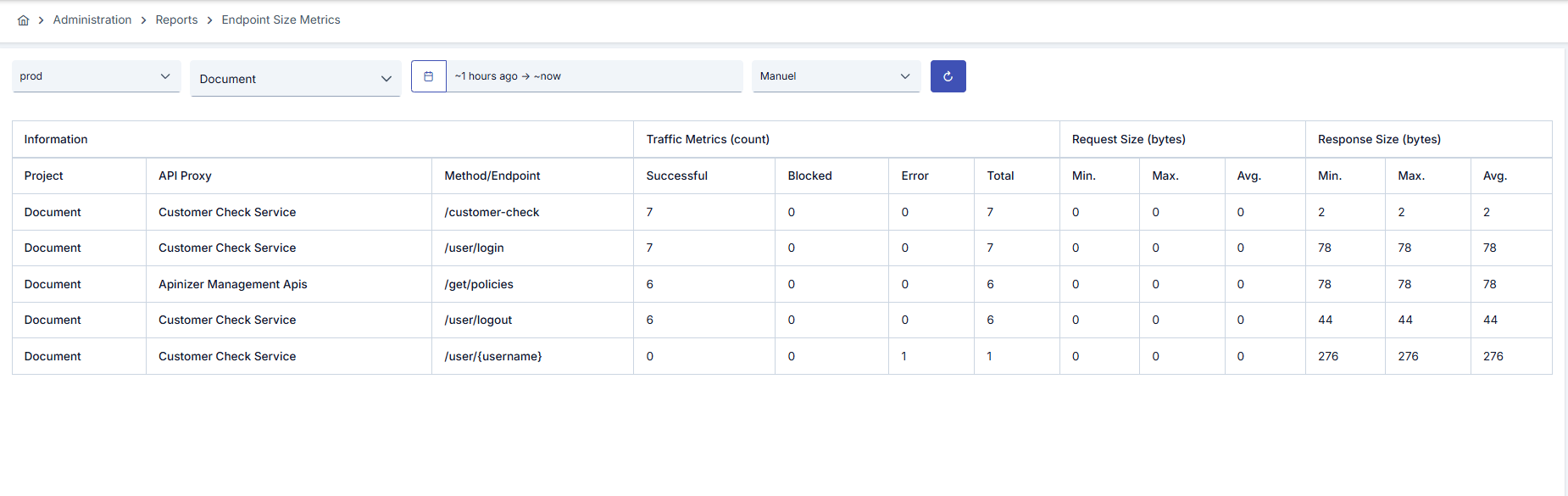
Since an API Proxy can be loaded into multiple environments, metrics must also be evaluated according to the environment it is loaded into. Therefore, in all analytics screens, metrics are filtered by first selecting environment information.
Filtering and Refresh Options
The following filtering and control options are available at the top of the page:Table Column Descriptions
Information
Traffic Metrics (count)
- Successful: Number of requests resulting in successful (2xx) response code
- Blocked: Number of requests blocked due to security policies or rate limiting
- Error: Number of requests resulting in error (4xx, 5xx)
- Total: Total number of requests (Successful + Blocked + Error)