

If API type is gRPC, this tab is visible.
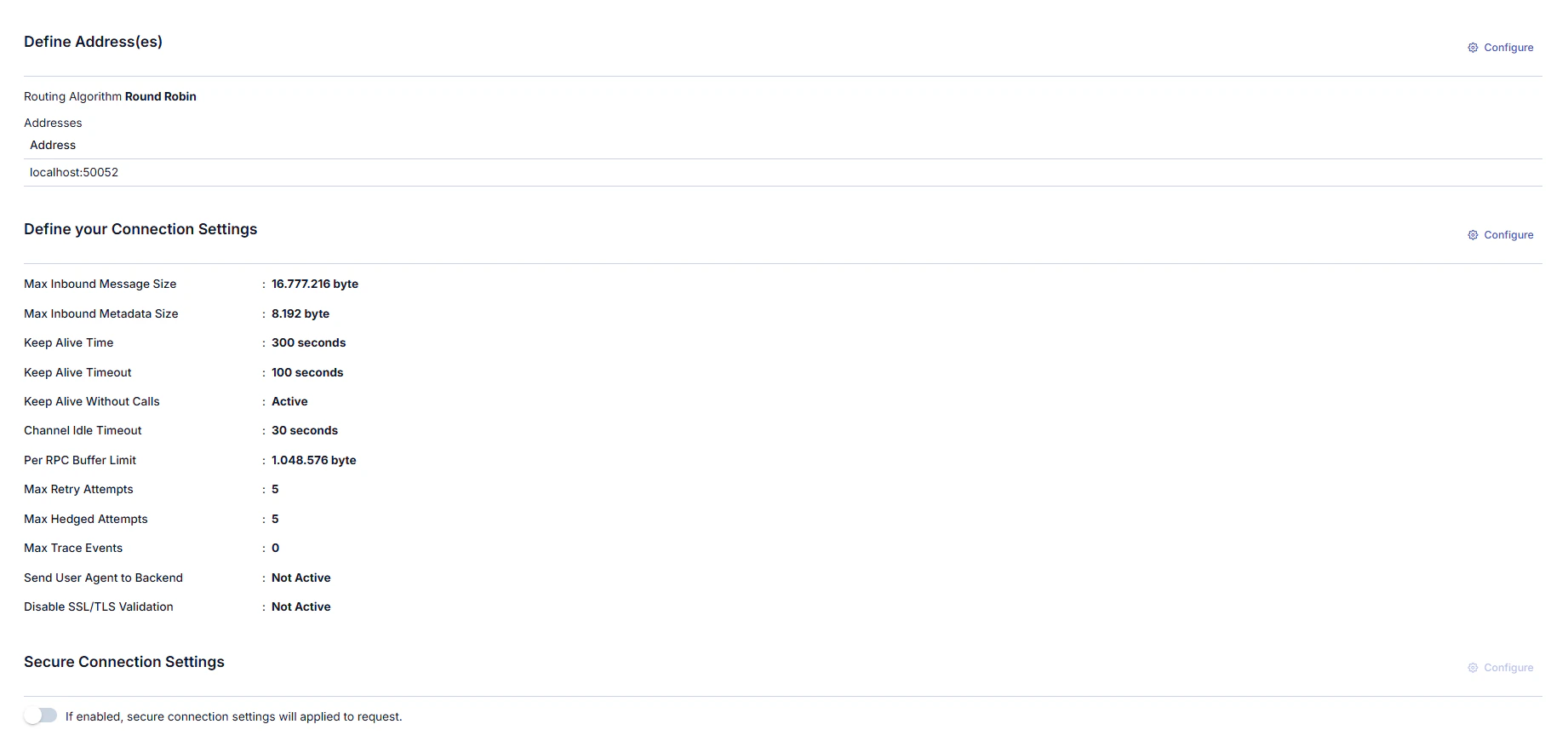
Adding New Address
A new address can be added from the window that opens when the ➕ button in the column header area at the far right of the window opened with the Configure button is clicked.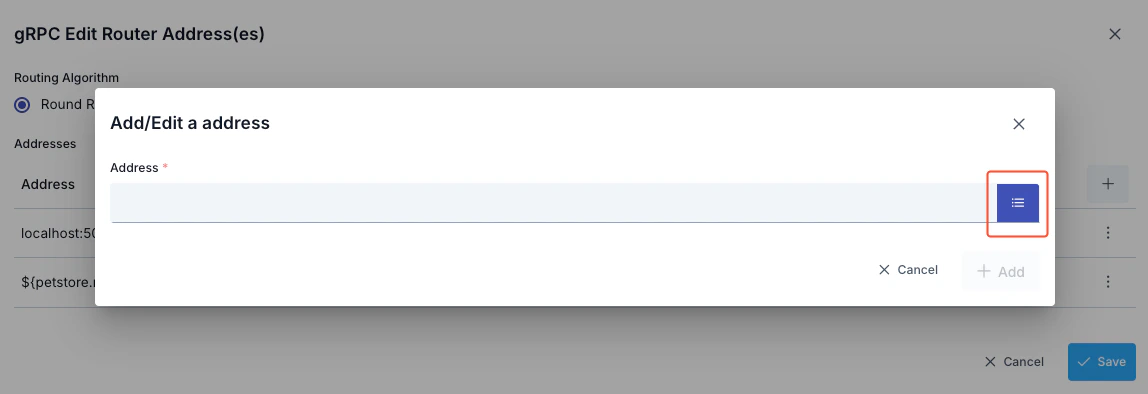
- Backend API address is entered in the Address field or environment variable is used
- Environment Variables Selection Dialog can be opened by clicking the list icon button on the right of the Address field
- Selected environment variable is copied to clipboard and pasted into the Address field
Updating Address
The address can be updated in the window that opens when the Configure button in the Address (Address) column of the table showing addresses is clicked.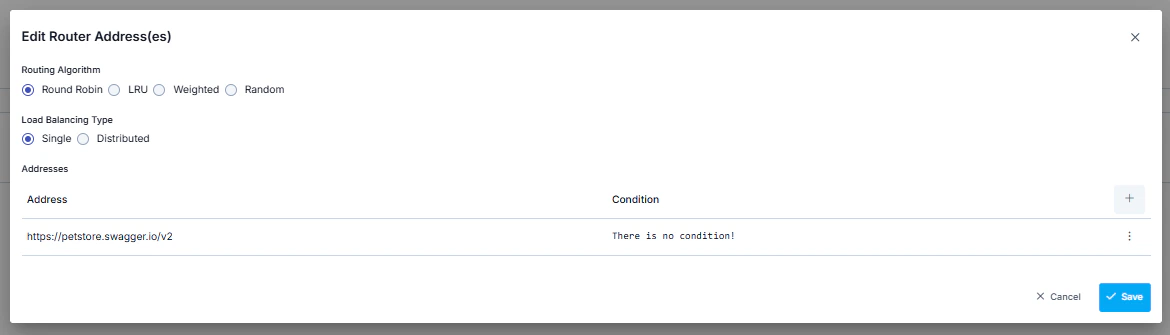
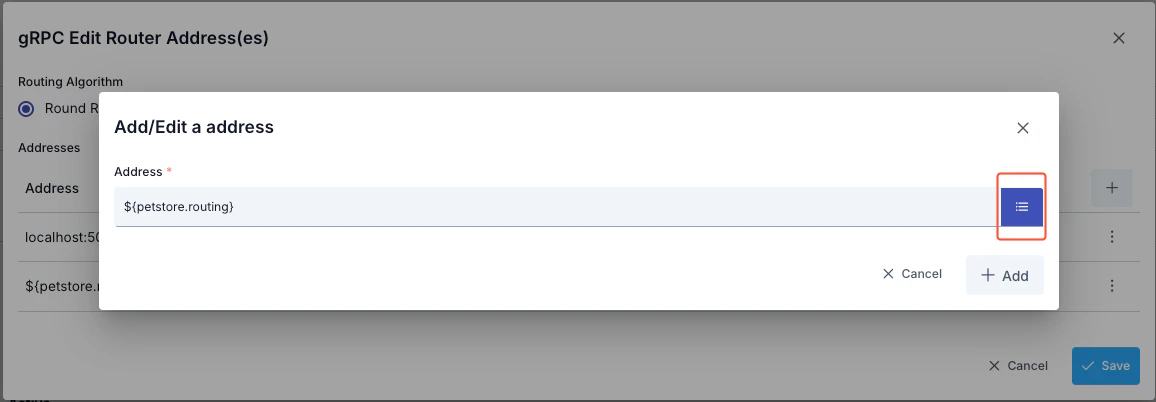
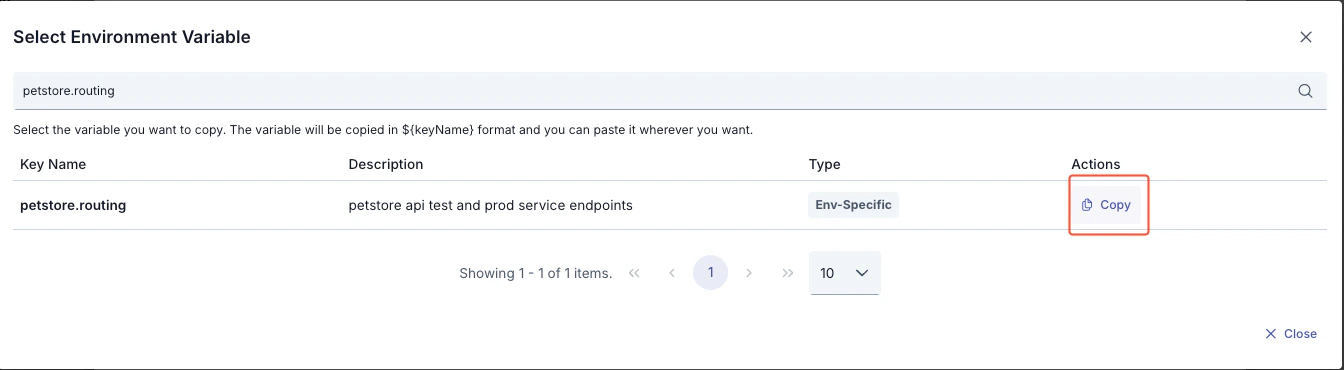
- All environment variables are listed (Global and Environment-Specific)
- Filtering can be done by variable name or description with the search box
- Key Name, Description, Type information is displayed for each variable
- The format of the selected variable (
${variableName}) is automatically copied to clipboard with the Copy button - The copied value can be used by pasting it into the Address field
- Environment variable:
GRPC_BACKEND_URL = localhost:50051(for Development environment) - Environment variable:
GRPC_BACKEND_URL = grpc.example.com:443(for Production environment) - Value entered in Address field:
${GRPC_BACKEND_URL} - At runtime in Development environment:
localhost:50051 - At runtime in Production environment:
grpc.example.com:443
Routing Algorithm
Which algorithm to use among the algorithms that can be used for load balancing can be determined by the user.Deleting Address
The address is deleted by selecting the Remove option from the dropdown menu at the end of the row of the address to be deleted.Connection Settings Configuration
The gRPC Connection Settings Definition Tab enables configuration of connections made over the gRPC protocol. This tab contains various parameters necessary to optimize the performance and security of connections. Below are the details of the settings in this tab. The parameters used for connection settings configuration are shown below.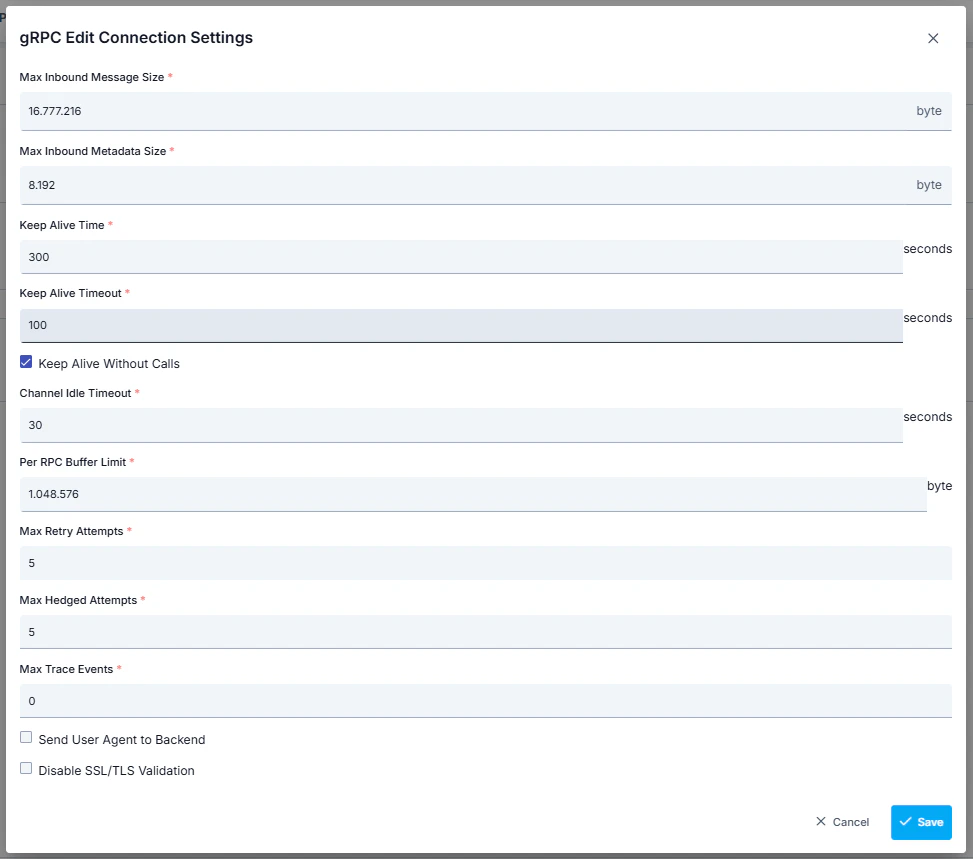
Secure Connection Setting
When this setting is enabled, the selected connection settings are applied to the request. Thus, the Apinizer client that will send from Apinizer to the target service verifies the target service’s certificate and indicates that it also has a certificate and must be verified by the target service. The target service also verifies the client’s certificate, and thus secure communication is established with the client. The parameters used for connection settings configuration are shown below.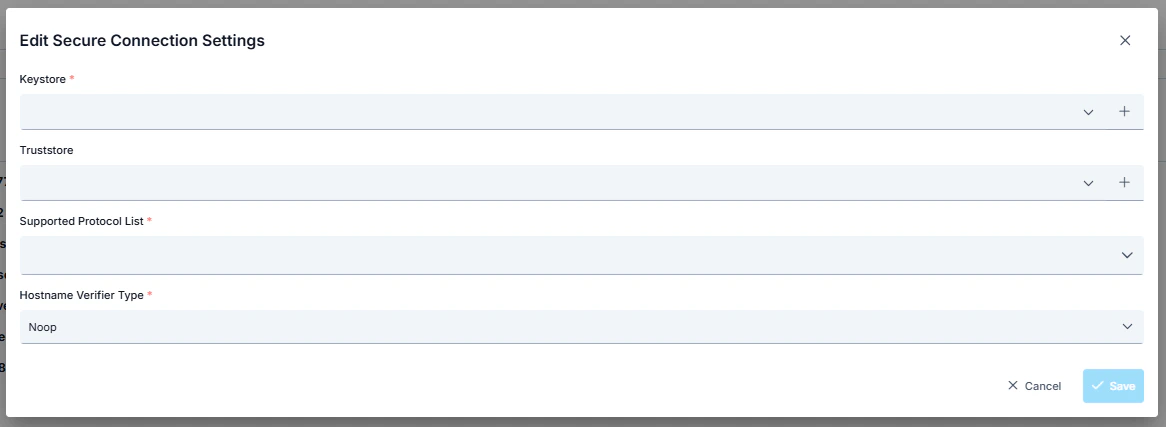
When Secure Connection settings are active, the existing “http connection pool” in routing, whose values are specified in environment settings, is disabled.