JSON Format
HTTP Methods
OpenAPI Support
Flexible Configuration
REST API Proxy Creation Methods
There are several methods to create a REST API Proxy:Import from OpenAPI/Swagger File
Import from OpenAPI/Swagger File
Manual Creation
Manual Creation
Copy from Existing API Proxy
Copy from Existing API Proxy
Create REST API Proxy from SOAP Web Service
Create REST API Proxy from SOAP Web Service
Import from OpenAPI/Swagger File
Go to API Proxy Creation Page
Upload OpenAPI File
Method 1: Load from URL
Method 1: Load from URL
https://petstore.swagger.io/v2/swagger.json) and the Parse button is clicked. The file is parsed and API information is displayed.Method 2: File Upload
Method 2: File Upload
Method 3: Paste as Text
Method 3: Paste as Text
Check API Information
API Name
Version
Base URL
Endpoints
Schemas
Routing Configuration
Client Route (Relative Path)
Client Route (Relative Path)
Upstream Target (Backend Address)
Upstream Target (Backend Address)
Single Backend
Dynamic Backend
servers or host information in the OpenAPI file.Example:Save API Proxy
Supported OpenAPI Versions
Apinizer supports the following OpenAPI versions:- OpenAPI 2.0 (Swagger 2.0): Full support
- OpenAPI 3.0: Full support
- OpenAPI 3.1: Full support
OpenAPI 2.0 Features
swaggerfield:"2.0"valuehost,basePath,schemesfieldspathsanddefinitionsstructureparametersandresponsesdefinitions
OpenAPI 3.0/3.1 Features
openapifield:"3.0.0"or"3.1.0"valueserversarraypathsandcomponentsstructurerequestBodyandresponsesdefinitionssecuritySchemesandsecuritydefinitions
Post-Import Configuration
After the API Proxy is created, the following configurations can be made:HTTP Routing Configuration
Adding Policies
Testing
Deployment and Version
Common Scenarios
Scenario 1: Proxying Public API
Scenario 1: Proxying Public API
Use OpenAPI URL
Determine Relative Path
/petstoreProxy).Set Upstream Target
Save and Deploy
Scenario 2: Exposing Internal API
Scenario 2: Exposing Internal API
Upload OpenAPI File
Determine Relative Path
Set Upstream Target
Add Security Policies
Save and Deploy
Scenario 3: API Versioning
Scenario 3: API Versioning
Separate OpenAPI File for Each Version
Different Relative Paths
/api/v1, /api/v2).Separate Policies
Migration Strategy
Best Practices
OpenAPI File Quality
Relative Path Strategy
/{service-name}/{version}Backend Address
Security Policies
Troubleshooting
Import Error
Import Error
- Make sure the OpenAPI file is in valid JSON or YAML format.
- Make sure the OpenAPI version is supported.
- Check URL accessibility.
- Make sure the file size is within the limit.
Endpoints Not Visible
Endpoints Not Visible
- Make sure the
pathsfield in the OpenAPI file is correctly defined. - Check that endpoints are correctly defined under
paths.
Routing Error
Routing Error
- Make sure the Upstream Target address is correct.
- Check that the Backend API is accessible.
- Check HTTP Routing configuration.
Creating REST API Proxy from SOAP Web Service
The requirement to expose a Web Service developed with SOAP protocol as REST often arises, especially when existing services need to be used by newly developed mobile applications or JavaScript-based Web applications. Rewriting the existing service with REST or developing a new REST API that mimics its methods are not cost-effective solutions in terms of time and cost. Apinizer enables exposing SOAP Web services as REST and performing all necessary transformations through configuration.Creating REST Type API Proxy from SOAP Web Service
Upload WSDL File
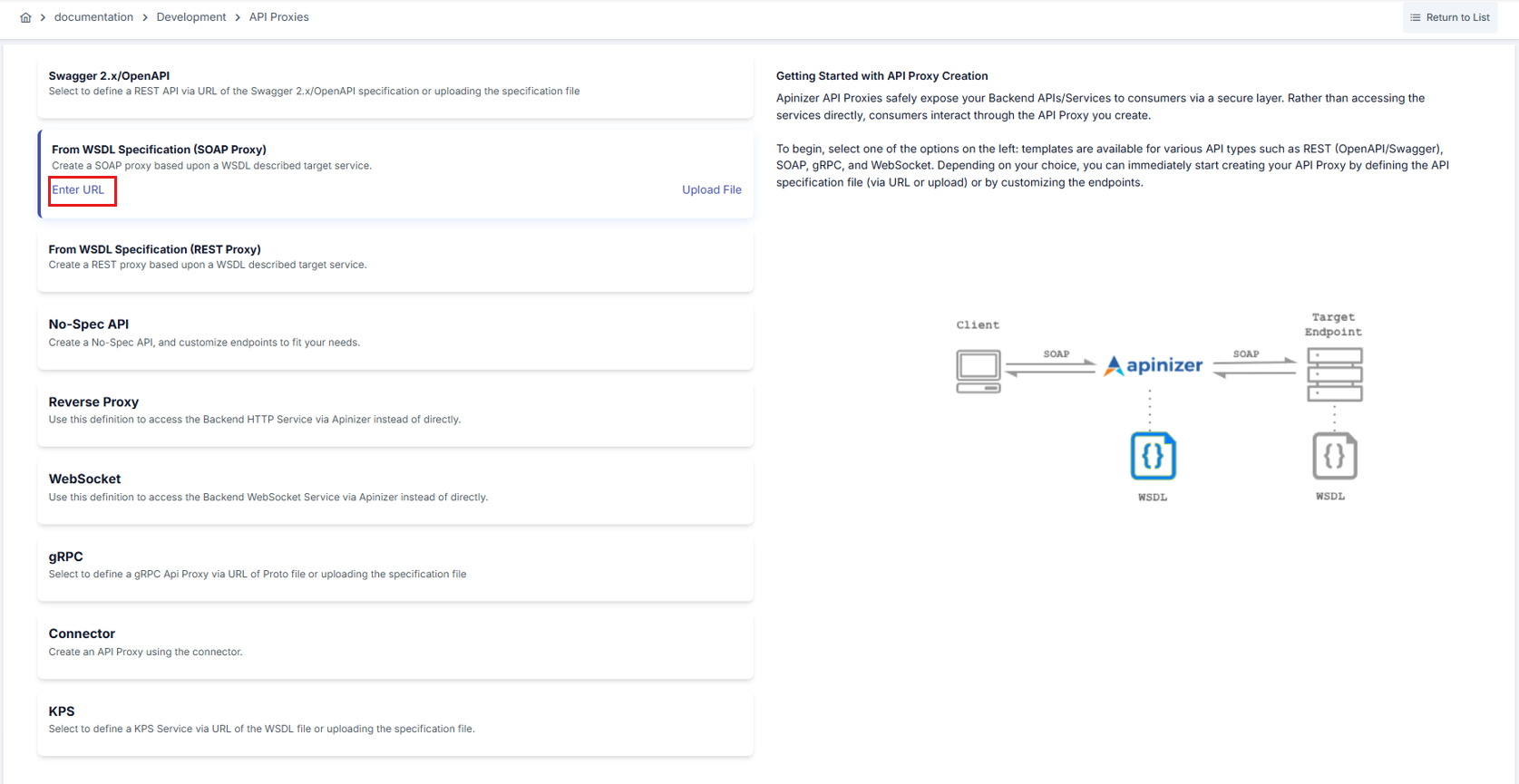
Select Protocol Transformation
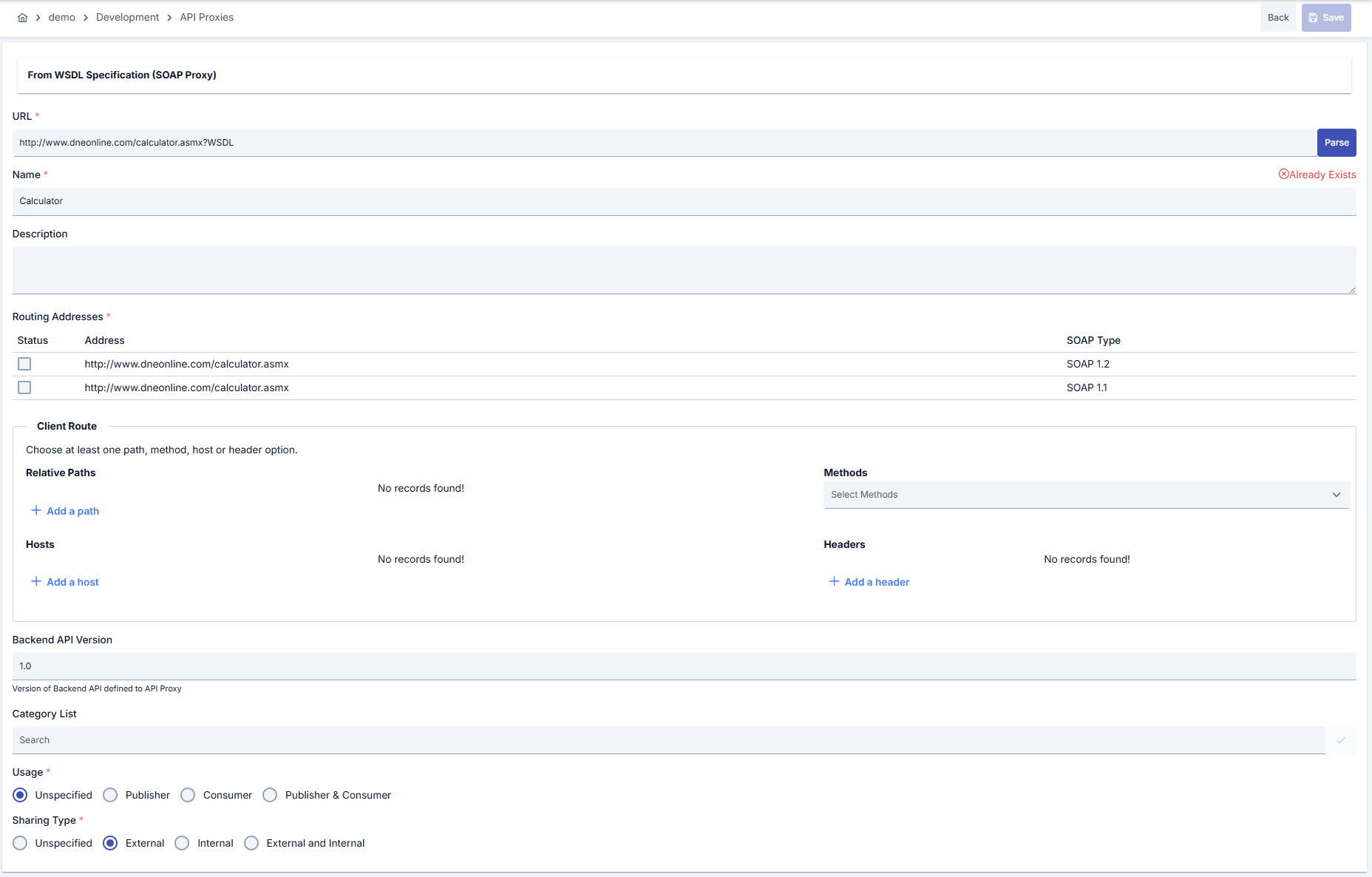
Method Transformation Settings
After the API Proxy is created, if desired, how the transformation between REST - SOAP message structures will be done for request and response messages of methods can be customized. For this, go to the API Proxy’s Development tab. When All is selected in the method list on the left, icons that open the transformation settings for request messages at the top and response messages at the bottom appear in the middle section.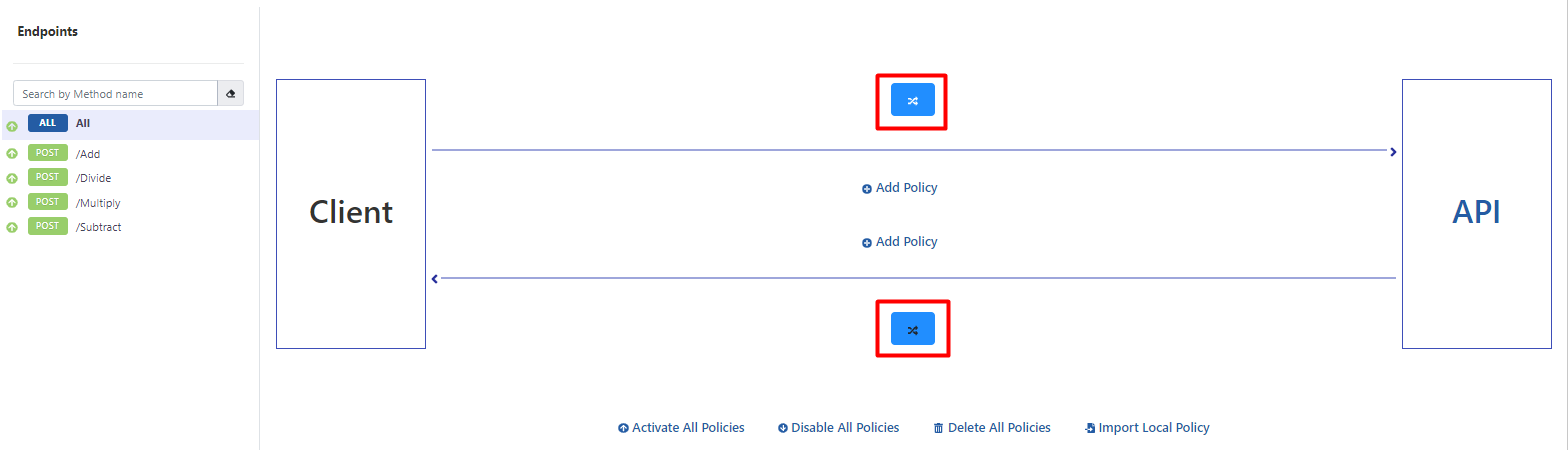

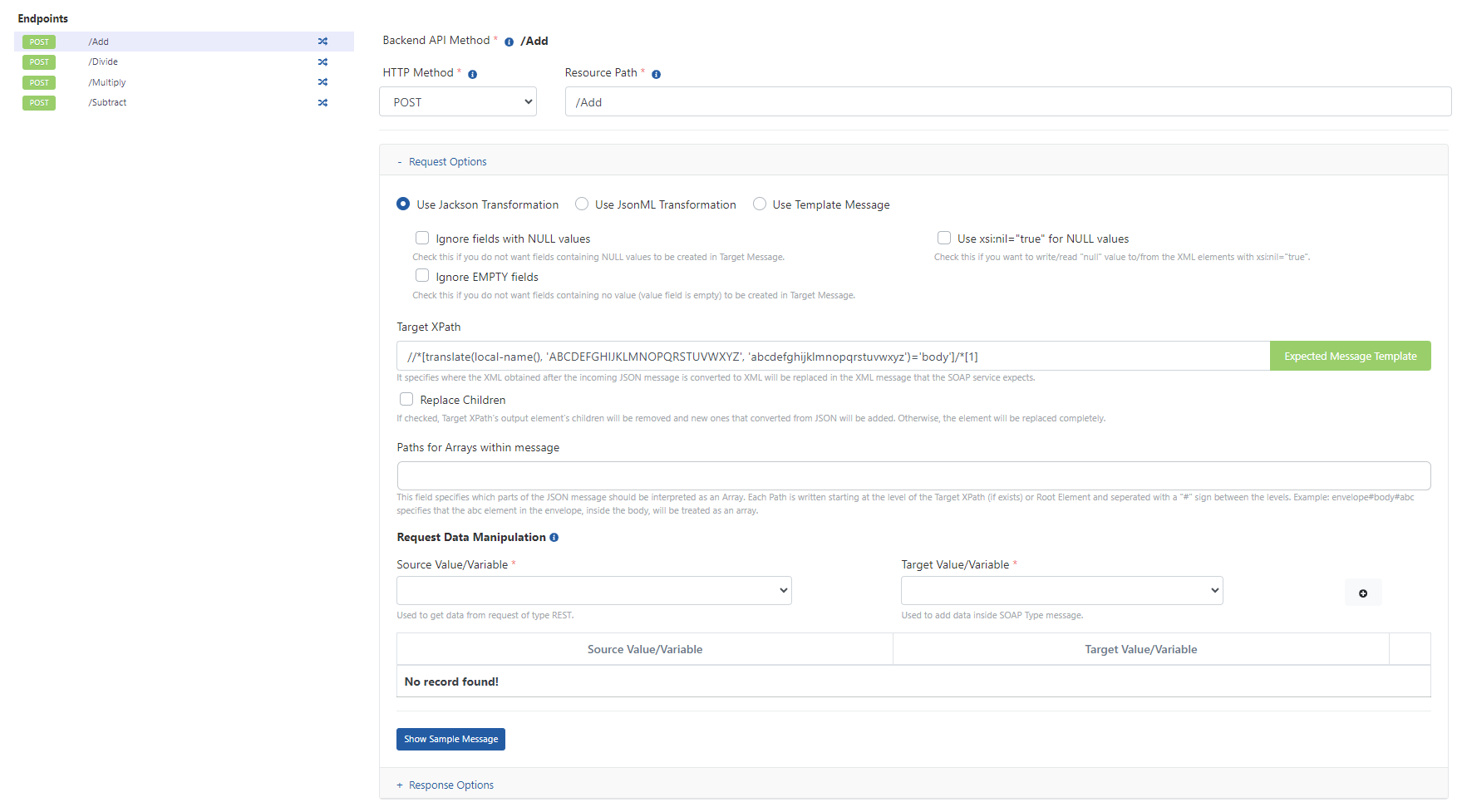
Transformation Options
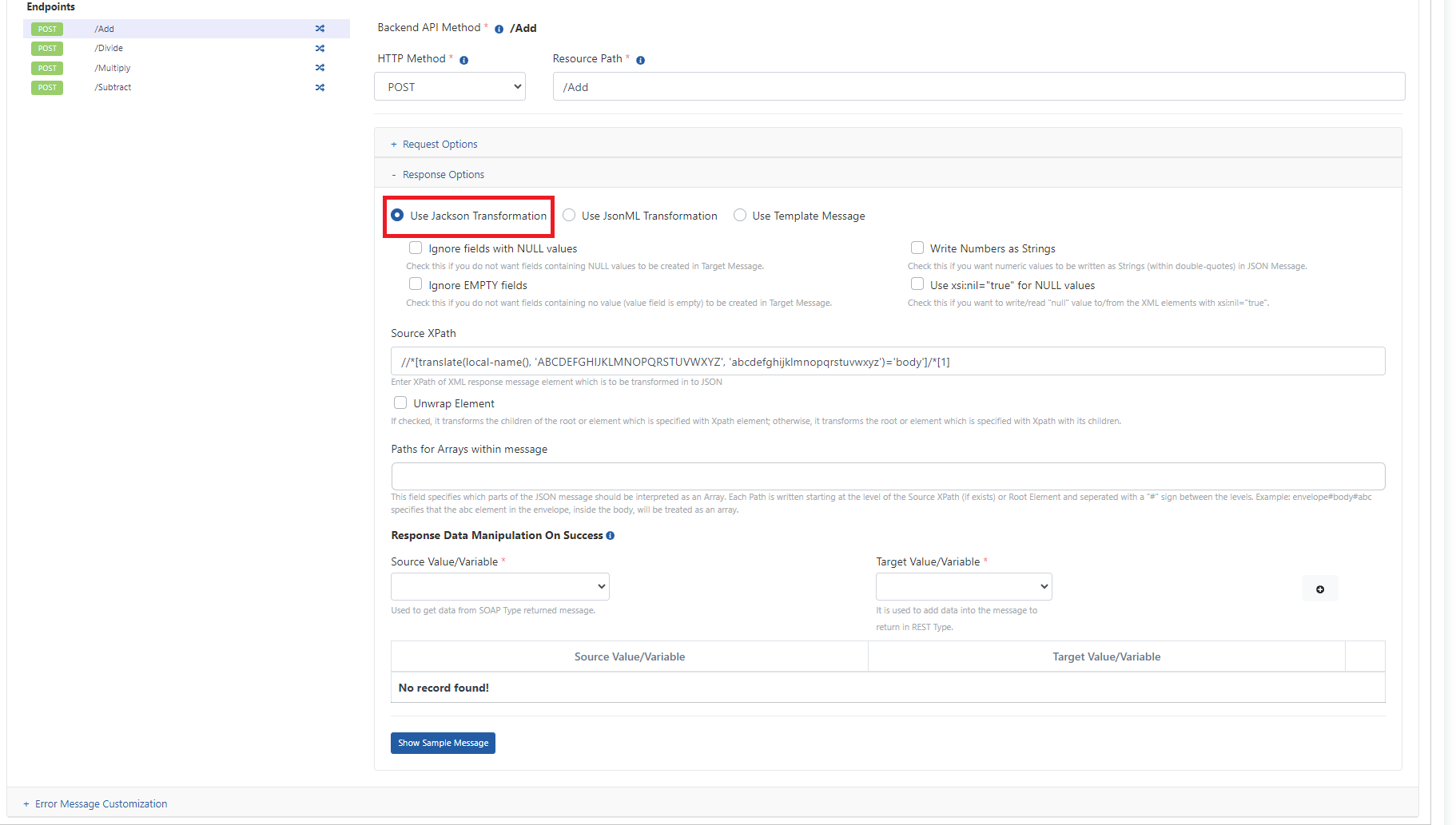
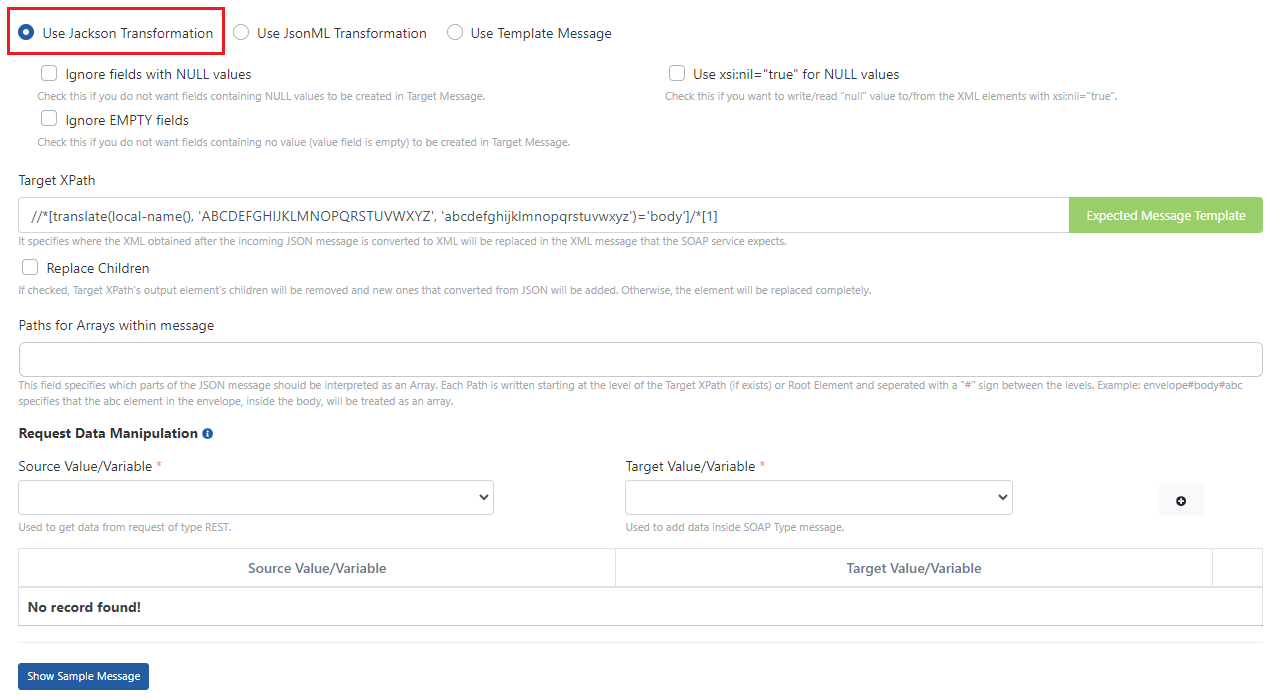
When a SOAP Service is exposed to clients as REST, request and response messages need to be transformed. The JSON message coming from the client must be converted to XML message before being sent to the SOAP service, and the XML message returned by the SOAP service must be converted to JSON message before being sent to the client. There are various options for performing this transformation:Jackson Transformation
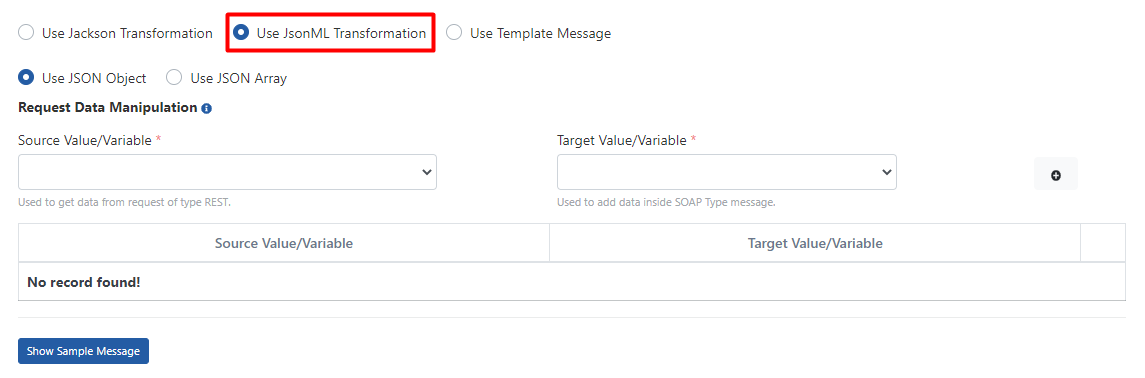
JsonML Transformation
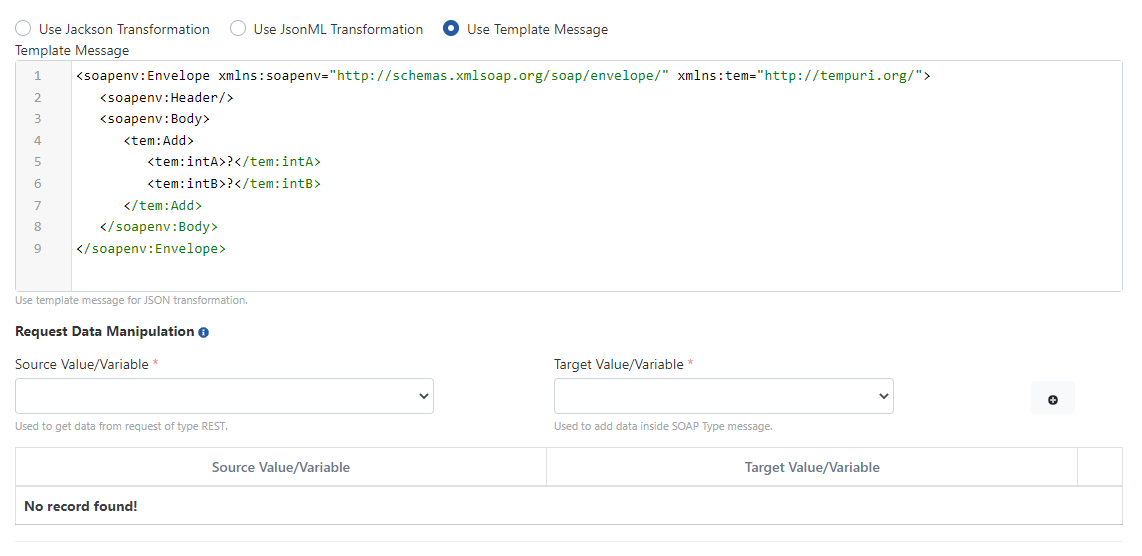
Template Message
Request Message Transformation Options
This section explains the details of transformation options for request messages.Use Jackson Transformation
Use JsonML Transformation
Use Template Message
Response Message Transformation Options
This section explains the details of transformation options for response messages.Use Jackson Transformation