

Creating a New Certificate
1
Filling Definition Information
Click the Create button from the Management → Secrets Management → Certificates screen. Fill in the information under Definition. Then click the New Certificate Definition button.
2
Filling Certificate Configuration Information
Fill in the configuration information for the Certificate in the opened window. Then click the Apply button. The saved Certificate Definition is listed in the table opened under Configuration.
3
Save and Deploy
After completing the definition and configuration information, click the Save and Deploy button to deploy.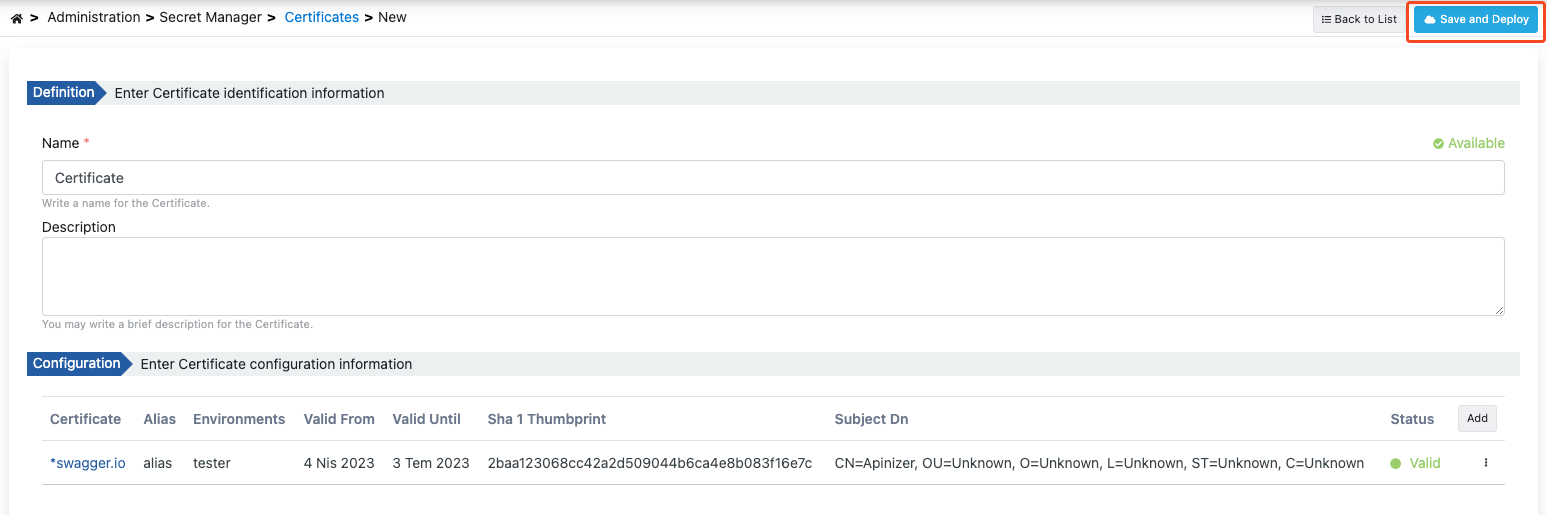
API Manager Environment and JVM TrustStore Synchronization
In certificate environment selection, the API Manager environment has a special meaning. Certificates assigned to this environment are automatically added to the API Manager application’s JVM TrustStore. This ensures that server certificates are validated during HTTPS calls made from API Manager (spec download, test console, OIDC discovery, etc.).Certificates assigned to the API Manager environment are automatically loaded into the JVM when the application starts. When a certificate is added, updated, or deleted, the JVM TrustStore is updated immediately; no restart is required.
Certificate Editing
1
Clicking Edit Button
To edit an existing certificate, click the Edit button from that certificate’s menu.
2
Update or Cancel Operations
In the screen opened when you click the Edit field, you can perform update and cancel operations on the certificate.
3
Saving Changes
Click the Apply button to save the changes you made.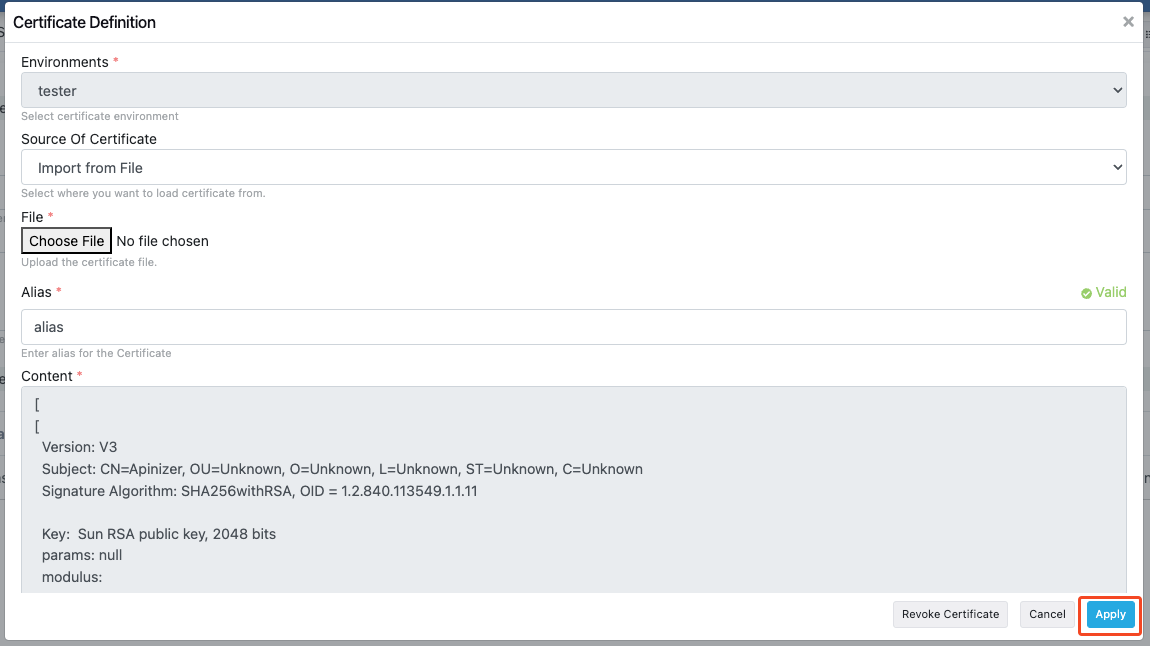
Updating Related JWKs
When a certificate is updated and the Save and Deploy button is clicked, if there are JWKs created from this certificate, the system automatically detects related JWKs and presents the user with options.When a certificate is updated, JWKs created from this certificate can also be automatically updated or the relationship can be disconnected.
JWK Connection Dialog
When a certificate is updated and related JWKs are detected, the following dialog opens:
- Title: “JWK Connection”
- Warning Message: “This Certificate is used in X JWK(s). What would you like to do?”
- Options:
- Update related JWKs: Ensures that changes in the certificate are reflected to related JWKs as well. When this option is selected, related JWKs are automatically updated when the certificate is updated.
- Update certificate only and disconnect: Updates the certificate but disconnects the relationship with JWKs. When this option is selected, the certificate is updated but JWKs remain in their previous state and the relationship is removed.
- Cancel: Cancels the operation and no changes are made.
Update Flow
1
Certificate Update
Edit the certificate information and click the Save and Deploy button.
2
Related JWK Check
The system checks for JWKs created from this certificate.
3
Dialog Display
If there are related JWKs, the JWK Connection dialog opens.
4
Making Selection
The user selects one of three options:
- Update: Update related JWKs as well
- Disconnect: Update only the certificate, disconnect the relationship
- Cancel: Cancel the operation
5
Confirmation Dialog
When Update or Disconnect is selected, a confirmation dialog opens. The user confirms the operation by entering the certificate name.
6
Completing Operation
After confirmation, the selected operation is performed and the certificate is updated.
Certificate Deletion
1
Clicking Delete Button
To delete an existing certificate, click the Delete button from that certificate’s menu.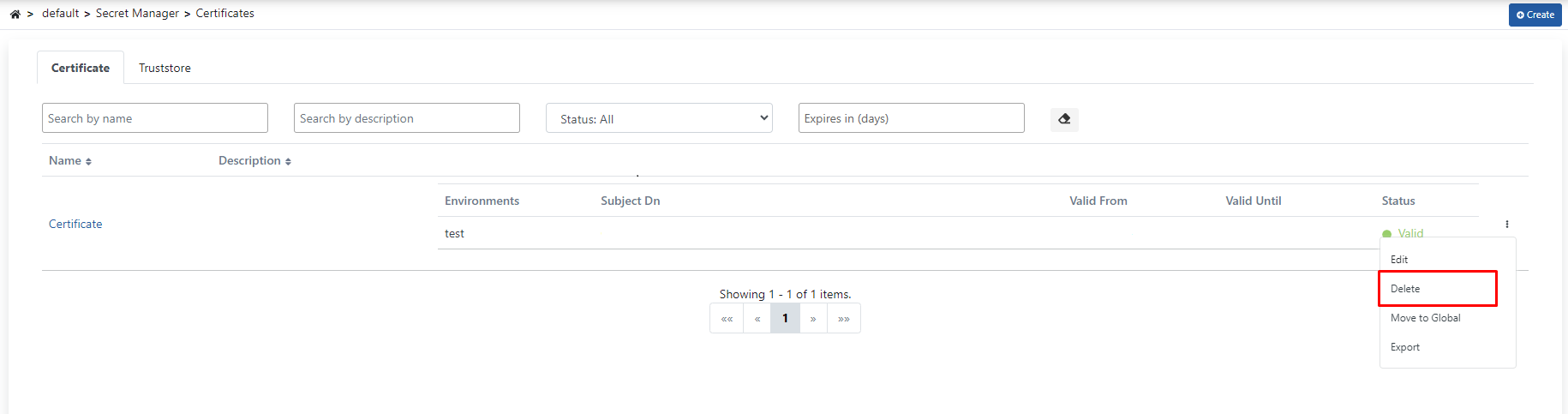
2
Related JWK Check
The system checks for JWKs created from this certificate. If there are related JWKs, the JWK Connection dialog opens.
3
Deletion Options
If there are related JWKs, the following options are presented:
- Delete JWKS: Delete related JWKs as well
- Delete Disconnect: Delete only the certificate, keep JWKs (relationship is disconnected)
- Cancel: Cancel the operation
4
Confirmation Dialog
When Delete JWKS or Delete Disconnect is selected, a confirmation dialog opens. The user confirms the operation by entering the certificate name.
5
Confirming Deletion Operation
Click the Delete button again in the opened window to confirm.
Deleting Related JWKs
When a certificate is deleted, if there are JWKs created from this certificate, the system automatically detects related JWKs and presents the user with options.Deletion Flow
1
Certificate Deletion Request
Start the certificate deletion operation.
2
Related JWK Check
The system checks for JWKs created from this certificate.
3
Dialog Display
If there are related JWKs, the JWK Connection dialog opens.
4
Making Selection
The user selects one of three options: Delete JWKS, Delete Disconnect, or Cancel.
5
Confirmation Dialog
When Delete JWKS or Delete Disconnect is selected, a confirmation dialog opens. The user confirms the operation by entering the certificate name.
6
Completing Operation
After confirmation, the selected operation is performed and the certificate is deleted.
Certificate Export
Two different export options are available on the certificate view screen:1
Selecting Export Type
On the certificate view screen, two export buttons are available in the top menu: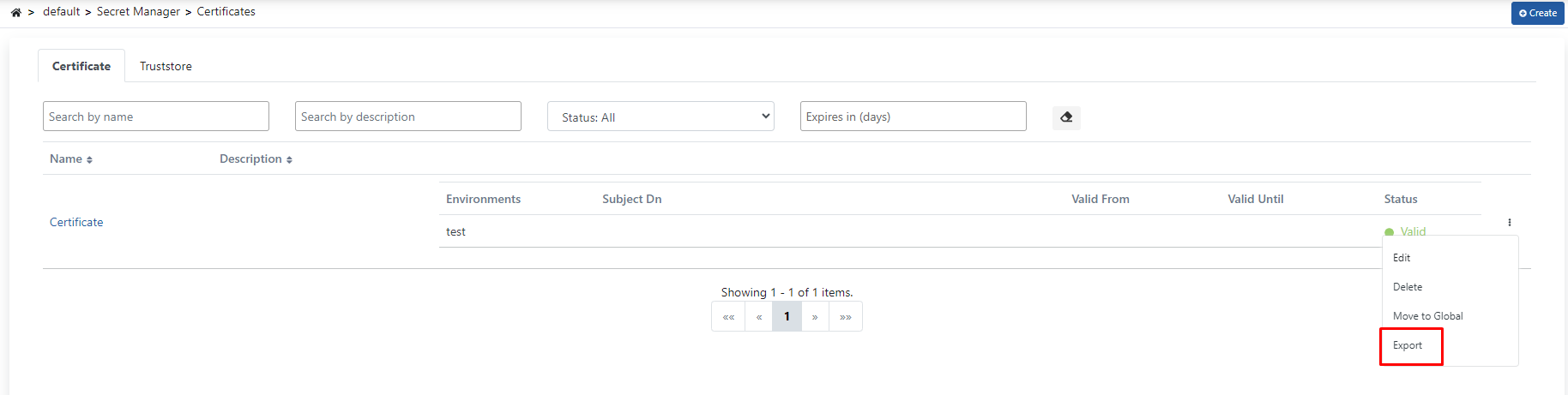
- Export as Certificate: Exports the certificate in certificate file format.
- Export: Exports the certificate configuration in JSON/ZIP format. This format is suitable for importing into another Apinizer environment.
2
Downloading the File
The file is automatically downloaded based on the selected export type. The ZIP format export file is named with date information and can be imported into other environments.
The JSON/ZIP format export contains the complete certificate configuration and can be used for migration to different Apinizer environments. The certificate format export downloads the certificate directly as a certificate file.
Truststore
In the Truststore tab, digital certificates used in Apinizer and trusted root certificate authorities (CA) are listed.