

This section contains the LDAP connection configurations required for users to be able to log in to the Apinizer Management Console by integrating with identity management systems that exist in their organizations and are accessible via LDAP connection. With these settings, users can log in to the Apinizer Management Console with their username and password on the LDAP connection and access projects authorized through LDAP groups.
Editing Settings
Click the Management → System Settings → LDAP Settings button. An image containing LDAP login settings is shown below: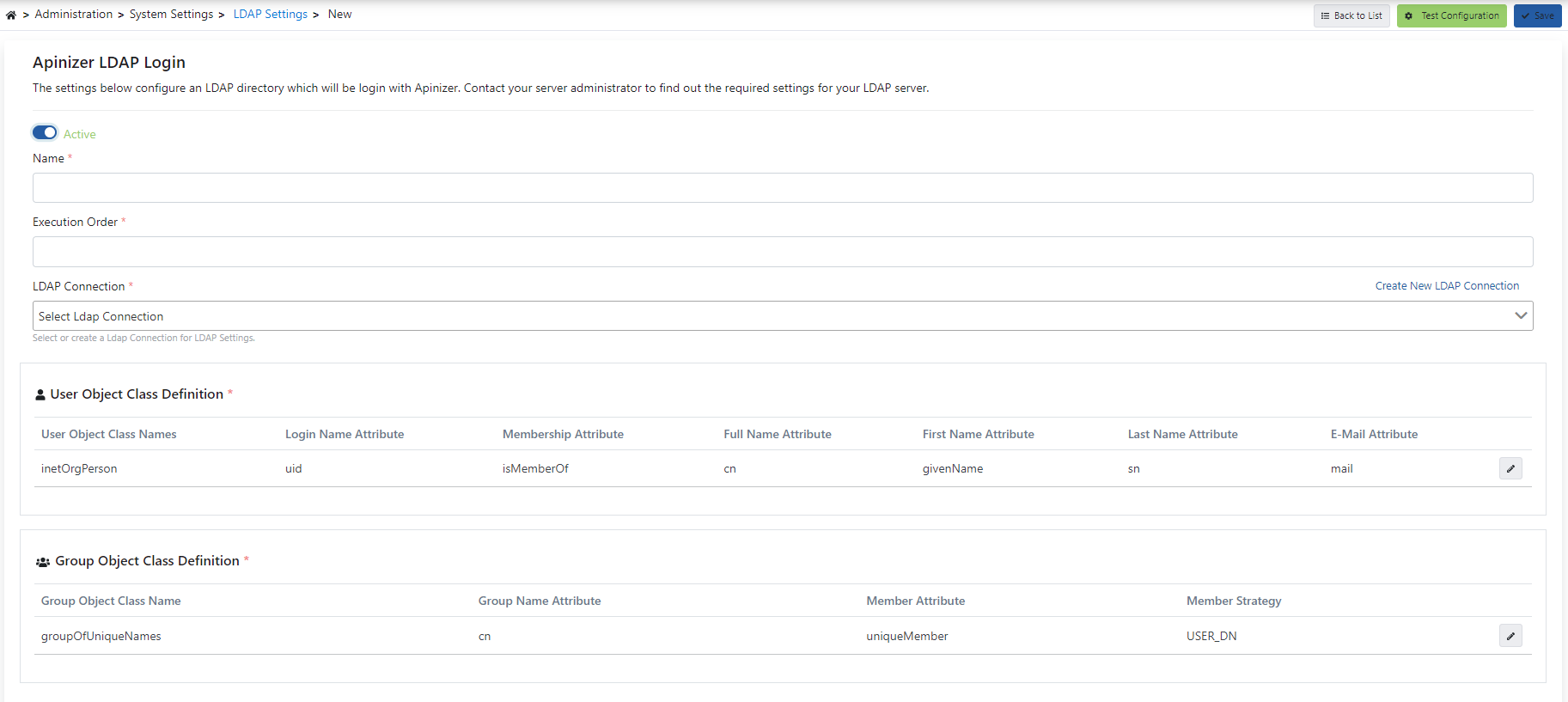
User Object Class Definition
Class name(s) to be used to filter users are entered. These class names are used to identify specific user objects and play an active role in filtering operations. An image containing login settings to filter users is shown below: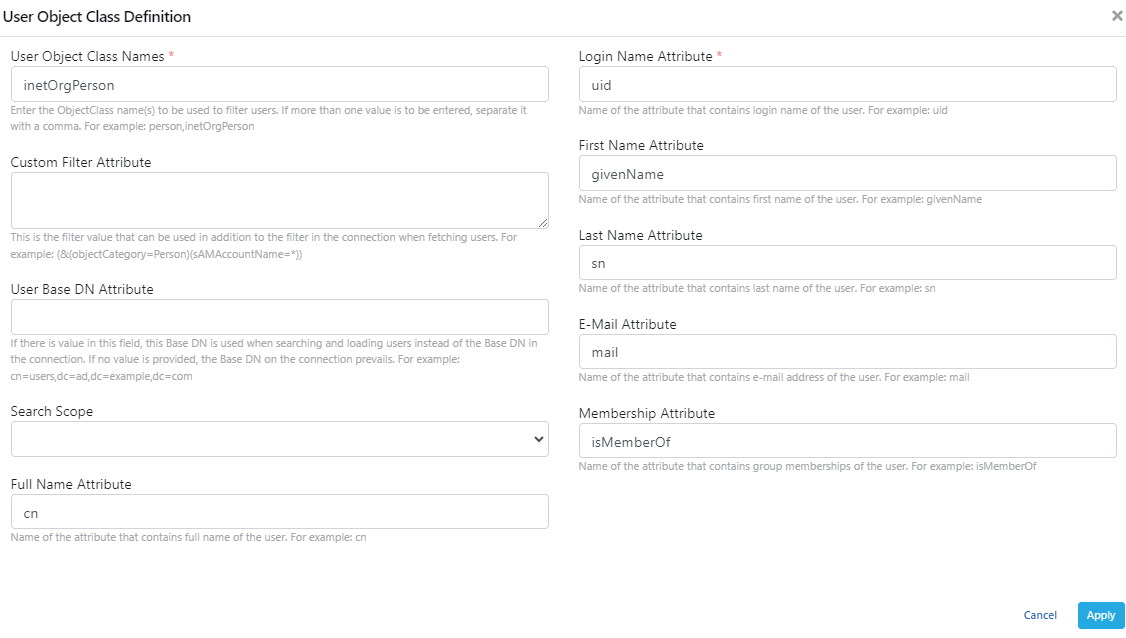
Group Object Class Definition
Specifies the class name to be used to filter groups. An image containing login settings to filter group classes is shown below: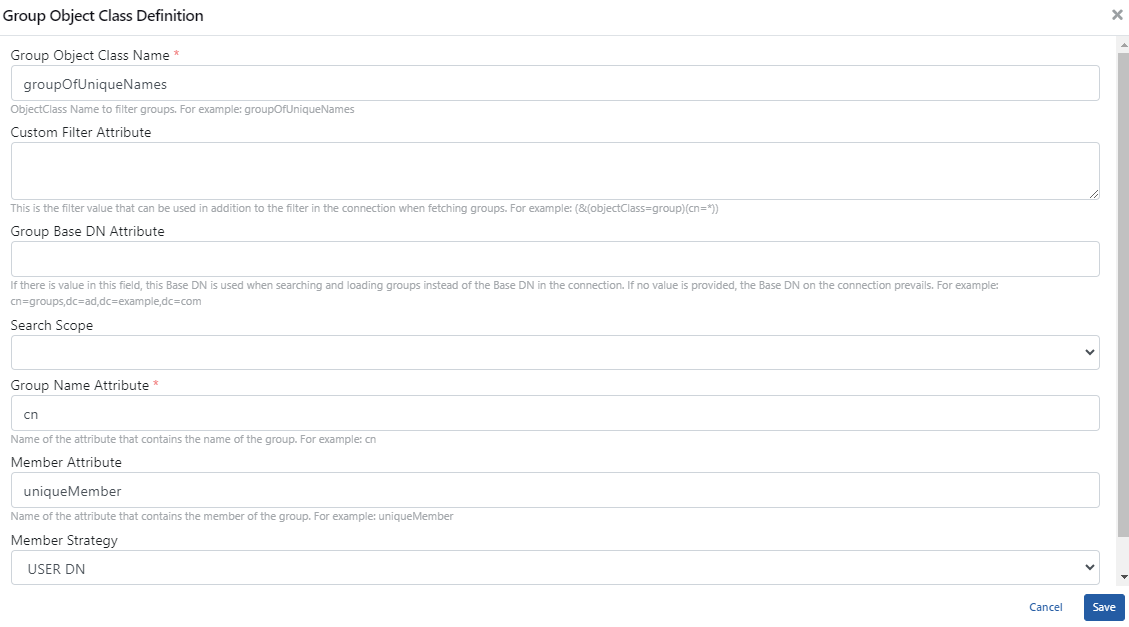
To see an example scenario for the real-world use of these settings, visit the API Manager LDAP Integration page.