Deployment & Pods
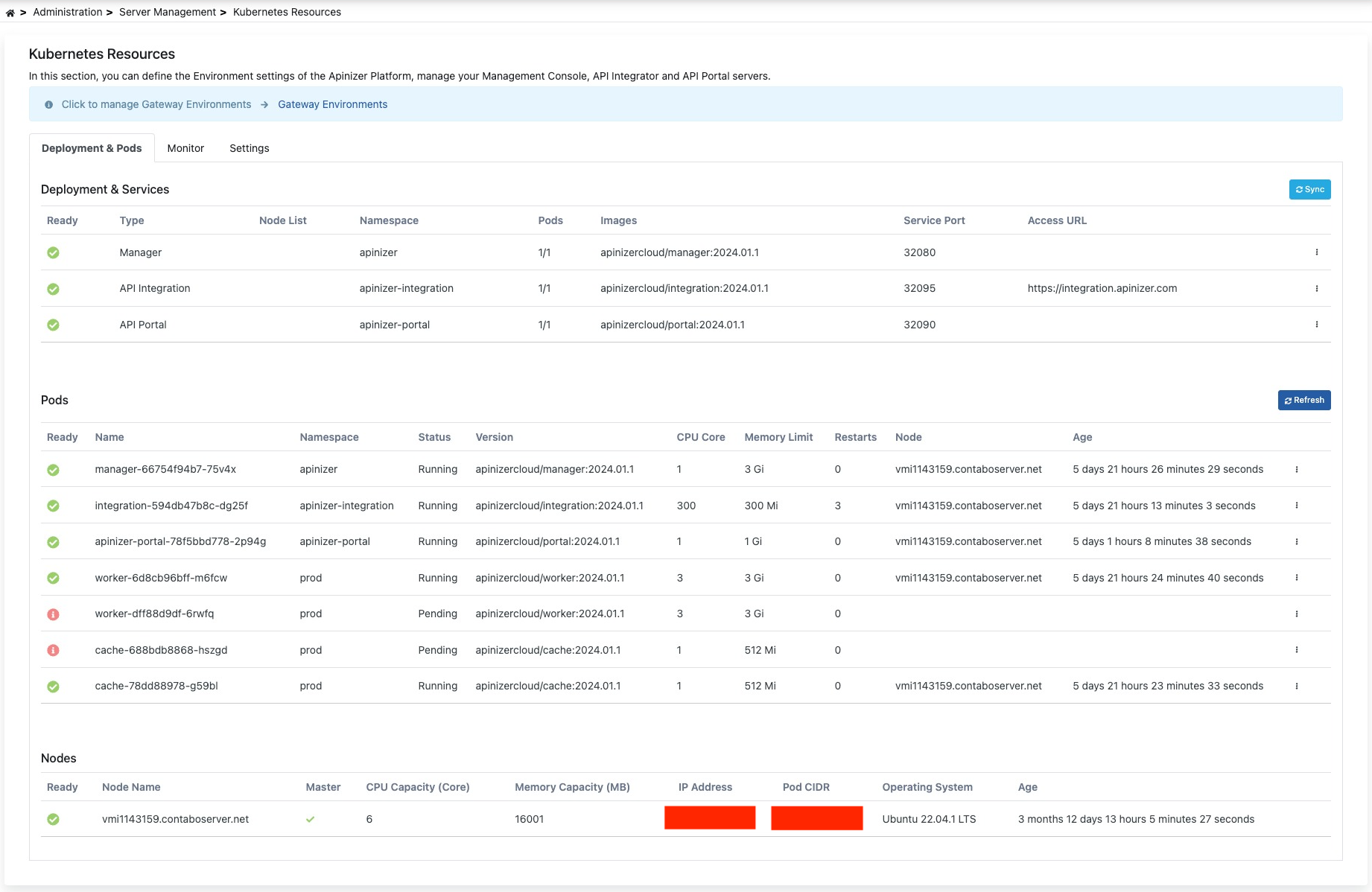
In this tab, control and management of deployments and services loaded to Kubernetes can be performed. Pods can be viewed and deleted from the Pods list. An image containing the Deployment & Pods tab is shown below: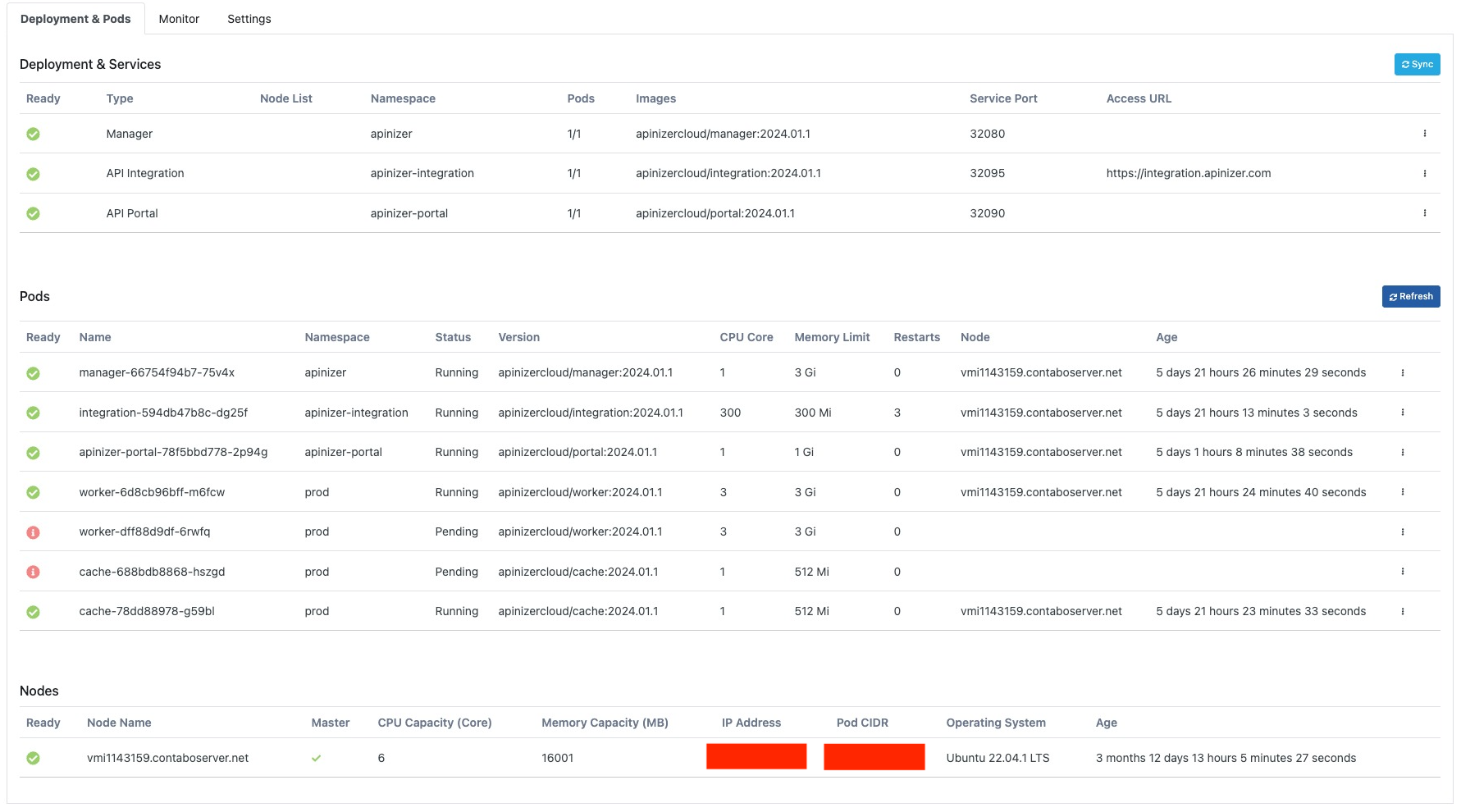
Deployment Operations
1
Sync
With this feature, changes made on Kubernetes are synchronized with the database.
2
Configure
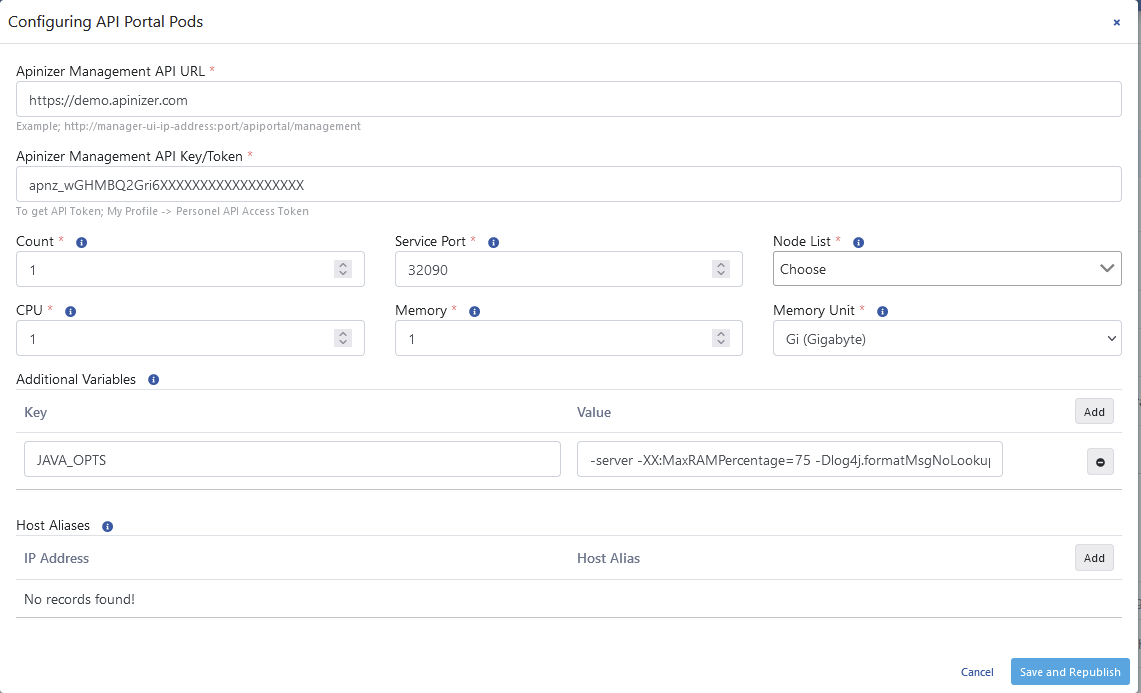
This is the area where deployment information can be updated.The configuration screen is opened with the Configure option from the dropdown menu at the end of the row.
3
Disable and Remove
Enables removal of the selected deployment.
4
Restart Pods
Enables restart of pods running under the selected deployment.
Pod Operations
1
View Log
Log information of the selected pod information is displayed.
2
Delete Pod
The selected pod is deleted and a new one is automatically created.
Monitor
The Kubernetes monitor is used to learn about CPU and memory resources consumed by the Apinizer Kubernetes cluster. This screen allows monitoring and managing the entire infrastructure as a single whole. Resources consumed for All Environments or a selected environment can be viewed separately for nodes and pods. On the left side of the screen, green core-time graphs for CPU consumption, and on the right side, blue megabyte-time graphs for memory consumption are located. An image containing the Monitor tab is shown below: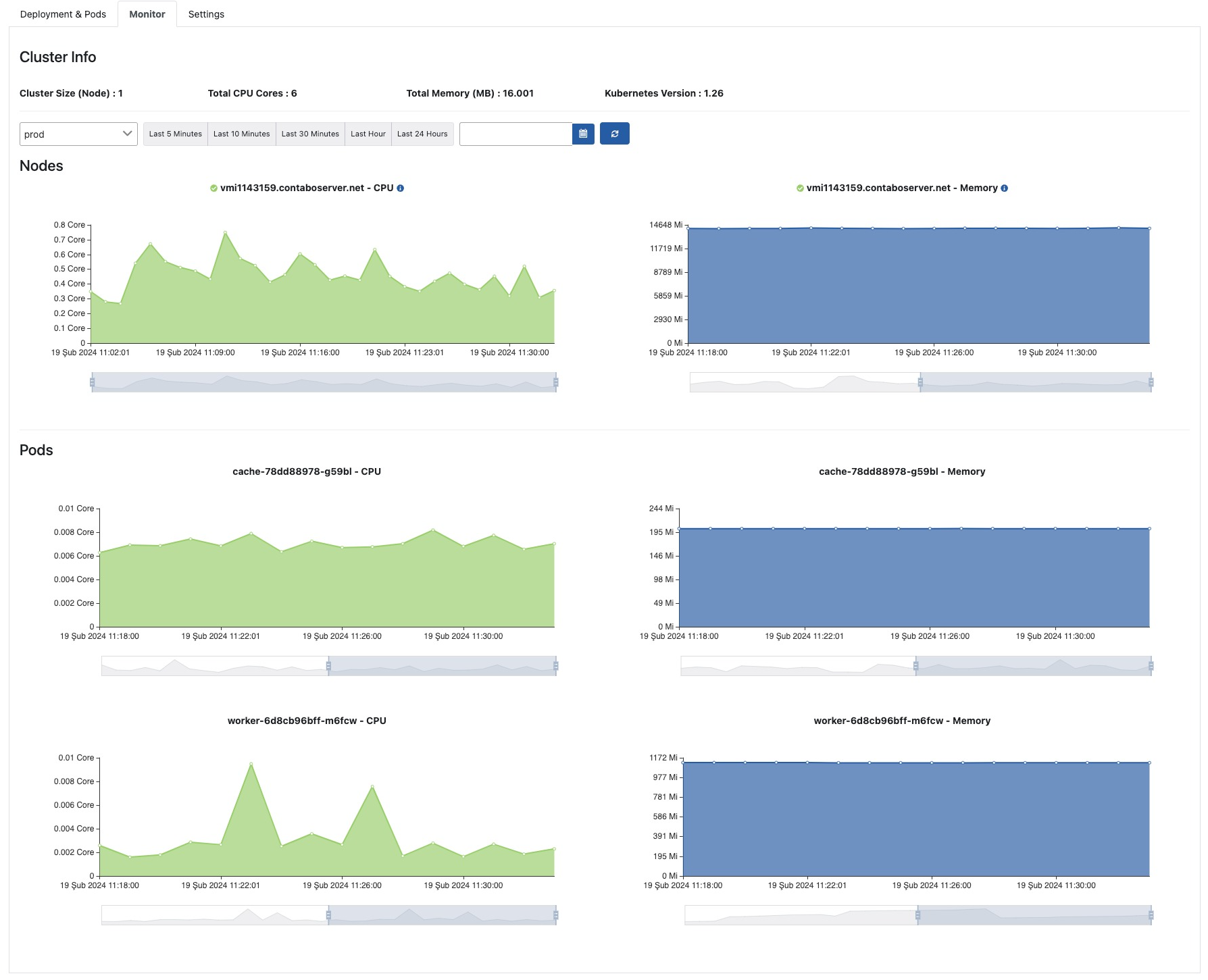
Settings
In this tab, general operations based on Kubernetes such as managing repository information of environments created for Apinizer, updating namespace information, configuring custom image prefix, and configuring Pod Security Context settings are performed. An image containing the Settings tab is shown below: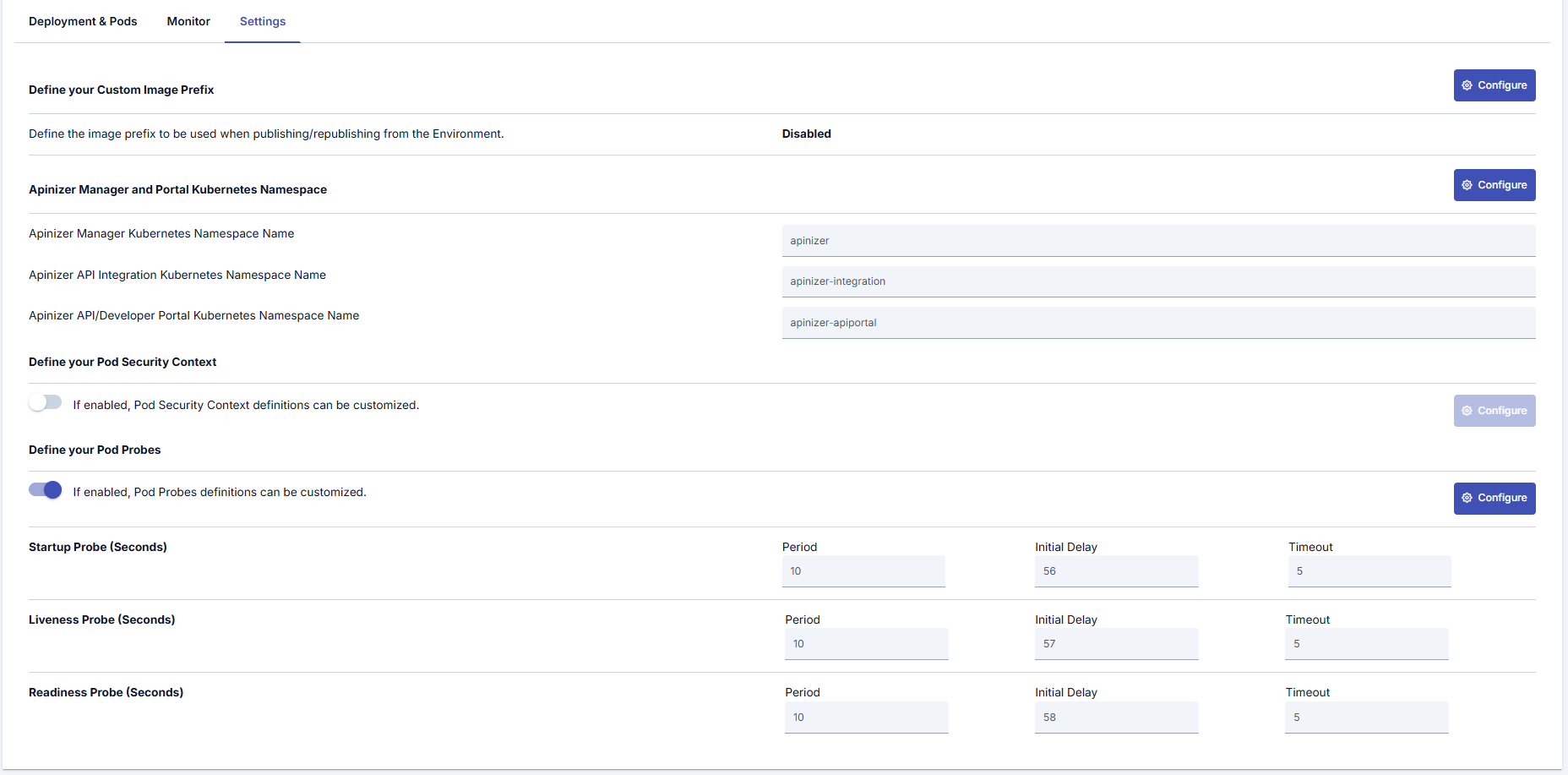
Apinizer Manager and Portal Kubernetes Namespace
Settings for this section can be made by pressing the Configure button located on the right side under the Apinizer Manager and Portal Kubernetes section. An image containing Kubernetes Namespace settings is shown below: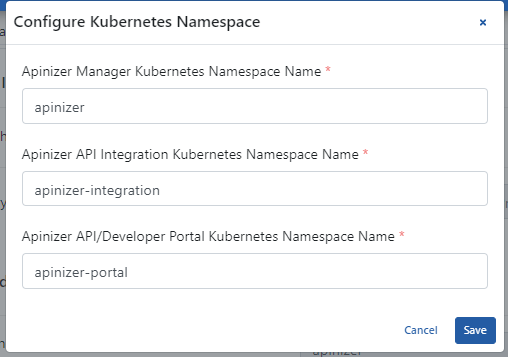
Custom Image Prefix
Settings for this section can be made by pressing the Configure button located on the right side under the Custom Image Prefix section. An image containing custom image prefix settings is shown below: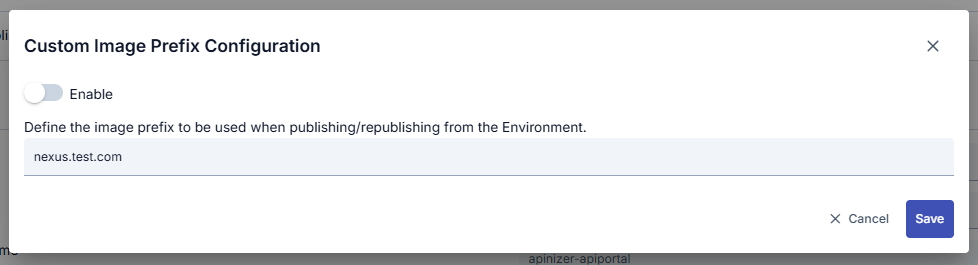
Custom Image Prefix Usage:The custom image prefix feature is useful when using private Docker registries or internal network image repositories. When this feature is enabled, all Kubernetes deployments created by Apinizer use image names with the specified prefix.
Define Pod Security Context
Settings for this section can be made by pressing the Configure button located on the right side under the Define your Pod Security Context section. An image containing configuration settings is shown below: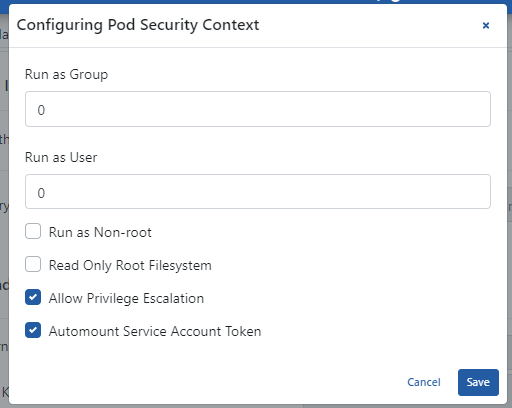
Define Pod Probes
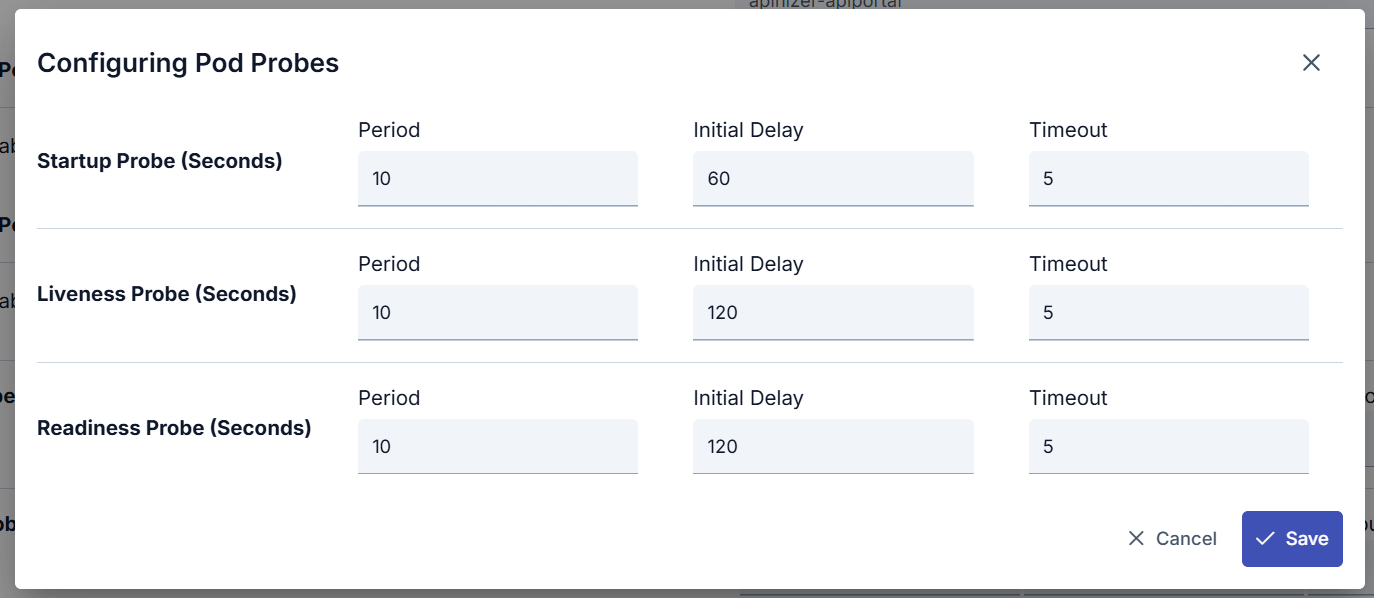
Settings for this section can be made by pressing the Configure button located on the right side under the Define your Pod Probes section. An image containing Pod Probes settings is shown below: