

Overview
What is its Purpose?
- Enables backend services to remain independent of encryption details by automating decryption of encrypted payload segments on API Proxy (API Proxy Server).
- Provides flexibility in complex integration scenarios by controlling which part of the message will be decrypted and where the result will be written with variables.
- Strengthens centralized key management and facilitates compliance with security standards with Crypto Key Info or certificate objects through Secret Manager.
- Supports dynamic encryption scenarios from different clients by making algorithm name readable from request content.
Working Principle
- Request Arrival: For each HTTP/HTTPS request arriving at the API Gateway, the source IP address of the request is identified.
- Policy Check: If the Decryption policy is active, the system checks in the following order:
- Is a Condition defined? If so, is the condition met?
- Is the policy active (active=true)?
- Is a Variable used or is Apinizer default?
- Decryption Definitions: The policy processes each registered decryption definition in order; reads encrypted content from target variable, collects IV information if necessary, determines algorithm from fixed definition or variable in message, and retrieves relevant key/certificate from Secret Manager.
- Decision Making:
- Match Found: If definition requirements are met, content is decrypted, result is written to determined variable, and flow continues to next Policy stage.
- No Match: Decryption is skipped or customized error message is triggered for content that does not match definition or contains missing parameters.
- Error Handling: Customizable HTTP status code and error message are returned for requests that do not comply with the policy rule.
Features and Capabilities
Basic Features
- Multiple Decryption Definitions: Separate algorithm and key combinations can be defined for different message segments under the same policy.
- Algorithm Flexibility: Supports common decryption algorithms including AES, DES, DESede, and RSA variations.
- Secret Manager Integration: Provides secure key access through Crypto Key Info records or certificates.
- Active/Passive Status Control: Easily change the active or passive status of the policy (active/passive toggle). In passive state, the policy is not applied but its configuration is preserved.
- Condition-Based Application: Determine when the policy will be applied by creating complex conditions with Query Builder (e.g., only for specific endpoints or header values).
Advanced Features
- Dynamic Algorithm Resolution: Adapts to client-based encryption differences by reading algorithm name from variable in request.
- IV Management Automation: Automatically determines IV requirement according to algorithm and validates IV variable/encoding.
- Variable Update Dialogs: Provides quick editing windows for source, target, IV, and algorithm variables.
- Export/Import Feature: Export policy configuration as a ZIP file. Import to different environments (Development, Test, Production). Version control and backup capability.
- Policy Group and Proxy Group Support: Manage multiple policies within Policy Group. Bulk policy assignment to Proxy Groups. Centralized update and deployment operations.
- Deploy and Versioning: Deploy policy changes to live environment. See which API Proxies use it (Policy Usage). Proxy Group and Policy Group usage reports.
Usage Scenarios
Configuring Policy Parameters
At this step, users can create a new policy or configure existing policy parameters to define access rules.Creating a New Decryption Policy
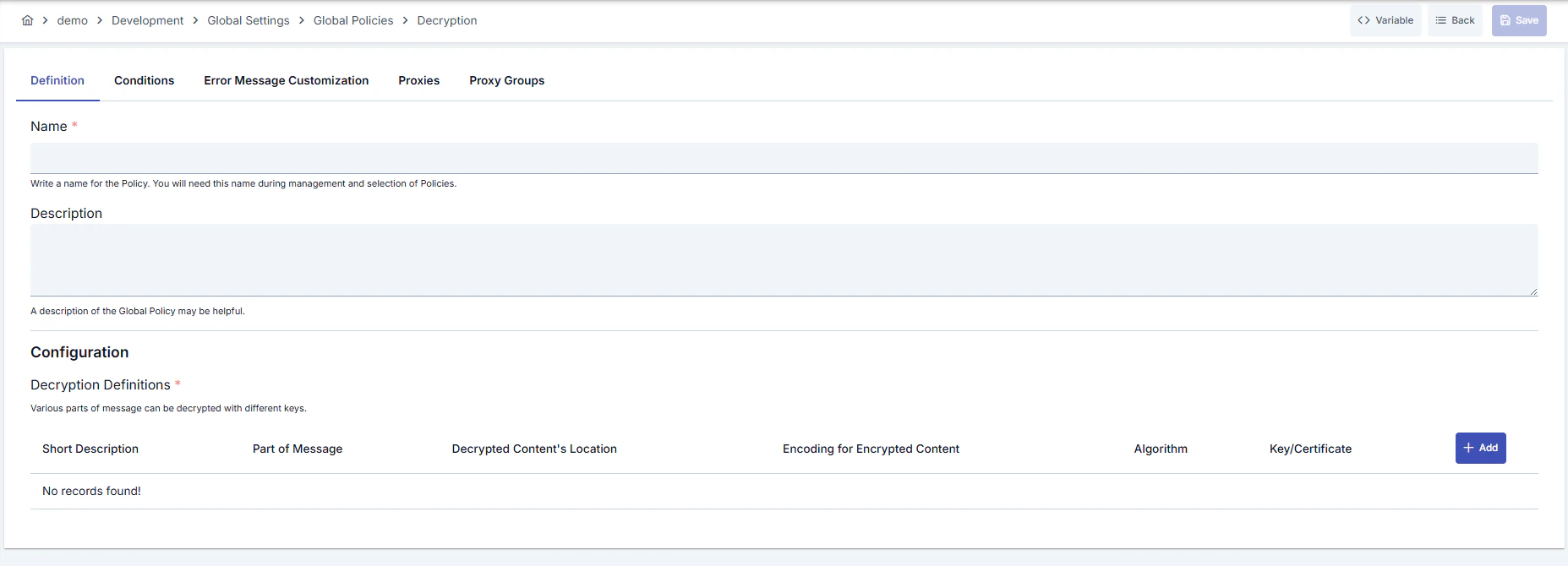
Configuration Steps
For the description of Conditions and Error Message Customization panels, you can review the Conditions and Error Message Customization sections on the What is Policy? page.
For a complete guide on all layers, priority order and scenario examples of the error message configuration system, see the Error Message Configuration Guide page.