

Overview
What is its Purpose?
- Prevents incorrect data from reaching backend systems by automatically checking whether JSON-based calls coming through API Proxy comply with expected data contract.
- Enables establishing comprehensive yet flexible validation scenarios by targeting specific parts of request through JSONPath (
pathForBody) expression. - Provides adaptable validation flows according to different endpoints, versions, or client types by managing multiple JSON Schema versions under the same policy.
- Centrally controls when validation will be triggered and what messages will be returned to clients through condition engine and error message customization.
Working Principle
- Request Arrival: For each HTTP/HTTPS request arriving at the API Gateway, the source IP address of the request is identified.
- Policy Check: If the JSON Schema Validation policy is active, the system checks in the following order:
- Is a Condition defined? If so, is the condition met?
- Is the policy active (active=true)?
- Is a Variable being used or is Apinizer default?
- JSON Schema Validation: The part of request to be validated is obtained with JSONPath expression defined as
pathForBody; the part is passed through RFC 8259-compliant schema validation according to all defined JSONschemaDefinitionListentries. - Decision Making:
- Match Found: If compatibility is achieved with at least one schema, request continues in flow and target API Proxy response is returned.
- No Match: If compatibility cannot be achieved with any schema, policy terminates flow and client is informed with defined error message/HTTP code.
- Error Handling: Customizable HTTP status code and error message are returned for requests that do not comply with the policy rule.
Features and Capabilities
Basic Features
- JSONPath-Based Data Targeting: Which part of request will be validated is selected with
pathForBodyfield; default$.expression works on entire body. - Multiple JSON Schema Support: Multiple schemas are added through
schemaDefinitionList, each is automatically numbered and can be assigned to different usage scenarios. - Embedded JSON Editor: Schema definitions are edited on syntax-highlighted Apinizer code editor component, increasing accuracy and readability.
- Active/Passive Status Control: Easily change the active or passive status of the policy (active/passive toggle). In passive mode, the policy is not applied but its configuration is preserved.
- Condition-Based Application: Determine when the policy will be applied by creating complex conditions with Query Builder (e.g., only for specific endpoints or header values).
Advanced Features
- JSONPath Test Module:
pathForBodyexpression is run on real data through Test Transformation Data component, instantly validating that correct field is targeted. - Schema Versioning Strategy: Different versions can be tracked and quickly activated when needed thanks to automatic
schemaNogeneration for each new schema record. - Global/Local Policy Flow: Global policies can be converted to local policies, user interaction is provided through
globalPolicyChangedInProxyevents. - Export/Import Feature: Export policy configuration as a ZIP file. Import to different environments (Development, Test, Production). Version control and backup capability.
- Policy Group and Proxy Group Support: Manage multiple policies within Policy Group. Bulk policy assignment to Proxy Groups. Centralized update and deploy operations.
- Deploy and Versioning: Deploy policy changes to live environment. See which API Proxies use it (Policy Usage). Proxy Group and Policy Group usage reports.
Usage Scenarios
Configuring Policy Parameters
In this step, users can create a new policy or configure existing policy parameters to define access rules. The defined parameters directly affect how the policy works (e.g., which IPs will be allowed, geographical restrictions, conditional activations, etc.). This allows the policy to be customized according to organization-specific requirements while being centrally manageable.Creating a New JSON Schema Validation Policy
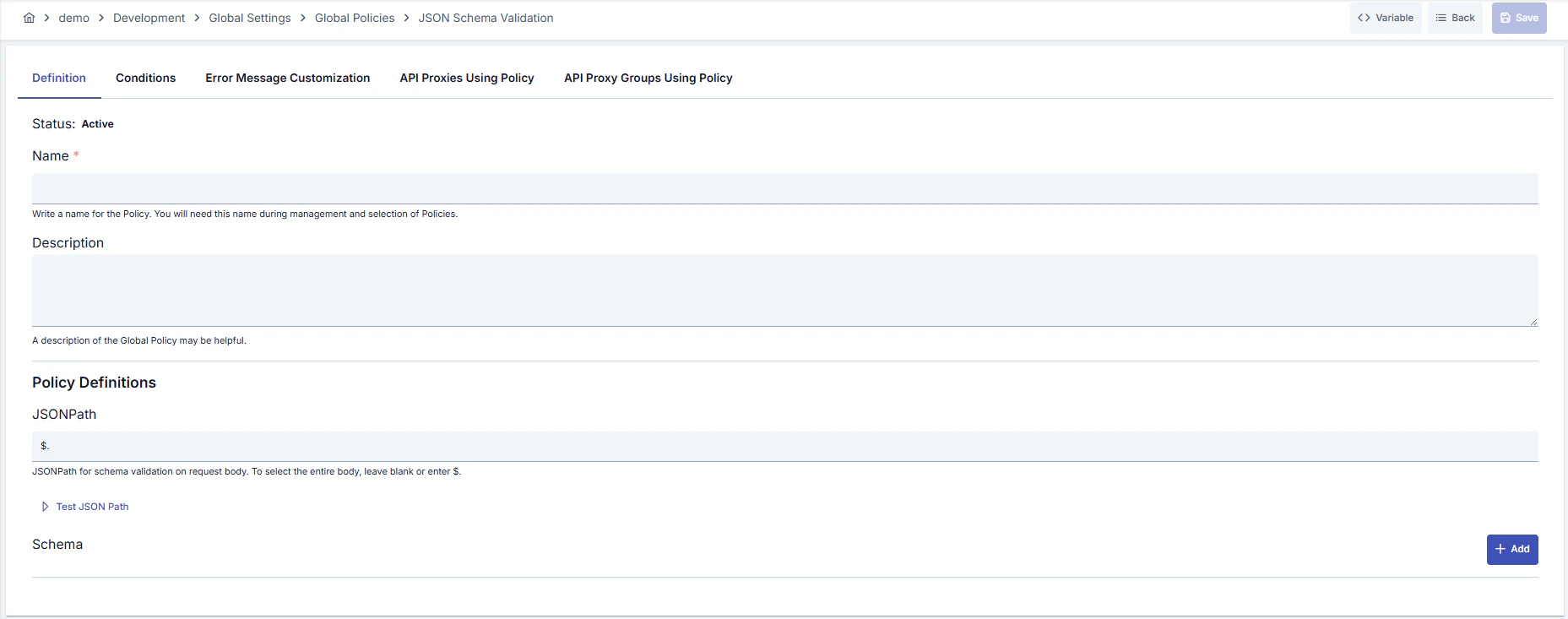
Configuration Steps
For descriptions of Conditions and Error Message Customization panels, you can review the Conditions and Error Message Customization sections on the What is Policy? page.
For a complete guide on all layers, priority order and scenario examples of the error message configuration system, see the Error Message Configuration Guide page.