

Overview
What is its Purpose?
- Ensures structural integrity of incoming SOAP or REST-based XML requests, prevents faulty data from reaching backend services.
- Raises integration quality standards by enforcing compatibility requirement with WSDL or XSD schemas at
API Proxylevel. - Provides flexible policy management by performing XML schema validation only in certain endpoint or header combinations with condition-based triggering.
- Supports quick correction of faulty schema by client side thanks to custom error messages.
Working Principle
- Request Arrival: For each HTTP/HTTPS request arriving at the API Gateway, the source IP address of the request is identified.
- Policy Check: If the XML Schema Validation policy is active, the system checks in the following order:
- Is a Condition defined? If so, is the condition met?
- Is the policy active (active=true)?
- Is a Variable used or is Apinizer default used?
- XML Schema Evaluation: If
validateAgainstSpec=true, schema is retrieved from WSDL definitions of relevant API Proxy; otherwise XML parser validation is performed using enteredschemaDefinitionListXSD contents andpathForBodyXPath output. - Decision Making:
- Match Found: If request conforms to schema, process chain continues, routing is done to backend target.
- No Match: If XML structure does not conform to schema, policy stops request and returns customizable error outputs.
- Error Handling: Customizable HTTP status code and error message are returned for requests that do not comply with the policy rule.
Features and Capabilities
Basic Features
- XPath-Based Body Selection: Node to be validated is selected from SOAP Body with
pathForBodyfield; if left empty, entire body is examined. - Multiple XSD Management: Multiple schema segments can be added with
schemaDefinitionList, each ordered withschemaNoand distinguished withsystemId. - Name Conflict Prevention: Policy name passes uniqueness check within project before saving, provides instant feedback to user.
- Active/Passive Status Control: Easily change the active or passive status of the policy (active/passive toggle). In passive state, the policy is not applied but its configuration is preserved.
- Condition-Based Application: Determine when the policy will be applied by creating complex conditions with Query Builder (e.g., only for specific endpoints or header values).
Advanced Features
- WSDL Integration: When
validateAgainstSpecis selected, XML types derived from WSDL are automatically used and external XSD entry is not required. - XPath Test Runner: “Test Data Transformation” component instantly validates whether XPath expression correctly selects target node.
- Schema Versioning Strategies: Gradual transition or rollback can be planned by keeping different
schemaDefinitionListelements in the same policy. - Export/Import Feature: Export policy configuration as a ZIP file. Import to different environments (Development, Test, Production). Version control and backup capability.
- Policy Group and Proxy Group Support: Manage multiple policies within Policy Group. Bulk policy assignment to Proxy Groups. Centralized update and deploy operations.
- Deploy and Versioning: Deploy policy changes to live environment. See which API Proxies use it (Policy Usage). Proxy Group and Policy Group usage reports.
Usage Scenarios
Configuring Policy Parameters
In this step, users can create a new policy or configure existing policy parameters to define access rules. The defined parameters directly affect how the policy works (e.g., which IPs will be allowed, geographical restrictions, conditional activations, etc.). This allows the policy to be customized according to organization-specific requirements and managed centrally.Creating a New XML Schema Validation Policy
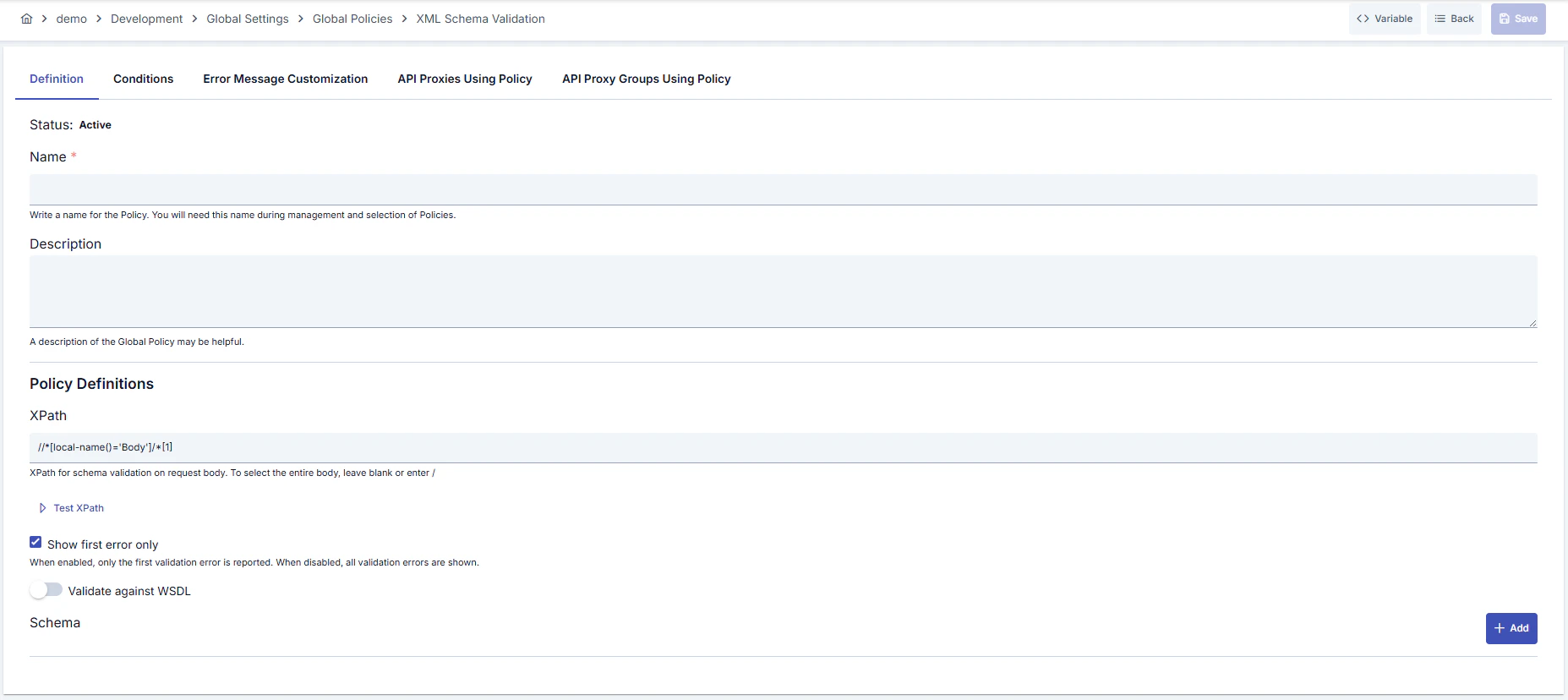
Configuration Steps
For the description of Conditions and Error Message Customization panels, you can review the Conditions and Error Message Customization sections on the What is Policy? page.
For a complete guide on all layers, priority order and scenario examples of the error message configuration system, see the Error Message Configuration Guide page.