

Overview
What is its Purpose?
- Guarantees integrity of SOAP responses coming from target system through API Proxy (API Proxy Server) with digital signature verification.
- Ensures correct transmission of sensitive data from backend by decrypting encrypted SOAP bodies with configured keystore information.
- Enforces WS-Security verification requirements in specific endpoint or header combinations through policy conditions.
- Facilitates root cause analysis by operation teams in integration errors with customizable error messages.
Working Principle
- Request Arrival: For each HTTP/HTTPS request arriving at the API Gateway, the source IP address of the request is identified.
- Policy Check: If the WS Security From Target policy is active, the system checks in the following order:
- Is a Condition defined? If so, is the condition met?
- Is the policy active (active=true)?
- Is a Variable used or is Apinizer default?
- WS-Security Verification: Digital signature verification with selected truststore, then SOAP body is decrypted with decryption keystore; operation errors if keystore is not found.
- Decision Making:
- Match Found: SOAP response is verified, decrypted if necessary, and transmitted to client.
- No Match: Verification or decryption fails and defined error message is returned.
- Error Handling: Customizable HTTP status code and error message are returned for requests that do not comply with the policy rule.
Features and Capabilities
Basic Features
- Decryption Support: Opens encrypted SOAP bodies coming from target system with selected keystore; alias and password information are read through Worker Context.
- Signature Verification Support: Verifies digital signatures with keystore defined as truststore, rejects untrusted certificates.
- Dynamic Policy Conditions: Manages endpoint, header, or IP-based rule combinations with Query Builder integration.
- Active/Passive Status Control: Easily change the active or passive status of the policy (active/passive toggle). In passive state, the policy is not applied but its configuration is preserved.
- Condition-Based Application: Determine when the policy will be applied by creating complex conditions with Query Builder (e.g., only for specific endpoints or header values).
Advanced Features
- Multi-Environment Keystore Access: Automatically selects keystore environment in active project context, works transparently in Production Environment transitions.
- Case Insensitive Signature ID Option: Compares XML Signature ID values case-insensitively when allowCaseInsensitiveId field is enabled.
- Policy Flow Synchronization: Triggers policy updates in real-time with Event Manager, warns users on global policy changes.
- Export/Import Feature: Export policy configuration as a ZIP file. Import to different environments (Development, Test, Production). Version control and backup capability.
- Policy Group and Proxy Group Support: Manage multiple policies within Policy Group. Bulk policy assignment to Proxy Groups. Centralized update and deployment operations.
- Deploy and Versioning: Deploy policy changes to live environment. See which API Proxies use it (Policy Usage). Proxy Group and Policy Group usage reports.
Usage Scenarios
Configuring Policy Parameters
At this step, users can create a new policy or configure existing policy parameters to define access rules. The defined parameters directly affect how the policy works (e.g., which IPs will be allowed, geographical restrictions, conditional activations, etc.). This way, the policy can be customized according to organization-specific requirements and managed centrally.Creating a New WS Security From Target Policy
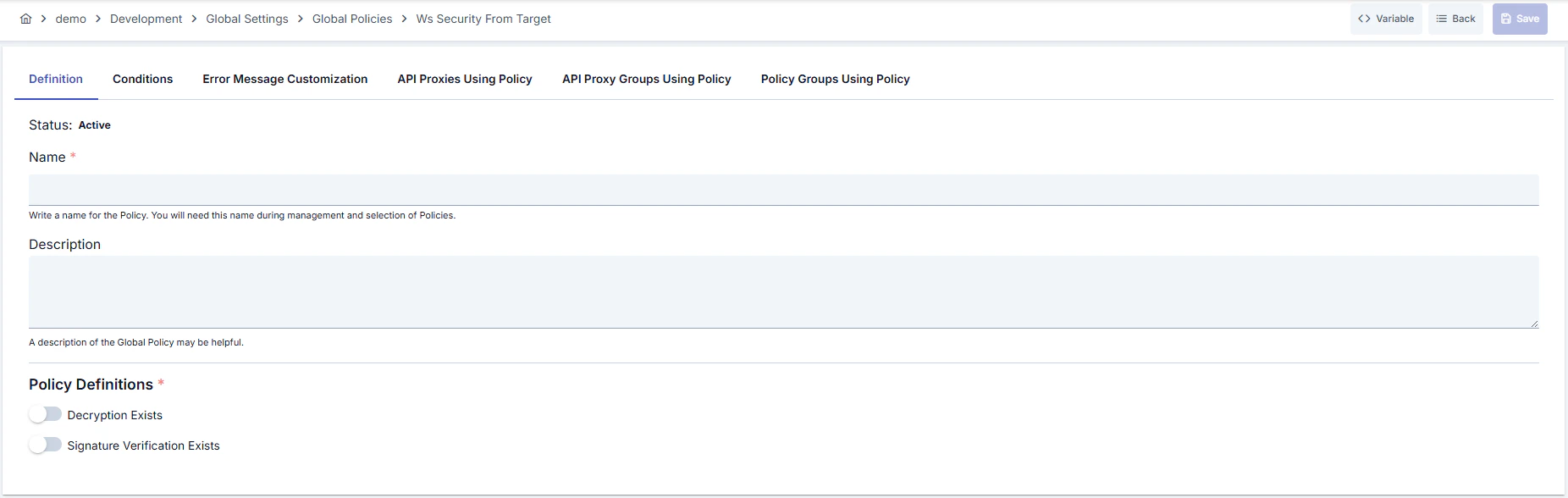
Configuration Steps
For the description of Conditions and Error Message Customization panels, you can review the Conditions and Error Message Customization sections on the What is Policy? page.
For a complete guide on all layers, priority order and scenario examples of the error message configuration system, see the Error Message Configuration Guide page.