

Overview
What is its Purpose?
- Standardize centralized JWT generation: Gathers reliable JWT creation flow for different client types on Apinizer.
- Manage authentication sources: Makes Secret Manager, LDAP, Database, or API-based authentication services selectable.
- Facilitate authorization integration: Coordinates role and method-based authorization on the same policy as JWT generation.
- Provide operational control: Provides audit and traceability by centrally controlling token durations, refresh rights, and header transfers.
Working Principle
- Request Arrival: For each HTTP/HTTPS request arriving at the API Gateway, the source IP address of the request is detected.
- Policy Check: If the JWT Authentication policy is active, the system checks in the following order:
- Is a Condition defined? If so, is the condition met?
- Is the policy active (active=true)?
- Is a Variable used or is Apinizer default?
- JWT Generation and Validation Process: Authentication source is triggered according to selected grant type, signing algorithm is applied, token lifetime and refresh rights are calculated.
- Decision Making:
- Match Found: Token is created or validated, redirected to target service with user/role headers added if necessary.
- No Match: Request is rejected with default or customized error message; refresh token generation/cancellation is not performed.
- Error Handling: Returns customizable HTTP status code and error message for requests that do not comply with the policy rule.
Features and Capabilities
Basic Features
- Grant Type Management: Quick switching between Client Credentials and Password grant types, automatic checking of required authentication components for each type.
- Identity Source Selection: Integrates Secret Manager, LDAP, Database, or external API sources into JWT generation process.
- Token Lifecycle Control: Detailed configuration and default value assignments for token lifetime, refresh right count, and durations.
- Active/Passive Status Control: Easily change the active or passive status of the policy (active/passive toggle). In passive state, the policy is not applied but its configuration is preserved.
- Conditional Application: Determine when the policy will be applied by creating complex conditions with Query Builder (e.g., only for specific endpoints or header values).
Advanced Features
- JWT Signature Algorithms: Provides signing suitable for target system requirements with RS256, RS384, RS512 options.
- Header Injection: Carries user identity and role information to target with desired header names; works integrated with role-based authorization.
- Refresh Token Policies: Establishes security/comfort balance through refresh token generation, usage limit, and durations.
- Export/Import Feature: Export policy configuration as a ZIP file. Import to different environments (Development, Test, Production). Version control and backup capability.
- Policy Group and Proxy Group Support: Manage multiple policies within Policy Group. Bulk policy assignment to Proxy Groups. Centralized update and deploy operations.
- Deploy and Versioning: Deploy policy changes to live environment. See which API Proxies use it (Policy Usage). Proxy Group and Policy Group usage reports.
Usage Scenarios
Configuring Policy Parameters
In this step, users can create a new policy or configure existing policy parameters to define access rules. The defined parameters directly affect how the policy works (e.g., which IPs will be allowed, geographical restrictions, conditional activations, etc.). This way, the policy can be customized according to organization-specific requirements and managed centrally.Creating New JWT Authentication Policy
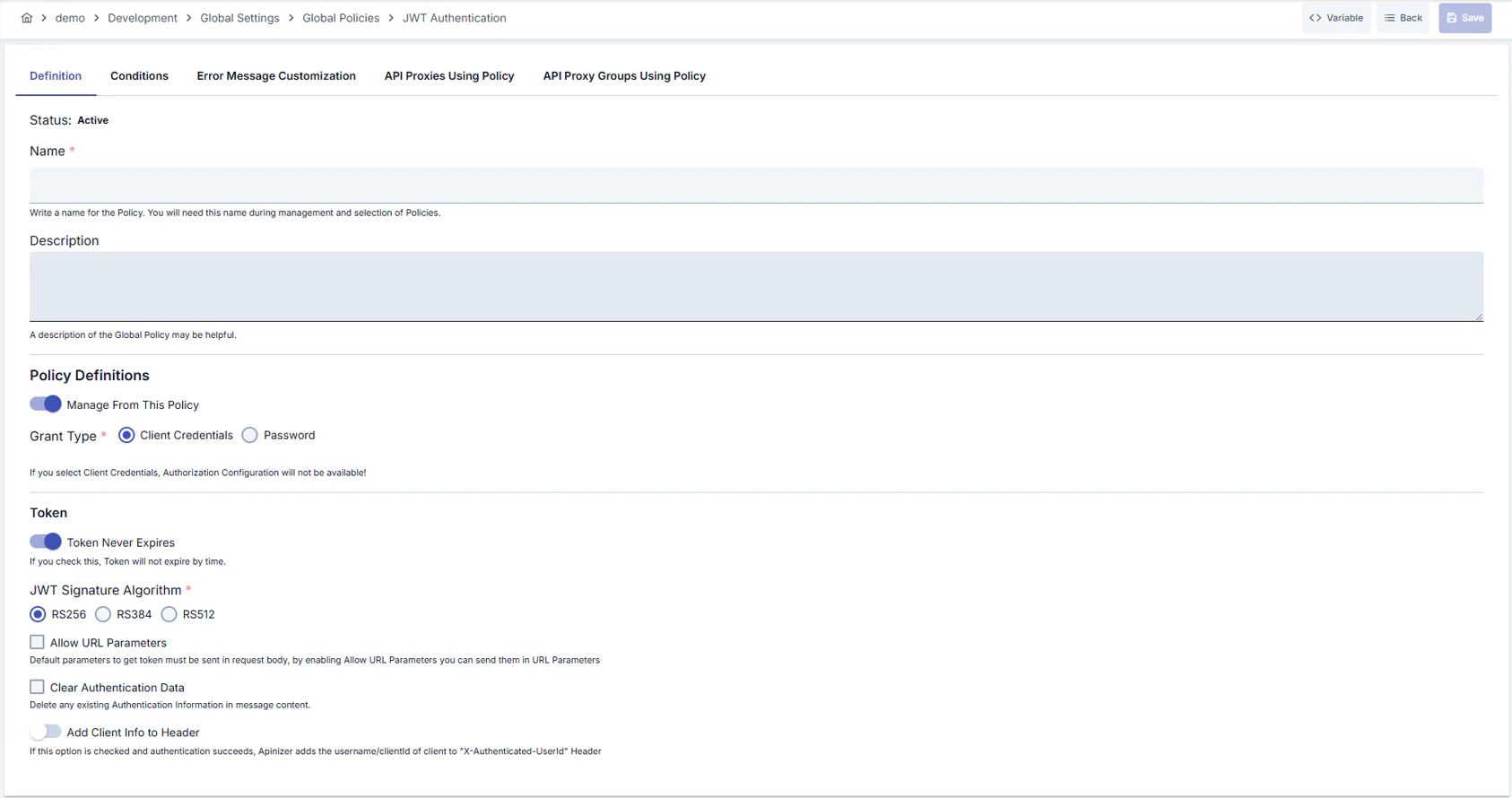
Configuration Steps
For the description of Conditions and Error Message Customization panels, you can review the Conditions and Error Message Customization (Error Message Customization) sections on the What is Policy? page.
For a complete guide on all layers, priority order and scenario examples of the error message configuration system, see the Error Message Configuration Guide page.
Deleting Policy
For the deletion steps of this policy and operations to be applied while in use, you can refer to the Removing Policy from Flow section on the Policy Management page.Exporting/Importing Policy
For the export and import steps of this policy, you can refer to the Export/Import page.Binding Policy to API
For the process of how this policy will be bound to APIs, you can refer to the Binding Policy to API section on the Policy Management page.Advanced Features
Best Practices
Things to Do and Best Practices
Security Best Practices
Things to Avoid
Performance Tips
Client Authentication — Authorization Basic Header Support (RFC 6749 §2.3.1)
Sending Credentials via Basic Authorization Header
Your client credentials (client_id and client_secret) can now be transmitted using HTTP Basic Authentication, following RFC 6749 standard compliance:
Backward-Compatible Body Parameters
The legacy method of sending credentials in the request body remains fully supported:Important Rules
- Mutual exclusivity: If you send both the Authorization Basic header AND
client_id/client_secretin the request body, the server rejects the request withinvalid_request(HTTP 400) per RFC 6749 §2.3.1 “MUST NOT”. - Malformed headers: Invalid Base64 encoding or missing colon (
:) in the decoded credentials are rejected withinvalid_client(HTTP 401). - Non-Basic schemes: Authorization headers with schemes other than Basic (e.g.,
Bearer) are ignored; the server falls back to body parameters. - Resource owner password flow:
usernameandpassword(PASSWORD grant type) must always be sent in the request body; the Authorization Basic header is reserved for client credentials only.