

Overview
What is its Purpose?
- Prevents malicious expressions from reaching your system by scanning header, parameter, and body contents of incoming requests in
API Proxycalls. - Ensures anonymization or complete removal of sensitive or personal data before being transmitted to backend systems.
- Detects policy-violating content in requests for regulatory compliance and makes them centrally manageable.
- Reduces manual errors by creating a consistent security layer with predefined filter rules.
Working Principle
- Request Arrival: For each HTTP/HTTPS request arriving at the API Gateway, the source IP address of the request is identified.
- Policy Check: If the Content Filter policy is active, the system checks in the following order:
- Is a Condition defined? If so, is the condition met?
- Is the policy active (active=true)?
- Is a Variable being used or is Apinizer default?
- Content Inspection Rules: For each defined filter rule, header, parameter, and body fields are scanned regex-based; for body, target fields can be isolated with optional XPath or JSONPath.
- Decision Making:
- Match Found: If
BLOCKis selected, request is terminated with 403 response; ifDELETEis selected, matching value is removed from header, parameter, or body and flow continues. - No Match: Request is forwarded to the next policy in original format.
- Match Found: If
- Error Handling: Customizable HTTP status code and error message are returned for requests that do not comply with the policy rule.
Features and Capabilities
Basic Features
- Regex-Based Rule Engine: Suspicious content in header, parameter, or body is caught with rule expressions and removed from processed fields or blocked.
- Multiple Application Area Selection: Supports simultaneous application of the same rule on header, query parameter, and body, providing consistent protection.
- Content Path Targeting: In body checks, specific nodes/fields can be selected with XPath or JSONPath, enabling targeted filtering.
- Active/Passive Status Control: Easily change the active or passive status of the policy (active/passive toggle). In passive mode, the policy is not applied but its configuration is preserved.
- Condition-Based Application: Determine when the policy will be applied by creating complex conditions with Query Builder (e.g., only for specific endpoints or header values).
Advanced Features
- Predefined Rule Library: Quickly add validated regex expressions to the policy by selecting from the ready filter rules list.
- Content Transformation Test: Validate and improve XPath/JSONPath expressions with Test Transformation modal on live data.
- Rule-Level Action Selection: Different behaviors can be assigned to different fields by determining
BLOCKorDELETEdecision for each rule. - Export/Import Feature: Export policy configuration as a ZIP file. Import to different environments (Development, Test, Production). Version control and backup capability.
- Policy Group and Proxy Group Support: Manage multiple policies within Policy Group. Bulk policy assignment to Proxy Groups. Centralized update and deploy operations.
- Deploy and Versioning: Deploy policy changes to live environment. See which API Proxies use it (Policy Usage). Proxy Group and Policy Group usage reports.
Usage Scenarios
Configuring Policy Parameters
In this step, users can create a new policy or configure existing policy parameters to define access rules.Creating a New Content Filter Policy
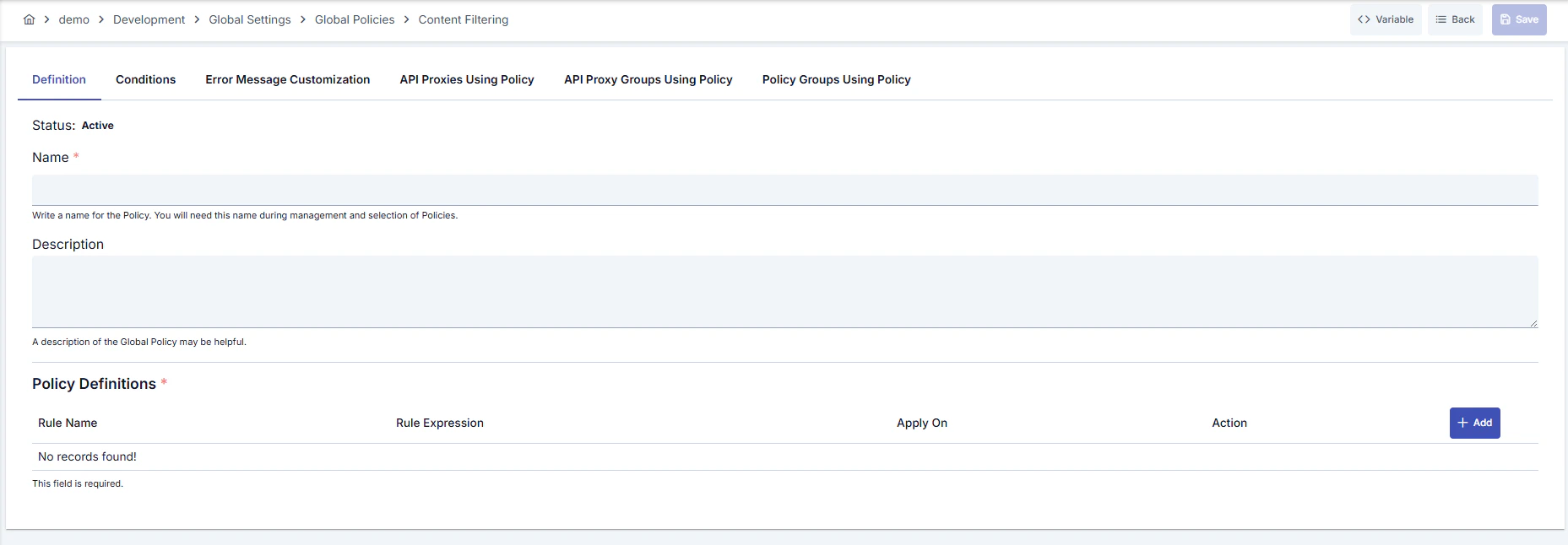
Configuration Steps
For descriptions of Conditions and Error Message Customization panels, you can review the Conditions and Error Message Customization sections on the What is Policy? page.
For a complete guide on all layers, priority order and scenario examples of the error message configuration system, see the Error Message Configuration Guide page.