

Overview
What is its Purpose?
- Provides compatibility by transforming incoming JSON bodies in integration with API Proxy to the schema expected by target microservice.
- Reduces maintenance costs by making JSON formats produced and sent by multiple clients uniform with the same policy.
- Bridges with legacy Endpoint systems that only accept XML by converting JSON contents to XML output.
- Dynamizes transformation scenarios according to specific tenant, version, or payload content by running according to conditions.
Working Principle
- Request Arrival: For each HTTP/HTTPS request arriving at the API Gateway, the source IP address of the request is identified.
- Policy Check: If the JSON Transformation policy is active, the system checks in the following order:
- Is a Condition defined? If so, is the condition met?
- Is the policy active (active=true)?
- Is a Variable being used or is Apinizer default?
- JSON Transformation Check:
transformationTypefield is examined. If JSON2JSON is selected, JOLT definition is parsed and request body is mapped to new JSON schema. If JSON2XML is selected, JSON content is converted to XML by applying relevant flags. - Decision Making:
- Match Found: Transformed body is written back to request pipeline, current content is sent to target Endpoint, and transformation type is processed to log record.
- No Match: Request is routed by API Proxy with original payload; policy counters are not updated.
- Error Handling: Customizable HTTP status code and error message are returned for requests that do not comply with the policy rule.
Features and Capabilities
Basic Features
- JSON2JSON Transformation Engine: Performs field renaming, hierarchy changes, and data enrichment operations with JOLT specification.
- JSON2XML Configuration: Provides null/empty field management and element packaging options when converting JSON contents to XML for legacy system integration.
- Transformation Test Laboratory: Provides the ability to validate JOLT templates with live data through Test Transformation Data module and examine output differences.
- Active/Passive Status Control: Easily change the active or passive status of the policy (active/passive toggle). In passive mode, the policy is not applied but its configuration is preserved.
- Condition-Based Application: Determine when the policy will be applied by creating complex conditions with Query Builder (e.g., only for specific endpoints or header values).
Advanced Features
- Global Policy Propagation Control: When global policies are updated, lists of API Proxies and Proxy Groups in use are automatically checked and directed to approval process.
- Automatic Name Uniqueness: Provides real-time validation and visual feedback to user so that policy names do not conflict project-wide.
- Policy Flow Integration: Enables reuse scenarios by chaining selected policy with other policies in Policy Flow mode.
- Export/Import Feature: Export policy configuration as a ZIP file. Import to different environments (Development, Test, Production). Version control and backup capability.
- Policy Group and Proxy Group Support: Manage multiple policies within Policy Group. Bulk policy assignment to Proxy Groups. Centralized update and deploy operations.
- Deploy and Versioning: Deploy policy changes to live environment. See which API Proxies use it (Policy Usage). Proxy Group and Policy Group usage reports.
Usage Scenarios
Configuring Policy Parameters
In this step, users can create a new policy or configure existing policy parameters to define access rules. The defined parameters directly affect how the policy works (e.g., which IPs will be allowed, geographical restrictions, conditional activations, etc.). This allows the policy to be customized according to organization-specific requirements while being centrally manageable.Creating a New JSON Transformation Policy
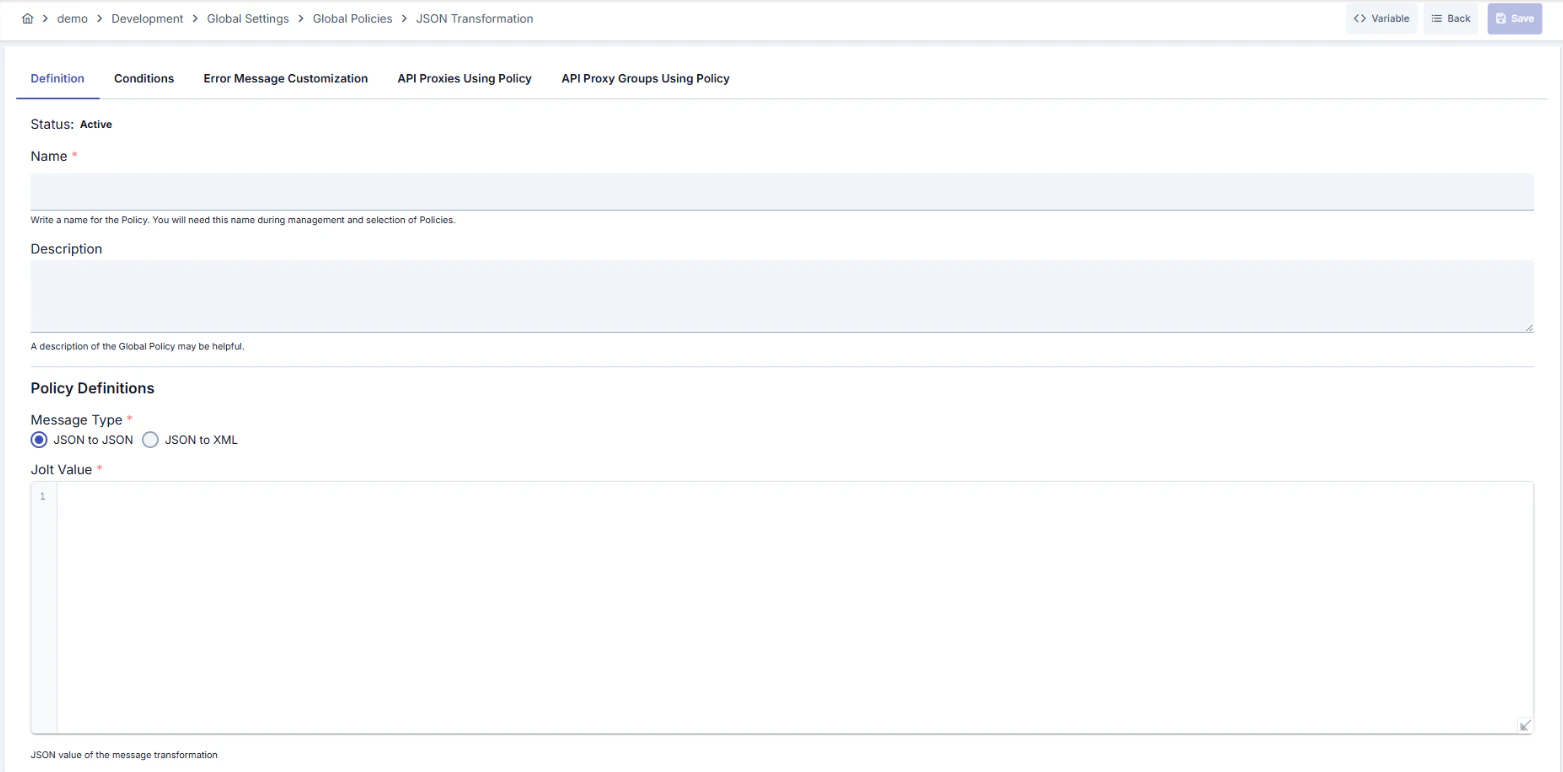
Configuration Steps
For descriptions of Conditions and Error Message Customization panels, you can review the Conditions and Error Message Customization sections on the What is Policy? page.
For a complete guide on all layers, priority order and scenario examples of the error message configuration system, see the Error Message Configuration Guide page.