Credential access permission alone is not sufficient for API proxy access.For the settings in the credential and access permission to be valid, one of the authentication policies must be added on the API Proxy and the Security Manager option must be selected as the authentication method in this policy.
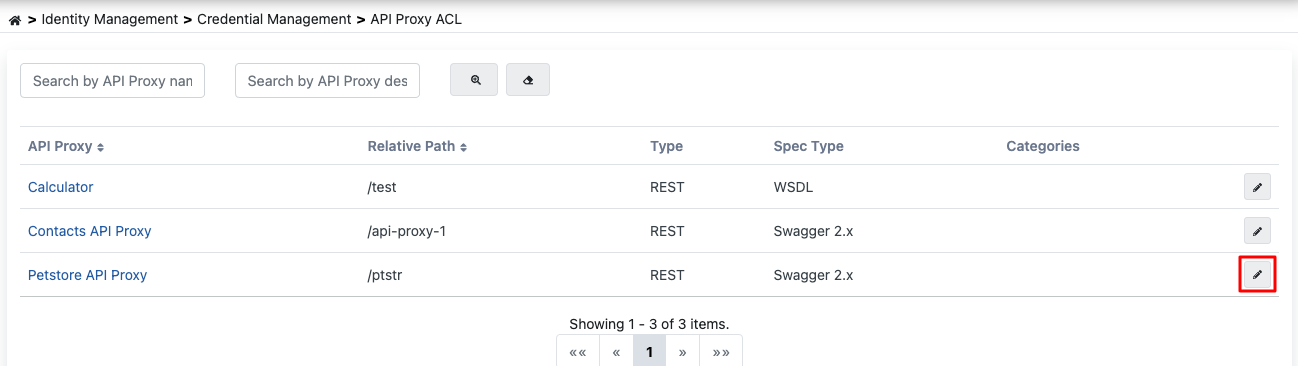
API Proxy Access Permission Management
To perform operations on an API Proxy, go to the detail screen of the relevant API Proxy by pressing the button marked in red above.
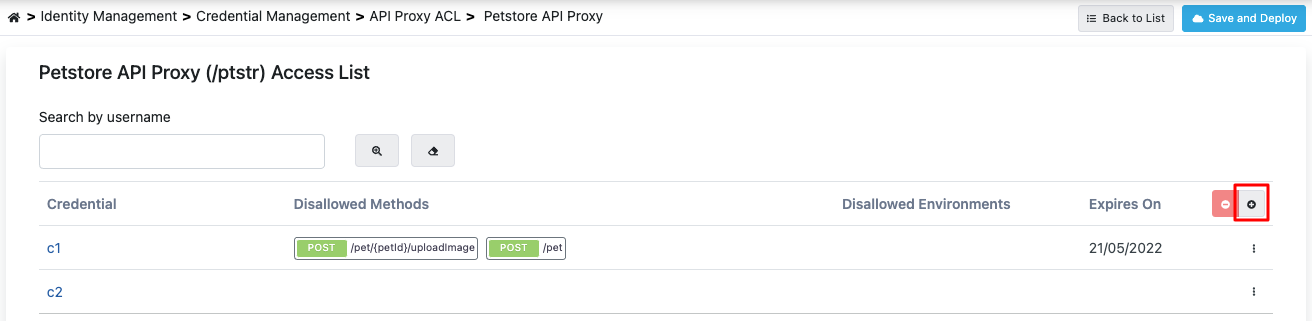
This screen contains the list of Credentials that have been previously granted access permission for the API Proxy.
To add a new Credential, press the button marked in red in the image above.
 When the Add button is pressed, credentials defined within the project or defined from the management menu are listed as shown in the image below.
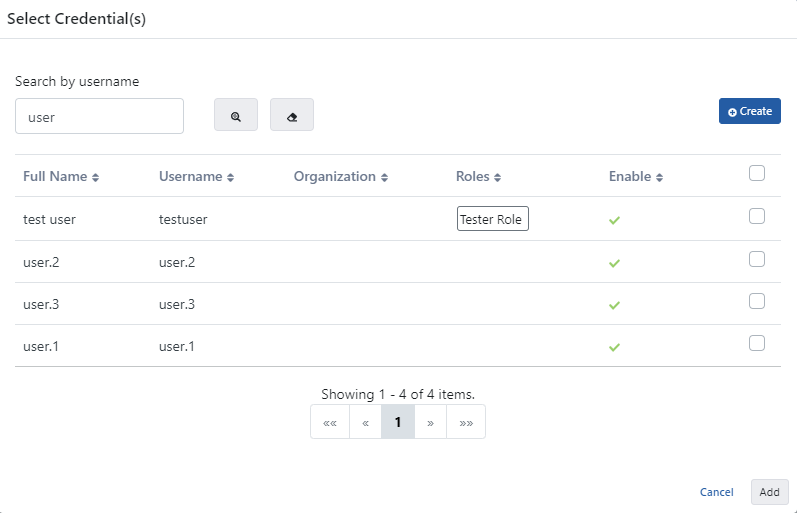 On this screen, access permission for one or more credentials to the API Proxy can be granted at the same time.
Credential Configuration
After granting access permission to the credential for the API Proxy, return to the page with the list of credentials that have been granted access permission to the API Proxy:
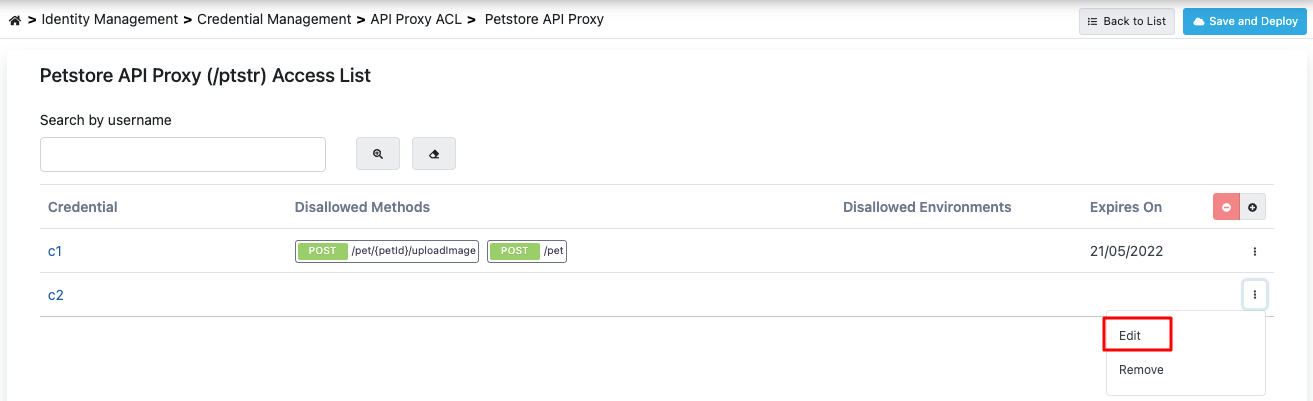 To make API Proxy-specific settings for the credential, press the Edit button marked in red on this page.
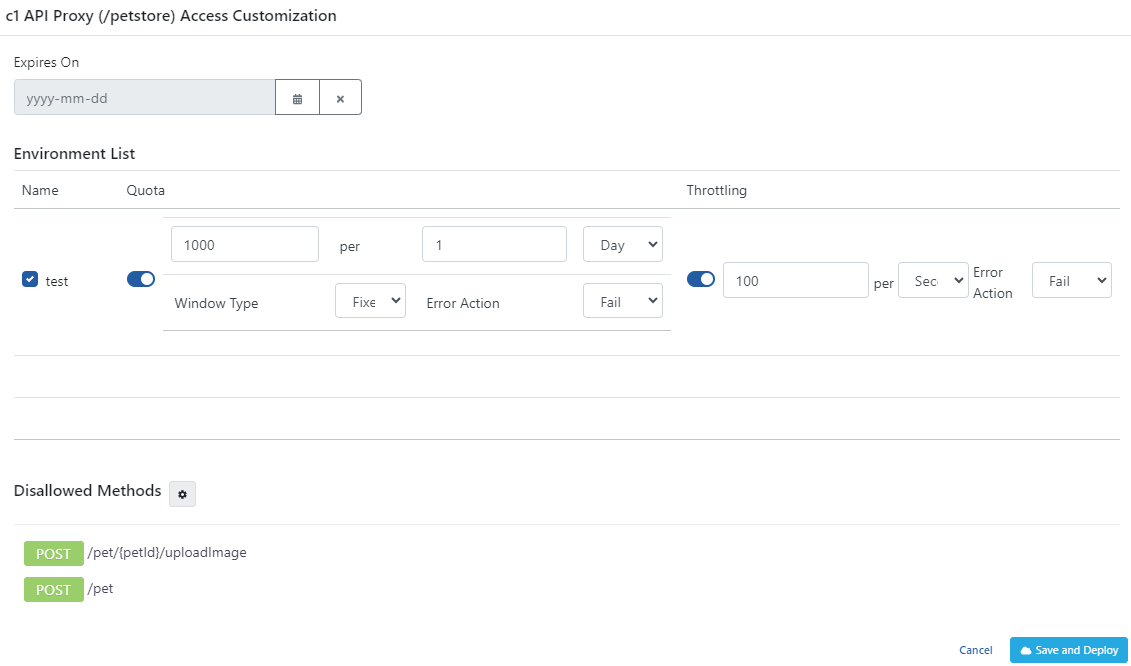
Configuration Parameters
The fields used for access configuration are shown in the table below:
| Field | Description |
|---|
| Expires On (Expires On) | If this date value is entered, the Credential will no longer be able to access the API Proxy from the time this date arrives (valid from midnight 00:00). If left empty, it continues to access the API Proxy as long as it does not become inactive. The arrival of this date only restricts access to this API Proxy, it does not make any change in access to other API Proxies. |
| Environment List (Environment List) | Enables entering Quota and Throttling values specific to the environment where the API Proxy is deployed. |
| Environment Quota (Quota) | The quota value specific to the specified environment of the API Proxy. |
| Environment Throttling (Throttling) | The throttling value specific to the specified environment of the API Proxy. |
| Message Count (Message Count) | The maximum number of messages that can be sent to the Backend API within the time given with the Throttling Interval. |
| Interval Time Amount (Interval Time Amount) | A numeric value indicating the duration of the limitation window in the selected time unit. |
| Interval Time Unit (Interval Time Unit) | The time interval unit used for API request limitation (for example, second, minute). |
| Interval Window Type (Interval Window Type) | The time interval method used for API request limitation (fixed or sliding). |
| Cache Connection Timeout (Second) (Cache Connection Timeout (Second)) | The timeout duration for cache connection is specified. |
| Action for Cache Connection Error (Action for Cache Connection Error) | The action to be applied if the policy experiences a connection problem with the cache server is specified. |
| Disallowed Methods (Disallowed Methods) | If it is desired that the credential not access any method of the API Proxy regardless of the roles it has, the methods of the API Proxy that are desired to be closed to access are selected here. By default, the credential can access all methods of the API Proxy. |
| Save and Deploy Button (Save and Deploy) | After completing the settings/changes, press the Save and Deploy button to activate the settings. |

